




01. Edit your ohio u 118 online
Type text, add images, blackout confidential details, add comments, highlights and more.

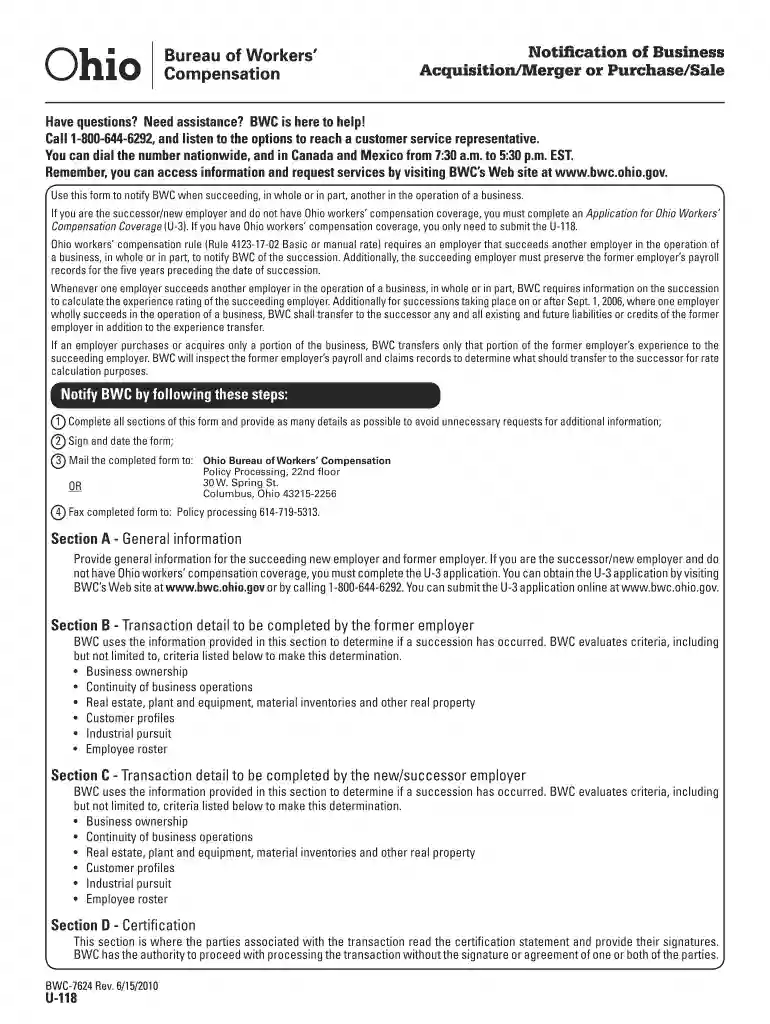
Type text, add images, blackout confidential details, add comments, highlights and more.

Draw your signature, type it, upload its image, or use your mobile device as a signature pad.

Send u118 form via email, link, or fax. You can also download it, export it or print it out.

Start filling out your u118 form online for free today!
We've got more versions of the ohio u 118 form. Select the right ohio u 118 version from the list and start editing it straight away!
| Versions | Form popularity | Fillable & printable |
|---|---|---|
| 2010 | 4.8 Satisfied (231 Votes) |
At DocHub, your data security is our priority. We follow HIPAA, SOC2, GDPR, and other standards, so you can work on your documents with confidence.
The U-118 MG cell line is one of several cell lines derived from malignant gliomas by J. Ponten and associates in the late 1960s. The source for the cells ofRead more
T98G and U118 cells were selected. The drug concentration of the starting TMZ is set with each cell line IC50, the culture medium containing TMZ is changedRead more
Jun 20, 2024 If you have Ohio workers compensation coverage, you only need to submit the U-118. Ohio workers compensation rule (Rule 4123-17-02 BasicRead more


