




01. Edit your fmls form 118 online
Type text, add images, blackout confidential details, add comments, highlights and more.

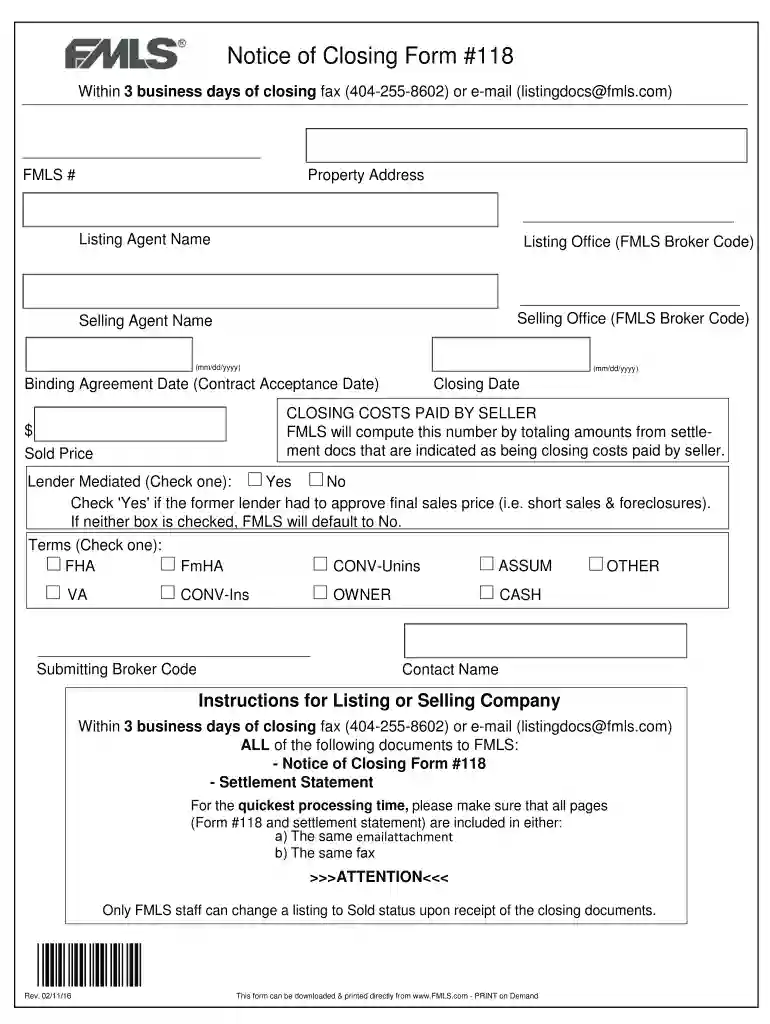
Type text, add images, blackout confidential details, add comments, highlights and more.

Draw your signature, type it, upload its image, or use your mobile device as a signature pad.

Send fmls closing via email, link, or fax. You can also download it, export it or print it out.

Start filling out form 118 today for free and streamline your document process!
We've got more versions of the fmls form 118 form. Select the right fmls form 118 version from the list and start editing it straight away!
At DocHub, your data security is our priority. We follow HIPAA, SOC2, GDPR, and other standards, so you can work on your documents with confidence.
Feb 20, 2026 Corporations use this form to compute their foreign tax credit for certain taxes paid or accrued to foreign countries or US possessions.Read more
Jan 7, 2026 Cauldrons have an unobtainable form as an item. The ID is 118. [hide] Lava cauldrons have an item form with an ID of -210. 1.20.60Read more
You may submit a Form 118 to request a non-human subjects research determination if you are planning any of the following types of research: ResearchRead more


