




01. Edit your gold's gym application online
Type text, add images, blackout confidential details, add comments, highlights and more.

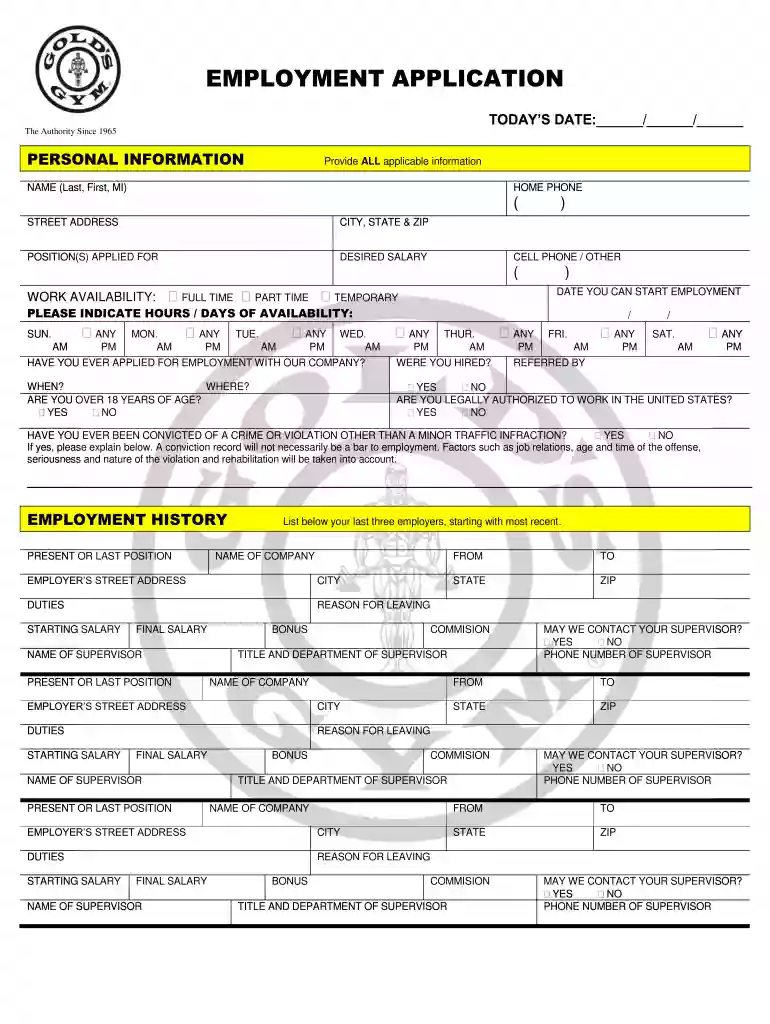
Type text, add images, blackout confidential details, add comments, highlights and more.

Draw your signature, type it, upload its image, or use your mobile device as a signature pad.

Send golds gym application via email, link, or fax. You can also download it, export it or print it out.

Start filling out your EMPLOYMENT APPLICATION today using our platform for a seamless experience!
We've got more versions of the gold's gym application form. Select the right gold's gym application version from the list and start editing it straight away!
| Versions | Form popularity | Fillable & printable |
|---|---|---|
| 2009 | 4.8 Satisfied (64 Votes) |
At DocHub, your data security is our priority. We follow HIPAA, SOC2, GDPR, and other standards, so you can work on your documents with confidence.
On-the-job Training. Work Experience. Typically. Requires None. Typical Wage Range. $29,310 - $50,170. YMCA of Upper Palmetto. Golds Gym International, IncRead more
Aug 18, 2014 Golds Gym Membership. Dickinson employees enjoy the following benefits at Golds Carlisle and. Chambersburg locations: 50% off enrollmentRead more


