




Here's how it works



How to use or fill out ssa editions child with our platform

- Click ‘Get Form’ to open the SSA Editions Child worksheet in the editor.
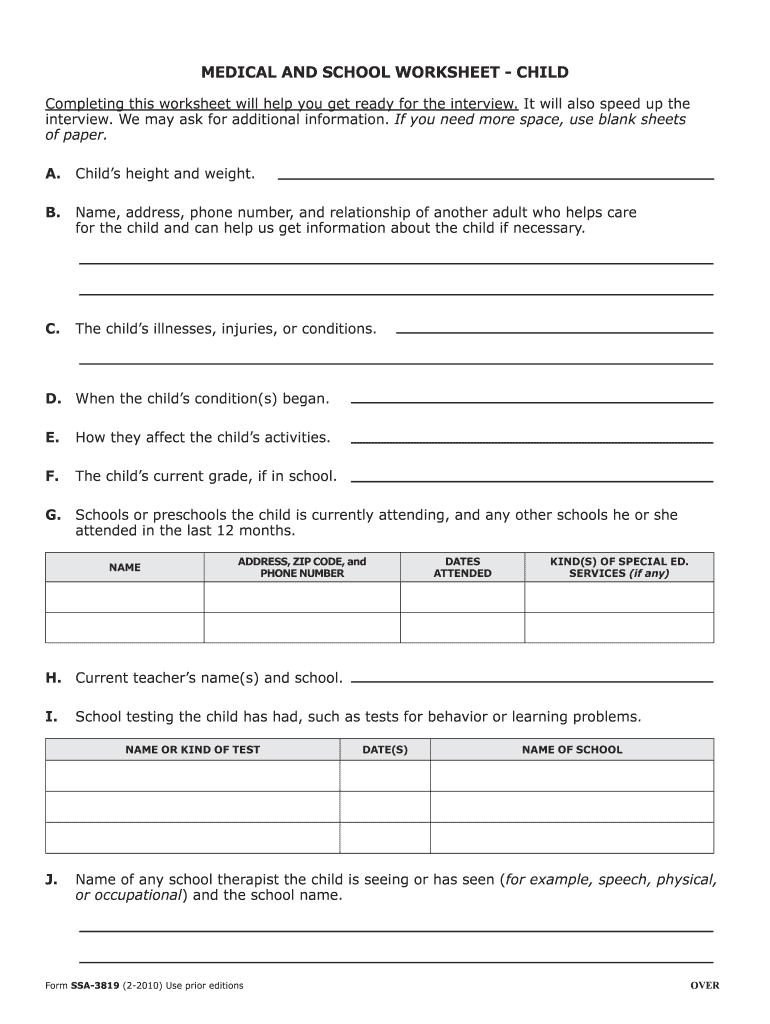
- Begin by entering the child's height and weight in section A. This information is crucial for understanding the child's health status.
- In section B, provide the name, address, phone number, and relationship of another adult who assists in caring for the child. This helps establish a support network.
- Detail any illnesses, injuries, or conditions affecting the child in section C. Be thorough to ensure accurate assessment.
- For section D, indicate when these conditions began. This timeline is important for evaluating ongoing needs.
- In section E, describe how these conditions affect the child's daily activities to give context to their challenges.
- Fill out section F with the current grade of the child if they are attending school.
- List schools or preschools attended in section G, including any special education services received.
- Complete sections H through M with relevant details about teachers, testing history, medical professionals involved, and medications prescribed.
Start using our platform today to easily complete your SSA Editions Child form online for free!
It's free
See more ssa editions child versions
| Versions | Form popularity | Fillable & printable |
|---|---|---|
| 2010 | 4.8 Satisfied (503 Votes) |
Got questions?
Can I sign my permanent question on a mobile?
Sure, you’ll find many different apps for this on the web. Nonetheless, if you need to eSign your permanent question without installing extra software, DocHub is the best choice you can make. This robust editor works on mobile devices just like on desktops. Open our editor in any internet browser, register or sign in to your account, and start managing your paperwork.
Do I need to set up software to modify my warno shell?
If you edit your warno shell with DocHub, you only require a stable web connection and virtually any browser installed on your device. No need to set up any third-party software or study tutorials. Just open a tab with DocHub, drag and drop your file, and modify it on the spot.
Are Social Security recipients getting an extra check in 2022?
How much SSI would my child get?
How much SSI will I get for a child with ADHD 2022?
Security and compliance
At DocHub, your data security is our priority. We follow HIPAA, SOC2, GDPR, and other standards, so you can work on your documents with confidence.
Learn more




