




Here's how it works

01. Edit your i 765 worksheet online
Type text, add images, blackout confidential details, add comments, highlights and more.

02. Sign it in a few clicks
Draw your signature, type it, upload its image, or use your mobile device as a signature pad.

03. Share your form with others
Send i 765w via email, link, or fax. You can also download it, export it or print it out.
How to use or fill out i 765 with our platform

- Click ‘Get Form’ to open the I-765 worksheet in the editor.
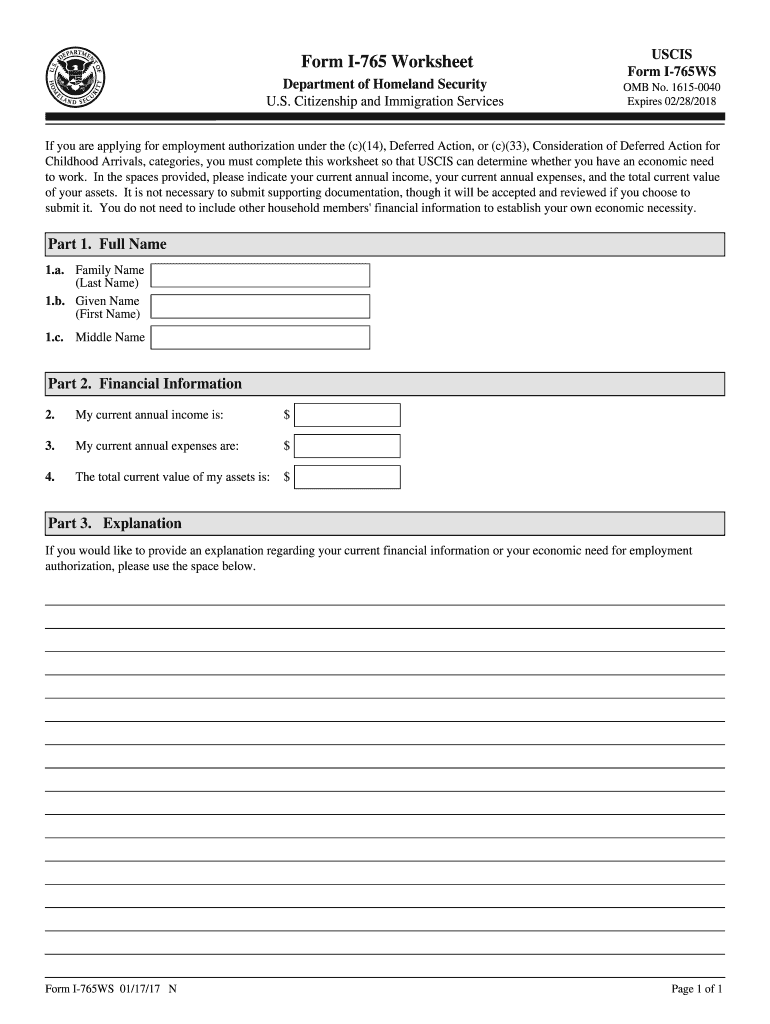
- In Part 1, enter your full name. Fill in your family name (last name), given name (first name), and middle name as applicable.
- Proceed to Part 2 for financial information. Input your current annual income, current annual expenses, and the total current value of your assets in the designated fields.
- If you wish to provide additional context regarding your financial situation, utilize the space provided in Part 3 for an explanation.
Start using our platform today to complete your I-765 form online for free!
Fill out i 765 online
It's free
It's free
See more i 765 versions
We've got more versions of the i 765 form. Select the right i 765 version from the list and start editing it straight away!
| Versions | Form popularity | Fillable & printable |
|---|---|---|
| 2025 | 4.2 Satisfied (27 Votes) | |
| 2025 | 4.8 Satisfied (25 Votes) | |
| 2024 | 4.9 Satisfied (56 Votes) | |
| 2024 | 4.8 Satisfied (26 Votes) | |
| 2022 | 4.8 Satisfied (76 Votes) | |
| 2020 | 4.8 Satisfied (78 Votes) | |
| 2017 | 4.4 Satisfied (107 Votes) | |
| 2016 | 4.3 Satisfied (187 Votes) | |
| 2015 | 4 Satisfied (38 Votes) | |
| 2013 | 4.3 Satisfied (64 Votes) | |
| 2012 | 4 Satisfied (56 Votes) |
Security and compliance
At DocHub, your data security is our priority. We follow HIPAA, SOC2, GDPR, and other standards, so you can work on your documents with confidence.
Learn more


