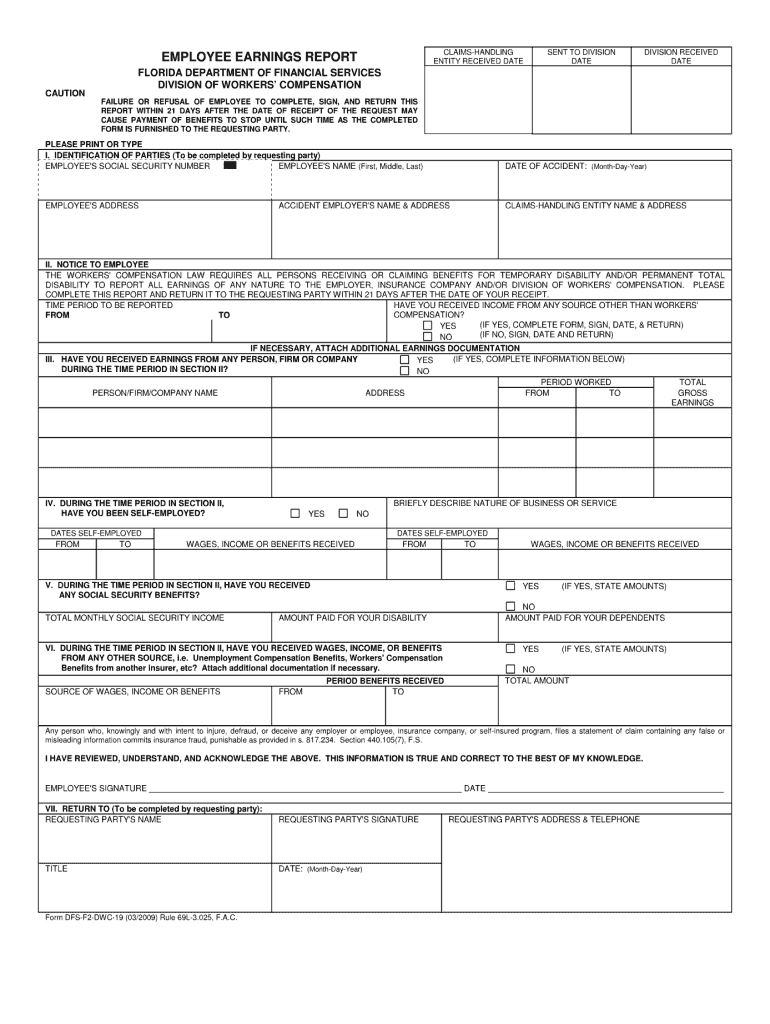
Dwc 19 2026

Get Form
dwc 19 Preview on Page 1

Here's how it works

01. Edit your form online
Type text, add images, blackout confidential details, add comments, highlights and more.
02. Sign it in a few clicks
Draw your signature, type it, upload its image, or use your mobile device as a signature pad.
03. Share your form with others
Send it via email, link, or fax. You can also download it, export it or print it out.

How to use or fill out dwc 19 with our platform

Form edit decoration
9.5
Ease of Setup
DocHub User Ratings on G2
9.0
Ease of Use
DocHub User Ratings on G2
  1. Click ‘Get Form’ to open the dwc 19 in the editor.
  2. Begin by entering your personal information in the designated fields, including your name, address, and contact details. Ensure accuracy for effective communication.
  3. Next, navigate to the section regarding employment details. Fill in your employer's name and address, along with your job title and dates of employment.
  4. Proceed to the injury details section. Clearly describe the nature of your injury, including date and circumstances. This information is crucial for processing your claim.
  5. Finally, review all entered information for completeness and accuracy before submitting. Utilize our platform’s editing tools to make any necessary adjustments easily.

Start using our platform today to fill out your dwc 19 form online for free!

See more dwc 19 versions

We've got more versions of the dwc 19 form. Select the right dwc 19 version from the list and start editing it straight away!
Versions Form popularity Fillable & printable
2009 4.8 Satisfied (161 Votes)
be ready to get more

Complete this form in 5 minutes or less

Get form

Got questions?

We have answers to the most popular questions from our customers. If you can't find an answer to your question, please contact us.
Contact us
Generally, the following should be included: Regular wages or salaries. Overtime pay (typically calculated at the straight-time rate) Bonuses and commissions. Holiday, vacation, and sick pay. The value of meals and lodging, if provided as part of compensation.
An earnings statement, also known as a pay stub, is a document that details an employees earnings, deductions, and net pay for a specific pay period. Its essentially a breakdown of an employees paycheck.
Claims Reporting: Report all claims to AmeriSys at 1-800-455-2079. In a medical emergency, transport the injured employee to the nearest medical facility or call 911 for emergency assistance. Following the arrangement of emergency medical treatment for the injured employee, contact AmeriSys at 1-800-455-2079.
How workers compensation calculates on payroll checks Gross Wages - Excluded Wages - Excluded Overtime Premium = Subject Wages. Workers Compensation Rate * Experience Rating = Adjusted Workers Compensation Rate. Subject Wages * Adjusted Workers Compensation Rate = Adjusted Premium Amount.
The DWC-19 form, also known as the Employee Earnings Report, is used to determine if an injured worker has supplemental income to offset any indemnity benefits due and owing from the employer/carrier. This includes any income from other employment and even social security or disability benefits.

Security and compliance

At DocHub, your data security is our priority. We follow HIPAA, SOC2, GDPR, and other standards, so you can work on your documents with confidence.

Learn more
ccpa2
pci-dss
gdpr-compliance
hipaa
soc-compliance