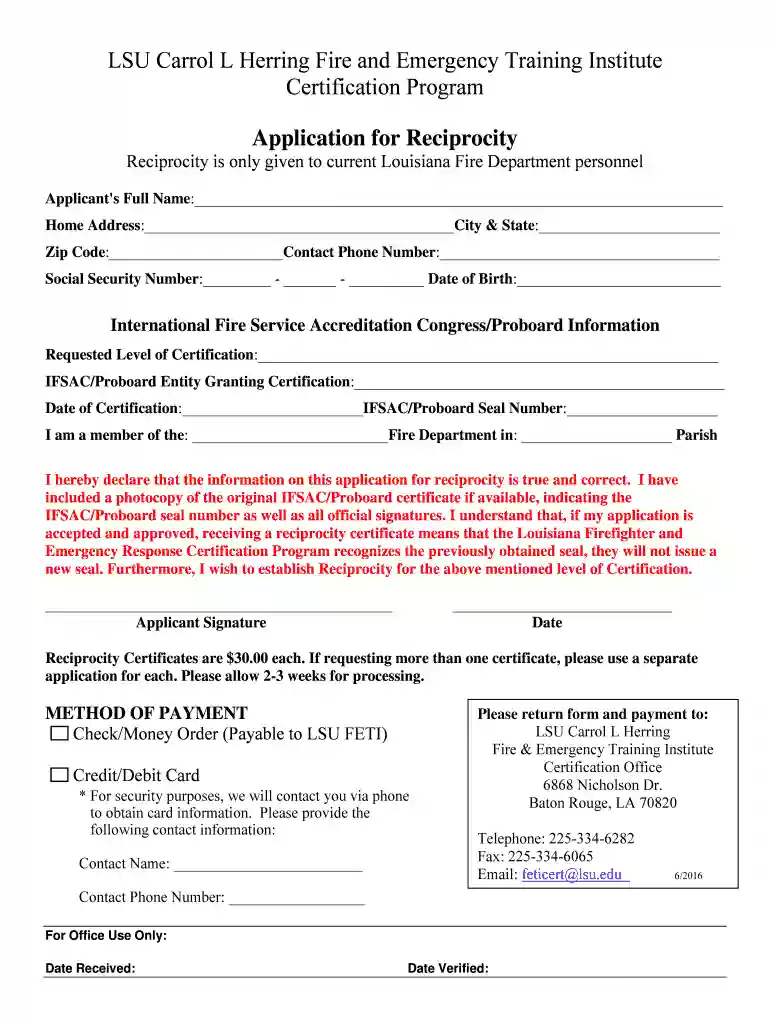
Transferring Certifications - Louisiana State University Preview on Page 1

Transferring Certifications - Louisiana State University 2026

Here's how it works

  • 01. Edit your form online

    Type text, add images, blackout confidential details, add comments, highlights and more.

  • 02. Sign it in a few clicks

    Draw your signature, type it, upload its image, or use your mobile device as a signature pad.

  • 03. Share your form with others

    Send it via email, link, or fax. You can also download it, export it or print it out.

How to use or fill out Transferring Certifications - Louisiana State University with our platform

Form edit decoration
9.5
Ease of Setup
DocHub User Ratings on G2
9.0
Ease of Use
DocHub User Ratings on G2
  1. Click ‘Get Form’ to open the Transferring Certifications form in the editor.
  2. Begin by entering your full name in the designated field. Ensure that it matches your official identification.
  3. Fill in your home address, including city and state, followed by your zip code. This information is crucial for processing your application.
  4. Provide your contact phone number and social security number. Double-check for accuracy to avoid delays.
  5. Indicate the requested level of certification and the entity granting it. Include the date of certification and seal number if applicable.
  6. Declare your affiliation with a fire department, specifying its name and parish. This helps validate your application.
  7. Sign and date the application to confirm that all provided information is true. Remember to attach a photocopy of your original IFSAC/Proboard certificate if available.
  8. Select your method of payment, either check/money order or credit/debit card, and provide necessary contact details for card processing.
  9. Finally, return the completed form along with payment to the specified LSU address for processing.

Start filling out your Transferring Certifications form today using our platform for free!

See more Transferring Certifications - Louisiana State University versions

We've got more versions of the Transferring Certifications - Louisiana State University form. Select the right Transferring Certifications - Louisiana State University version from the list and start editing it straight away!

VersionsForm popularityFillable & printable
20164.8 Satisfied (165 Votes)

be ready to get more

Complete this form in 5 minutes or less

Security and compliance

At DocHub, your data security is our priority. We follow HIPAA, SOC2, GDPR, and other standards, so you can work on your documents with confidence.

Related links

Out-of-State Certified Educators

To begin, applicants must submit a Review of Credentials application using the detailed checklist at the link above, pay the required fee, and provide allRead more

Learn more
Home | DePaul University - Chicago, IL

Transferring to DePaul was about more than just athletics. Start your journey at DePaul today.

Learn more
Tiger Transfer Tables | LSU Admissions

This list reflects courses that have previously been evaluated by faculty at LSU for transfer equivalency. It is intended as a resource for students.Read more

Learn more
If you believe that this page should be taken down, please follow our DMCA take down process here