
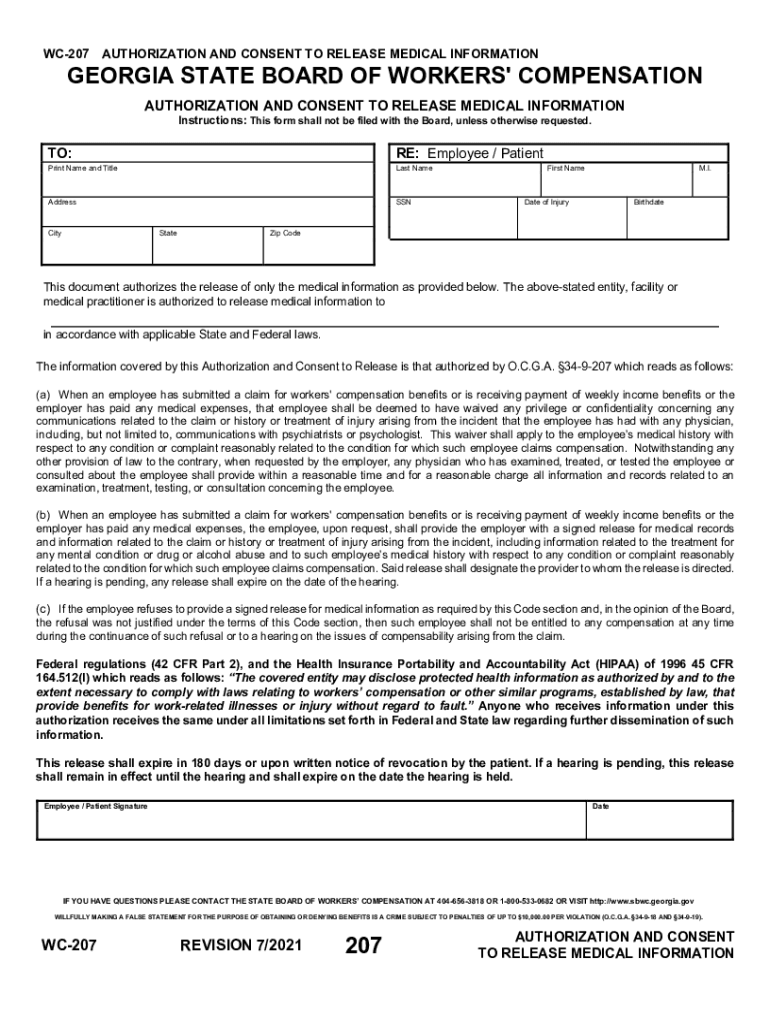







Definition & Meaning
The term "form online" refers to the digital version of various forms that can be accessed, filled out, and submitted over the internet. These online forms are designed to facilitate the process of gathering information, applying for services, or performing transactions without the need for paper documents. They are essential in modern workflows, providing an efficient, eco-friendly alternative to traditional paper forms.
Online forms can be found in numerous contexts, including government applications, business transactions, educational enrollments, and legal documentation. They often contain text fields, checkboxes, and dropdown menus to guide users and ensure that information is collected in a uniform manner.
How to Use the Form Online
Using a form online involves several steps to ensure accuracy and compliance with relevant guidelines. Here's a general approach to using these forms effectively:
-
Access the Form: Navigate to the form's webpage using a compatible web browser. Ensure you are on an official or trusted site to protect your information.
-
Familiarize Yourself with Requirements: Before starting, read through the form instructions carefully. This will provide insights into what information is required and any supporting documents you may need to gather.
-
Enter Information Carefully: Use the provided fields to input your details. Check for mandatory fields marked with an asterisk and ensure they are filled out accurately.
-
Review and Confirm Details: After entering your information, review the entire form to catch any errors or omissions. Use the "Review" or "Preview" feature if available.
-
Submit the Form: Once you are satisfied with the information, submit the form by clicking the designated “Submit” button. You may receive a confirmation email or receipt number, which should be saved for your records.
Steps to Complete the Form Online
Completing a form online requires accuracy and diligence. Here are detailed steps to guide you through the process:
-
Gather Necessary Documents: Before starting, ensure you have all required documents at hand, such as identification numbers, financial records, or any supporting documents.
-
Set Up a User Account (if required): Some platforms may require you to create an account. Complete the registration process if needed, ensuring you use a secure password.
-
Navigate to the Form Section: Use the website’s navigation tools to locate the form section. This often involves selecting a category relevant to the form type.
-
Fill Out Initial Details: Begin with basic information such as your name, contact details, and any unique identifiers requested.
-
Provide Detailed Information: Continue through sections of the form, providing detailed answers where applicable. Use help icons or tooltips for clarification on complex fields.
-
Upload Documents: If the form requires attachments, use the upload functionality to submit electronic copies. Ensure file formats and sizes are compatible with the system.
-
Verify Information: Before submission, double-check all entries for errors or missing information. Use the form's built-in validation tools when available to ensure completeness.
-
Submit and Save Confirmation: Upon final review, submit the form. Save any confirmation pages or emails as proof of submission.
Key Elements of the Form Online
Online forms typically contain several key elements designed to capture and process user information efficiently:
- Input Fields: Areas where users enter text, numbers, or dates.
- Dropdown Menus: Allow selection from a list of predetermined options.
- Checkboxes/Radios: Enable selection of multiple (checkboxes) or single (radio button) options.
- Mandatory Fields: Marked with an asterisk or highlighted differently, indicating they must be completed.
- Submit Button: Finalizes the input and sends data to be processed.
- Support Links: Provide access to help, FAQs, and customer service.
Software Compatibility
Ensuring compatibility is crucial for the seamless use of online forms:
- Web Browsers: Most online forms are designed to work on major browsers like Chrome, Firefox, Safari, and Edge.
- PDF Readers: For forms that require downloading or printing, compatible PDF software such as Adobe Acrobat is needed for viewing and editing.
- Mobile Platforms: Many forms are optimized for use on mobile devices, allowing completion on tablets and smartphones.
State-Specific Rules for the Form Online
Some forms have variations based on state-specific regulations, meaning additional requirements or different fields might apply:
- California: Often involves additional environmental compliance sections.
- Texas: May require specific state tax identifiers.
- New York: Could require supplemental disclosure forms.
Understanding these variations is vital for compliance and ensures that your submission meets all necessary state regulations.
Legal Use of the Form Online
Forms completed online often have legal implications, especially for contracts, applications, and compliance documentation. Understanding the legal contexts in which these forms are used ensures their proper application:
- Electronic Signatures: Authentication methods such as DocHub’s compliant electronic signatures ensure legality and authenticity.
- Privacy Compliance: Forms must adhere to privacy laws such as GDPR or CCPA, ensuring the protection of user data.
Legal assurance often includes terms and conditions that users must agree to, underscoring the necessity for careful reading before submission.
Eligibility Criteria
Each form online typically has eligibility criteria that must be met by the applicant:
- Age Restrictions: Some forms may require users to be over a certain age.
- Residency Requirements: International forms often necessitate proof of residency within a particular region.
- Income or Employment Verification: Financial or job-related applications might require verifying income thresholds or employment status.
Understanding these criteria before initiating the form will help in determining the necessary qualifications and avoiding wasted effort on ineligible applications.


Examples of Using the Form Online
Forms online are used across different sectors for varied purposes:
- Government Applications: Applying for a federal student loan or social security benefits.
- Business Transactions: Completing a commercial lease agreement or vendor registration.
- Healthcare Documentation: Authorizing release of medical information or submitting insurance claims.
These examples highlight the versatility and convenience of online forms in personal, business, and governmental contexts.




