







Definition & Meaning
The term "form online" refers to a digital document or template available on the internet that can be filled out, submitted, or signed electronically. This concept revolutionizes the traditional paper-based form filing by enabling users to interact with documents through digital platforms. Online forms allow individuals, businesses, and institutions to streamline various processes such as registrations, applications, or agreements with ease. The use of online forms is prevalent in several sectors including education, healthcare, and finance, catering to a wide array of purposes from tax filings to healthcare disclosures.
Steps to Complete the Form Online
Completing a form online involves a series of systematic steps designed to ensure accuracy and efficiency. First, locate the required form on the platform that provides it, such as DocHub. After accessing the form, review the instructions carefully to understand the information and supporting documents needed. Begin by entering your personal details, ensuring you fill in all mandatory fields. Use dropdown menus or checkboxes where applicable. If the form includes fillable fields for attachments, upload any necessary documents. Review the form thoroughly to ensure all information is accurate before submitting it. Utilize features like form validation checks available on platforms like DocHub to catch errors before finalizing.
- Locate the form on the platform.
- Review instructions and required information.
- Enter personal information in the designated fields.
- Utilize dropdown menus or checkboxes as necessary.
- Upload relevant supporting documents.
- Review and validate all entries for accuracy.
- Submit the completed form for processing.
Creating and Managing Fillable Forms
Creating fillable forms online allows for streamlined information gathering and data management. A fillable form is designed using digital tools provided by platforms such as DocHub. The process begins by choosing a template or starting from scratch. You can add various interactive elements including text boxes for input, checkboxes for selection, dropdown menus for multiple-choice options, and signature fields for authentication purposes. These elements guide users in providing the required information accurately and efficiently. Additionally, the ability to designate specific fields as required ensures all critical data points are captured before submission.
- When designing, start with a template or a blank document.
- Add text boxes for user input.
- Include checkboxes and dropdown menus for multiple-choice options.
- Insert signature fields for authentication where necessary.
- Designate critical fields as required to ensure complete data capture.
Who Typically Uses the Form Online
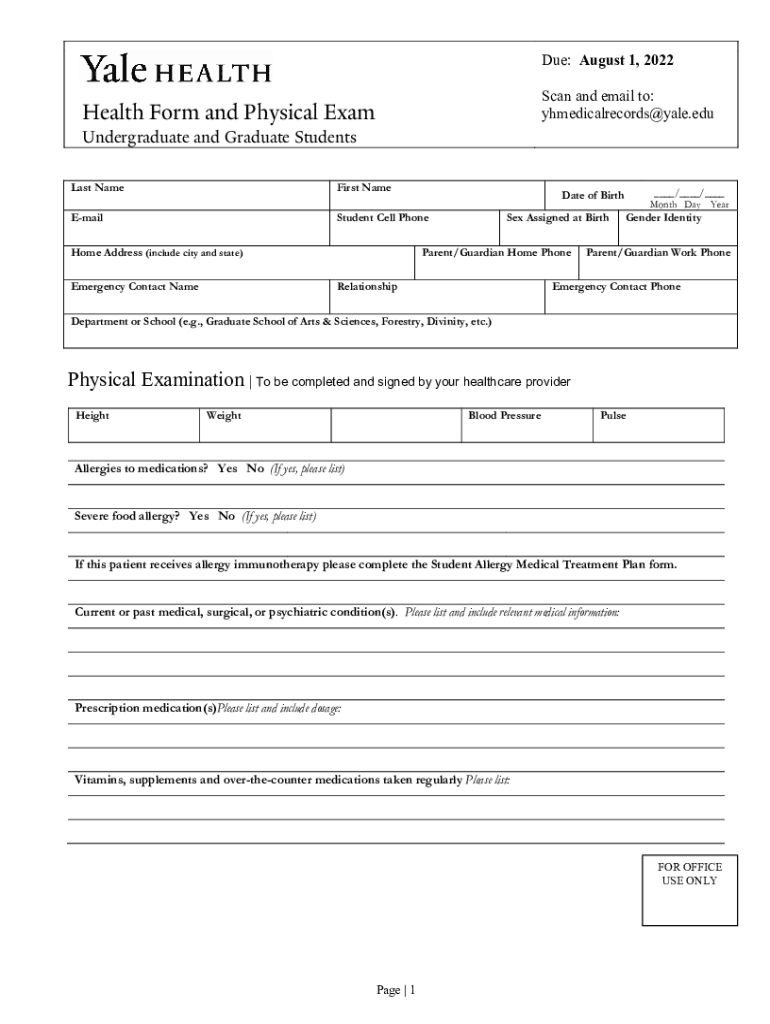
Various individuals and entities rely on online forms for convenience, efficiency, and accuracy. In educational institutions, both undergraduate and graduate students might use health forms or registration documents. Businesses utilize online forms for client feedback, order processing, and employee onboarding. Healthcare providers rely on these forms to collect patient data and medical histories efficiently. Government agencies distribute tax forms and license applications to the public through digital platforms. This broad applicability illustrates the diverse user base of online forms which spans across multiple sectors and industries.


Legal Use of the Form Online
Online forms fulfill numerous legal purposes by providing a secure and efficient alternative to traditional paperwork. Forms that collect sensitive information, such as tax forms, must comply with legal requirements like the ESIGN Act ensuring electronic signatures are equivalent to handwritten ones. Platforms like DocHub safeguard legal forms through secure authentication processes, protecting data integrity during interactions. Users can trust the legality of online forms when completing critical documentation like contracts, applications, and disclosures, as long as the platform adheres to established legal standards and practices.
Key Elements of the Form Online
A successful form online integrates several key components to ensure usability and effectiveness. A clear structure helps users navigate through different sections, while intuitive design allows for easy data entry. Key elements include:
- Text Entry Fields: Areas where users input information.
- Choice Options: Checkboxes and dropdown menus facilitate swift selections.
- Instructions and Help Text: Guiding users on how to fill in each section correctly.
- Validation and Feedback: Ensures all required fields are completed and provides error messages for incorrect entries.
- Security Features: Encryption and password protections safeguard sensitive data against unauthorized access.
Software Compatibility
Forms completed online should be compatible with various software to ensure accessibility and operability. Platforms like DocHub often integrate with popular business and productivity software like Google Workspace, TurboTax, and QuickBooks. This compatibility allows users to import and export forms effortlessly, enhancing workflow and reducing the time spent on data transfer. Compatibility with mobile devices further extends accessibility, enabling users to manage forms on the go, ensuring effective document control in various work environments.
Digital vs. Paper Version
Digital forms offer significantly more advantages over their paper counterparts, especially when it comes to efficiency, accuracy, and accessibility. Digital forms remove the need for physical storage and reduce costs associated with paper and ink. They often include built-in validation to mitigate errors before submission. Moreover, digital forms facilitate real-time editing and collaboration, accommodating multiple users working on the same document simultaneously. In contrast, paper forms are susceptible to misplacement, damage, and manual errors, making digital forms the superior choice for modern documentation needs.




