



01. Edit your medical worksheet online
Type text, add images, blackout confidential details, add comments, highlights and more.

Type text, add images, blackout confidential details, add comments, highlights and more.

Draw your signature, type it, upload its image, or use your mobile device as a signature pad.

Send hd02036f via email, link, or fax. You can also download it, export it or print it out.
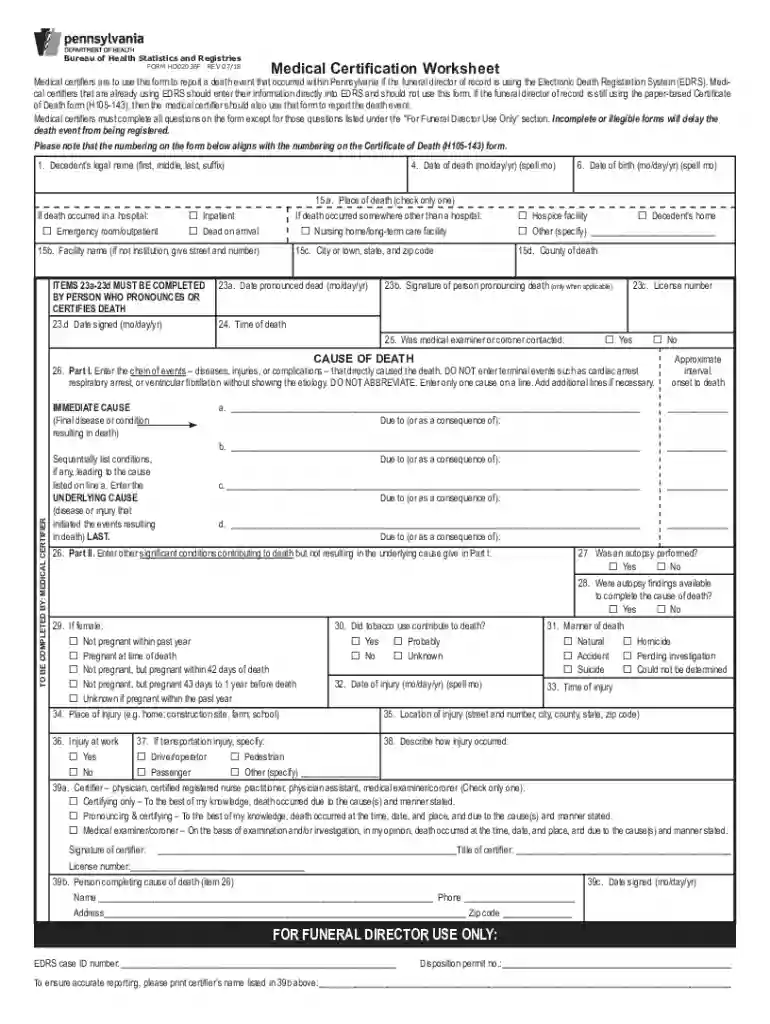
The Medical Certification Worksheet, often referred to by its file extension "indd", plays a critical role in Pennsylvania's Electronic Death Registration System (EDRS). This document is utilized by medical certifiers to provide a comprehensive record of a death event. It requires detailed information about the decedent, including the cause and circumstances surrounding their death. This worksheet ensures all necessary data are collected accurately to facilitate efficient and timely death registration.
Completing the Medical Certification Worksheet involves several critical steps to ensure accuracy and compliance with Pennsylvania's regulations.
Gather Necessary Information: Ensure you have all requisite data regarding the decedent, including medical history and notification from attending health professionals.
Complete Identifying Details: Fill in all personal details of the decedent accurately, double-checking against official documents to avoid errors.
Record the Cause of Death: Type or write the medically certified cause of death, ensuring it aligns with the legal definitions required by the state.
Detail Circumstances: Provide thorough details on the circumstances surrounding the death, which may involve consulting with other health professionals or legal entities.
Verify Completeness and Accuracy: Before submission, ensure all sections are completed legibly and accurately to prevent delays in the death registration process.
The use of the Medical Certification Worksheet is primarily the domain of professional medical certifiers, including physicians and coroners.


Understanding the terminology associated with the Medical Certification Worksheet is crucial for accurate completion.
The legal framework governing the use of the Medical Certification Worksheet is stringent to uphold the integrity of death records.
The regulations for using the Medical Certification Worksheet can vary by state, but Pennsylvania has precise rules that must be followed.
Though traditionally completed as a physical form, there are digital tools available for filling the Medical Certification Worksheet.
Failure to accurately complete and submit the Medical Certification Worksheet may lead to serious consequences under state law.
We've got more versions of the medical worksheet form. Select the right medical worksheet version from the list and start editing it straight away!
With DocHub, it’s quite simple. The platform offers users an add-on called DocHub for Gmail, which you can find in the Google Workspace Marketplace free of charge. Install it and grant it access to your Google account. Open your email with your pennsylvania medical worksheet attached and click on the add-on button in the right-side panel. Sign in to your DocHub account, and upload the file to our editor, where you can fill it out and sign.
If you edit your medical worksheet free with DocHub, you will not need to look for other software or services to eSign it. An electronic signature is part of DocHub’s extensive editing toolset, which enables you to implement changes in your form without jumping between websites. Just complete your form, double-check the correctness of your data and put your electronic signature at the end to make it submission-ready in minutes.
At DocHub, your data security is our priority. We follow HIPAA, SOC2, GDPR, and other standards, so you can work on your documents with confidence.
Bachelor Degree Certificate Worksheets 3-15 JLG.indd. Official Professional-Technical Degree Completion Worksheet. Medical Dosimetry Certificate of Achievement
Medical Certification Worksheet. Medical certifiers are to use this form to report a death event that occurred within Pennsylvania if the funeral directorRead more


