




01. Edit your sdi forms online
Type text, add images, blackout confidential details, add comments, highlights and more.

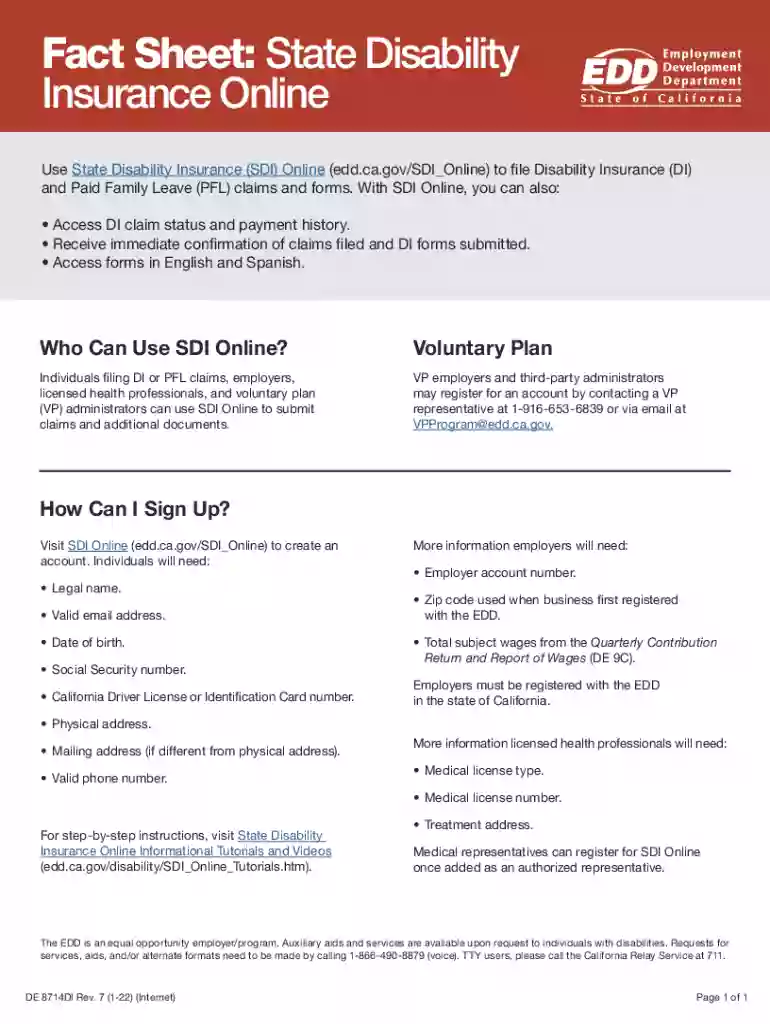
Type text, add images, blackout confidential details, add comments, highlights and more.

Draw your signature, type it, upload its image, or use your mobile device as a signature pad.

Send sdi form via email, link, or fax. You can also download it, export it or print it out.
The term "form online" refers to the process of creating, filling out, and submitting documents electronically over the internet. This capability is crucial for simplifying administrative tasks, saving time, and increasing accessibility for both individuals and businesses. Online forms can range from simple surveys to complex legal documents, allowing users to input information directly through a web interface rather than handling physical paper copies.
Online forms are generally created with interactive elements that facilitate data capture. Examples include text fields, radio buttons, checkboxes, and dropdown menus. This format helps standardize submissions, reduce errors, and expedite the collection and processing of information. The transition to digital forms has been driven by the demand for efficiency and the growing reliance on digital solutions in both personal and professional settings.
Using a form online typically involves several straightforward steps that maximize convenience while ensuring data accuracy. Users generally start by accessing the form on a website or via an email link. Upon opening the form, individuals are guided to fill out required fields, which are usually marked with an asterisk or another indicator. Interactive elements like dropdown menus and checkboxes can simplify the input process.
Upon completion, the user submits the form by clicking a designated button. At this point, they may receive a confirmation notification, either on-screen or through email. This confirmation often includes a copy of the submitted information, providing assurance that the process has been completed successfully. For important documents, some platforms might offer an option to save or print a receipt of the submission.
Access the Form: Start by navigating to the correct website or using a direct link provided via email. Ensure you are aware of any deadlines or submission guidelines.
Fill Out Required Fields: Enter information as prompted, starting with mandatory sections. Use text fields for inputting data and checkboxes or dropdown menus for selection options.
Review Your Entries: Double-check all entries for accuracy to avoid errors that might necessitate re-submission or cause delays.
Submit the Form: Once everything is correct, press the "submit" button. Some platforms may require additional confirmation.
Receive Confirmation: Look for an acknowledgement or confirmation email, verifying that your form has been received. Save this receipt for your records.
Opting for online forms offers several distinct advantages over traditional paper forms. For one, the digital format facilitates easier data management, helping organizations analyze and process large volumes of information quickly. Users benefit from streamlined submission processes, allowing them to complete and submit forms at any time and from any location with internet access.
Online forms also minimize the risk of physical document loss or damage, ensuring that sensitive information remains secure. Furthermore, this method supports environmental sustainability by reducing paper usage. These combined benefits make online forms a pragmatic choice for modern administrative needs.
Certain online forms, like applications for government benefits or legal disclosures, carry legal obligations once submitted. To ensure compliance, these forms must adhere to regulations such as the ESIGN Act, which mandates that electronic signatures and records are held to the same standards as physical ones. Users should understand the implications of their submissions and ensure all information entered is accurate and truthful.
Legal forms completed online must comply with data protection laws, such as GDPR or HIPAA, depending on the nature of the information being handled. This ensures that personal data is processed legally and securely, safeguarding against unauthorized access or use.
Online forms are widely used across various sectors due to their versatility and efficiency. In healthcare, patient intake forms and insurance claims are commonly completed online, allowing providers to access and manage patient data swiftly. E-commerce platforms utilize online forms for order processing and customer feedback, streamlining purchasing and communication processes.
Educational institutions implement online forms for student registrations and surveys, enhancing data collection and administrative efficiency. Examples further include tax filings, grant applications, and permit requests, illustrating the widespread utility of online forms in everyday transactions.
When completing a form online, certain documents might be necessary to support the provided information. Before starting, users should gather identification documents like a driver's license or social security card. Financial documents such as pay stubs or bank statements might be needed for forms related to loans or financial assistance.
Users might also need to upload supporting files directly to the form. These attachments should be in accessible formats like PDF or JPG. Having these documents prepared beforehand can facilitate a smoother, quicker completion experience.
We've got more versions of the sdi forms form. Select the right sdi forms version from the list and start editing it straight away!
At DocHub, your data security is our priority. We follow HIPAA, SOC2, GDPR, and other standards, so you can work on your documents with confidence.
If youve worked for UC for less than 18 months and your previous employer was in California, you may be eligible for CA-SDI benefits under your previousRead more
Access helpful tutorials and videos to guide you through setting up your myEDD account, filing claims, and using SDI Online, available 24/7.


