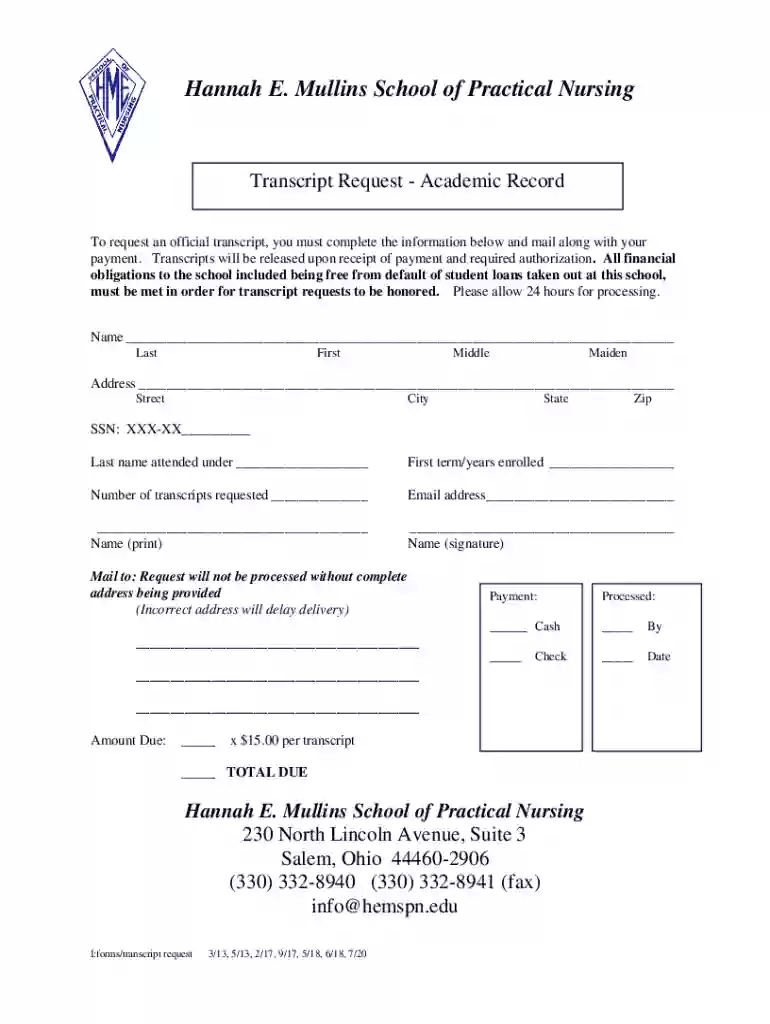
Definition & Meaning
The term "form online" generally refers to digital versions of documents that users can complete and submit over the internet. Unlike traditional paper forms, online forms offer the convenience of remote access, digital data entry, and streamlined submission processes. These forms are commonly used across numerous sectors, including legal, educational, and business domains, to facilitate tasks such as applications, data collection, and contract signings.
Characteristics of Online Forms
- Ease of Access: Users can reach online forms from any internet-connected device, enhancing accessibility for individuals across diverse geographic locations.
- Interactivity: Digital forms can include interactive fields such as checkboxes, dropdown menus, and text fields to simplify the completion process.
- Real-Time Updates: As data is entered, submissions can be automatically processed or integrated with databases, allowing for more efficient information management.
How to Use the Form Online
Utilizing an online form involves several straightforward steps to ensure accurate completion and submission. Users typically follow a guided process facilitated by the online platform hosting the form, like DocHub.
Step-by-Step Instructions
- Access the Form: Locate the desired form on the appropriate website, such as a governmental portal or a service provider's platform like DocHub.
- Fill Out the Necessary Fields: Enter the required information into the interactive fields, ensuring accuracy and completeness.
- Review and Edit: Double-check all entered data for correctness and adjust any errors before submission.
- Submit the Form: Once satisfied with the entries, submit the completed form through the online system. Most platforms will provide a confirmation message or email to verify receipt.
How to Obtain the Form Online
Obtaining an online form is an easy process, often requiring just a few clicks. The steps generally involve searching and downloading or filling out the form directly from an official website or platform.
Common Methods
- Direct Download: Access forms via specialized document platforms or official websites, downloading them for offline use if needed.
- Platform Integration: Some forms can be accessed directly through integrated services within systems like Google's ecosystem, where files are imported from Google Drive or opened from Gmail.
Steps to Complete the Form Online
Completing an online form requires attention to detail and a step-by-step approach to ensure the submission is correct and complete.
Detailed Process
- Understand the Requirements: Before starting, review any instructions or guidelines associated with the form.
- Enter Essential Information: Carefully fill out each section, using the help tooltips or guides provided for clarification.
- Attach Necessary Documents: If required, upload or attach supplementary documentation to support the information within the form.
- Finalize and Submit: After thorough review, submit the form through the designated method (e.g., a submit button on the platform).
Legal Use of the Form Online
Legal recognition of online forms is a crucial consideration when utilizing digital documents for contracts, applications, and acknowledgments.
Compliance and Security
- Legally Binding: In the U.S., online forms, when properly authenticated, are typically considered legally binding under the ESIGN Act, provided they meet certain criteria.
- Security Measures: Encryption and password protection enhance the security of sensitive information shared through these forms, as seen with platforms like DocHub.
Examples of Using the Form Online
Real-world applications of online forms are diverse and span various contexts, from personal to professional settings.
Practical Scenarios
- Tax Filings: Many individuals utilize online forms to submit their annual tax returns efficiently and on time.
- Business Registrations: Companies often use online forms to register their business entities, streamlining the administrative process.
Required Documents
Completing an online form may require additional documentation to verify information or demonstrate eligibility.
Common Requirements
- Identification Documents: Such as driver's licenses or passports for identity verification.
- Proof of Eligibility: Documentation like income statements, academic records, or professional credentials that support the application claims.
Form Submission Methods (Online / Mail / In-Person)
Various submission methods ensure flexibility for users who prefer or require different approaches based on their resources or preferences.
Methods Overview
- Online Submission: Direct submissions via digital platforms are the most convenient.
- Mail-In Options: For those who need or prefer paper copies, completed forms can often be sent via traditional mail.
- In-Person Delivery: Some institutions provide the option to hand-deliver forms to ensure immediate receipt and processing.
Key Elements of the Form Online
Understanding the components of an online form helps users to ensure they are filling out the necessary areas comprehensively.
Core Components
- Header and Instructions: Provides context and guidance on how to complete the form.
- Interactive Fields: Includes areas for user input, such as text boxes for name, address, and specific responses.
- Submission Section: Details the methods and options available for submitting the form, including online portals or email addresses.
By adhering to these guidelines, users can effectively utilize online forms to meet their personal and professional needs, ensuring accurate and secure submissions that align with any legal or procedural requirements.