
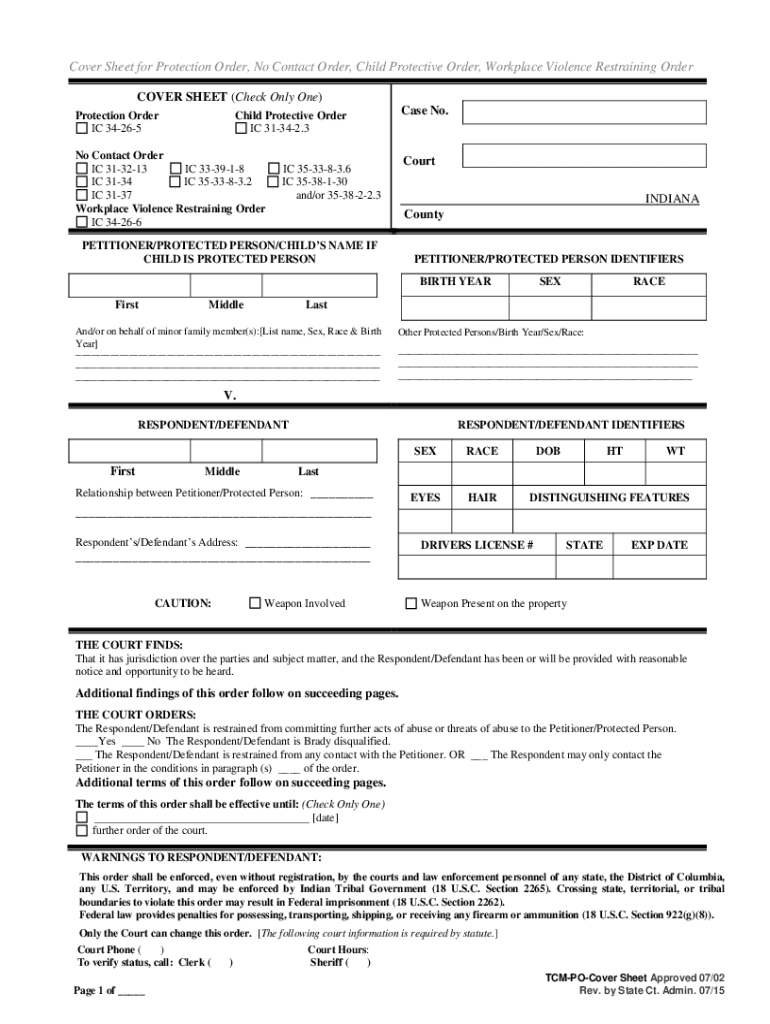







Definition & Meaning of Online Forms
Online forms are digital versions of physical documents that users can complete and submit over the internet. These forms allow individuals and organizations to collect information in a structured and efficient manner without paper. They can range from simple contact forms on websites to complex applications involving multiple fields and validation rules. In the context of DocHub, online forms extend beyond mere data collection; they often integrate with workflows that streamline editing, signing, and collaborating on documents, making the entire process more seamless and environmentally friendly.
Key Characteristics
- Accessibility: Available 24/7, providing the ability to fill out and submit from anywhere with internet access.
- Efficiency: Save time by reducing manual entry and enabling automatic data processing.
- Flexibility: Support for various field types, such as text boxes, checkboxes, dropdowns, and more.
- Integration: Often integrated with databases or other software for direct data application.
How to Use the Form Online
Using online forms typically involves a straightforward process that users can follow to input and submit their details. To maximize digital convenience, platforms like DocHub have simplified these steps to enhance usability:
- Access the Form: Navigate to the platform or receive a link via email.
- Fill in the Necessary Fields: Enter all required information, utilizing different field types as necessary.
- Review and Edit: Check entries for accuracy before submission.
- Submit the Form: Click the submit button to send your information to the intended recipient.
Practical Examples
- Job Applications: Store candidate information for HR databases directly.
- Event Registrations: Collect attendee information seamlessly.
- Surveys and Feedback Forms: Gather data for analysis and reporting.
How to Obtain the Form Online
Obtaining an online form involves accessing it through a digital platform where it's hosted, such as a company's website, an email link, or a document management system. With DocHub, finding and using forms is intuitive due to seamless integration with various online services, including cloud storage.
Common Sources
- Direct Download: Available on websites for immediate access.
- Email Distribution: Sent directly to intended recipients.
- Through Cloud Services: Can be accessed and managed via platforms like Google Drive or Dropbox.
Steps to Complete the Form Online
Filling out an online form is designed to be user-friendly and efficient. Here's a detailed guide on completing forms online, particularly on DocHub:
- Open the Form: Click the link or button to access the form on your browser.
- Enter Your Information: Carefully add data to each field, following the instructions provided.
- Utilize Interactive Features: Drag and drop files, use dropdowns, or check multiple choice options as necessary.
- Review Entries: Cross-check for any errors or omissions before proceeding.
- Submit and Save: After completion, submit the form and, if possible, save a copy for your records.
Why Should You Use Forms Online
The shift toward online forms offers numerous advantages over traditional paper forms, providing benefits that are increasingly essential in today's fast-paced digital environment.
Benefits
- Cost Savings: Reduces the need for printing, mailing, and manual handling.
- Time Efficiency: Streamlines processes by eliminating the lag associated with physical document transfer.
- Environmental Impact: Contributes to sustainability by minimizing reliance on paper.
- Enhanced Accuracy: Built-in validation reduces errors from manual data entry.
Who Typically Uses Online Forms
Online forms serve a broad spectrum of users, differing by industry and specific need. From individual users to large enterprises, these forms cater to numerous applications:
Typical Users
- Businesses: For customer interactions, order processing, and internal communications.
- Educational Institutions: Student applications, registrations, and feedback forms.
- Government Agencies: For public services, tax filings, and voting registrations.
- Nonprofits: Event sign-ups, donor forms, and volunteer registrations.
Important Terms Related to Online Forms
Understanding the terminology associated with online forms is crucial for effective use. This includes both general terms and those specific to the DocHub platform.
Key Terms
- Validation Rules: Criteria set within a form to ensure data integrity by checking user input.
- Multi-Page Forms: Forms split across several pages to simplify data entry for longer documents.
- Digital Signatures: Electronic signing capability within forms, ensuring legality and authenticity.
Legal Use of Online Forms
The legal application of online forms is guided by specific laws and regulations to ensure compliance and authenticity. DocHub, like other platforms, adheres to these standards to offer reliable and legally sound services.
Compliance Measures
- ESIGN Act: Ensures electronic signatures are legally binding.
- Data Protection Laws: Protect user privacy and secure data transmission.
- Audit Trails: Provide a history of document interactions for accountability and verification.
By understanding and implementing these sections, users can navigate online forms effectively, ensuring they capitalize on the full benefits and capabilities offered by digital document solutions.




