
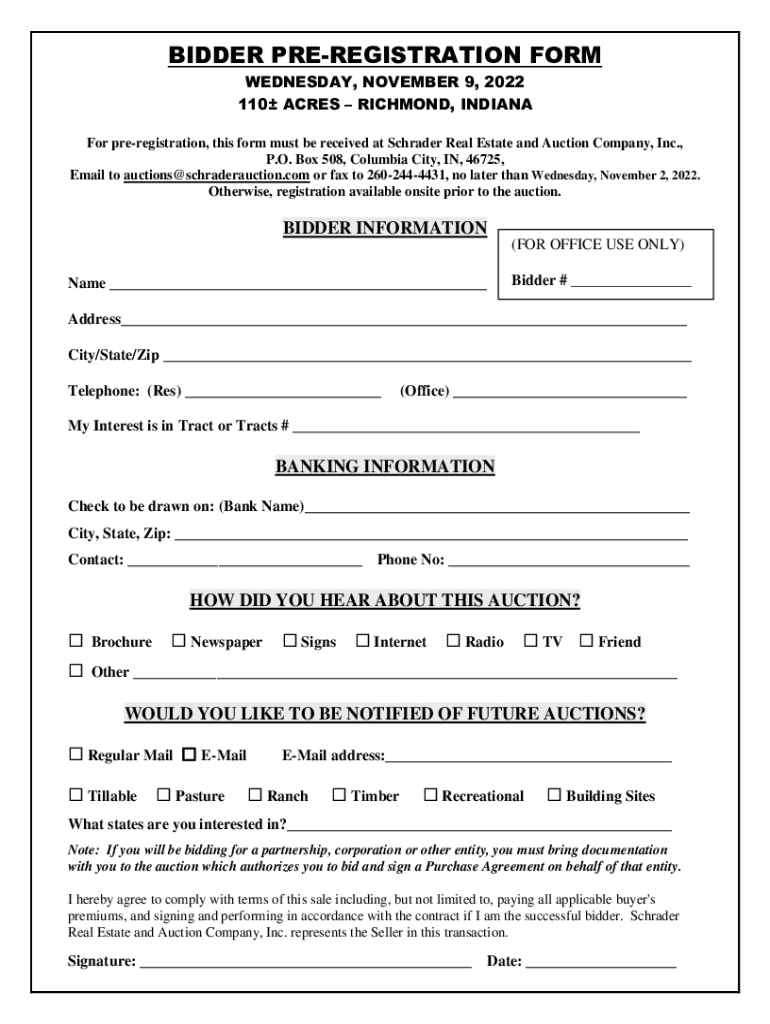







Definition & Meaning
A Property Registration Form is a document used to officially record real estate transactions with the appropriate governmental body. It ensures that ownership is legally recognized and provides a public record. This form is pivotal in verifying property rights and includes crucial details such as the names of involved parties, the property's legal description, and any relevant financial considerations.
Property registration forms are commonly required when buying or selling real estate, applying for a mortgage, or transferring ownership through inheritance or gifting. The form exists in various versions, including fillable PDFs and printed templates. Online platforms like DocHub allow users to fill and submit these forms digitally, providing a streamlined and accessible process.
How to Use the Property Registration Form - Fill Online, Printable, Fillable, Blank
-
Accessing the Form: Begin by obtaining the form from a reliable source such as a government website or DocHub, which provides options to fill, save, and submit the form online.
-
Filling Out the Form: Use the fillable fields for all required information. This typically includes property details, personal identification for the seller and buyer, and financial data.
-
Reviewing and Editing: Carefully review all entries for accuracy. Platforms like DocHub offer editing tools that allow you to make adjustments if necessary, including text modification and annotation features.
-
Submitting the Form: After completing the form, submit it according to the specified method. Online submission may involve uploading the document to a government portal, while a printable version might require mailing or in-person delivery.
Important Terms Related to Property Registration Form
-
Grantor and Grantee: The grantor is the current property owner transferring rights, and the grantee is the recipient acquiring ownership.
-
Legal Description: A detailed description of the property, often including its boundaries and geographical location, necessary for accurate identification.
-
Consideration: The agreed value or price at which the property is being transferred, crucial for tax and legal purposes.
-
Encumbrances: Any claims, liens, or legal burdens on the property that must be disclosed and addressed before the transfer.
Understanding these terms is essential for accurately completing the Property Registration Form and ensuring a smooth transaction.
Steps to Complete the Property Registration Form - Fill Online, Printable, Fillable, Blank
-
Gather Necessary Documents: Ensure all pertinent documents are on hand, such as previous deeds, personal identification, and financial statements.
-
Initiate the Form: Access the form online via a platform like DocHub or download it for offline completion. Start by filling in your personal and property information.
-
Provide Legal Descriptions: Accurately fill out the legal description and details, including any encumbrances or liens on the property.
-
Specify Consideration and Terms: Detail the financial aspects of the transaction, such as sale price or mortgage details, and include any special conditions or agreements.
-
Review and Sign: Use DocHub's electronic signature feature to sign the form. If multiple signatures are needed, set up a signing order and collect signatures electronically.
-
Submit and Record: Depending on local regulations, submit the form online or deliver it physically to the relevant government office for official recording.
Legal Use of the Property Registration Form
Property Registration Forms are legal instruments that validate the transfer of property ownership. They are crucial for establishing public records and ensuring that property transactions comply with legal standards. The form must be completed accurately, as any errors or omissions can lead to legal disputes, financial penalties, or delays in the registration process.
Key Elements of the Property Registration Form
-
Personal Information: Includes names, addresses, and contact information of the grantor and grantee.
-
Property Description: Detailed legal description of the property, including lot number and boundaries.
-
Transaction Details: The nature of the transfer, consideration given, and any terms or conditions attached to the sale.
-
Signatures: Required signatures from all involved parties, validating their consent to the transaction.
These elements are fundamental to ensure the form's legal validity and to complete the registration process without issues.
State-Specific Rules for the Property Registration Form
The requirements for property registration can vary significantly from state to state. Differences might include the form's content, required attachments, submission process, and fees. For example, some states might require additional disclosures or specific formatting. It's critical to consult local regulations or a legal professional to ensure that all state-specific rules are met when filling out and submitting the form.
Form Submission Methods: Online, Mail, In-Person
-
Online: Modern solutions like DocHub allow users to complete and submit the form digitally, offering convenience and efficiency. This method is favored for its speed and accessibility from various locations.
-
Mail: For those who prefer or are required to submit a physical form, mailing a printed version remains a viable option. This method ensures that all necessary documentation is delivered in a legally accepted format.
-
In-Person: Submitting in person might be required for immediate processing or when additional verification is needed. This approach can provide direct communication with registry officials to immediately resolve any issues.
Understanding these submission methods allows you to choose the most appropriate and compliant approach for your specific circumstances.




