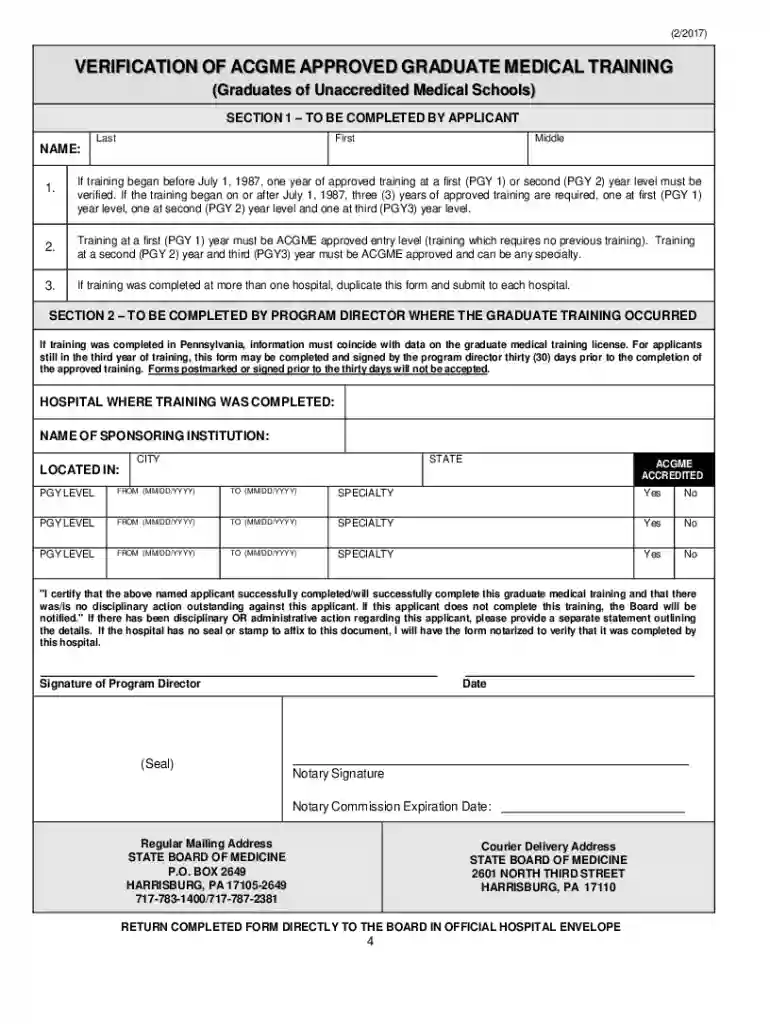
Definition and Meaning of Form Online
Forms completed online refer to digital versions of traditional paper forms accessible through the internet. These forms encompass a wide range of uses, from applications and registrations to surveys and feedback collection. The digital nature of online forms allows for seamless data collection, efficient management, and streamlined processes in real-time. Users can fill out these forms from any location with internet access, ensuring convenience and flexibility.
Examples of Form Online
- Job Applications: Many companies utilize online forms for employment applications, allowing them to efficiently manage and review candidate information.
- Tax Filings: The IRS provides several forms online, such as the W-2 and 1099, for convenient electronic filing.
- Survey Forms: Businesses and researchers often use online survey forms to gather customer feedback and conduct market research.
- Registrations: Events, workshops, and courses frequently use online forms to register attendees and participants, simplifying the management of large groups.
How to Use the Form Online
Accessing the Form
- Locate the Form: Identify the website or online platform hosting the form you need. This could be an organization's website, a government portal, or a dedicated form service like DocHub.
- Internet Connection: Ensure a stable internet connection to access and complete the form without interruptions.
Completing the Form
- Understanding Required Fields: Many online forms have mandatory fields that must be filled out, often marked with an asterisk (*).
- Data Entry: Input information accurately. Online forms often provide error-checking features, alerting users to mistakes or omissions.
- Saving Progress: Some platforms allow you to save your progress if the form cannot be completed in one sitting. This is useful for lengthy or detailed forms.
Submitting the Form
- Review Before Submission: Double-check all entered information for accuracy and completeness.
- Submit: Click the 'Submit' button to send your completed form. Confirmation messages or emails typically follow a successful submission.
Steps to Complete the Form Online
- Open the Form: Use a compatible web browser to navigate to the form's URL.
- Fill Out Personal Information: Enter your name, address, contact details, and other personal information as required.
- Upload Required Documents: If necessary, upload supporting documents like ID copies or financial statements. This step can often be done by dragging files into the form interface.
- Add Comments or Additional Information: Some forms provide space for additional notes or comments, giving you the opportunity to clarify or expand upon standard responses.
- Check for Errors: Use the form’s validation feature to check for incomplete or incorrect entries.
- Submit and Confirm: After thorough review, submit the form and await a confirmation response.
Why Should You Use Form Online
Benefits of Using Online Forms
- Efficiency: Streamlines data collection and processing, often utilizing automation for faster handling.
- Accessibility: Available anytime, anywhere with an internet connection, catering to users across different time zones and locations.
- Cost-Effectiveness: Reduces the need for physical materials like paper and ink, leading to significant cost savings.
- Eco-Friendly: Minimizes paper usage, contributing to environmental conservation.
Real-World Applications
- Government Services: Applying for permits and licenses often involves completing forms online, speeding up bureaucracy.
- Healthcare: Patient intake forms, consent forms, and insurance claims are increasingly processed online.
Key Elements of the Form Online
Components of an Online Form
- User Interface: Intuitive design ensuring easy navigation and form completion.
- Form Fields: Includes text boxes, checkboxes, dropdown lists, and signature fields.
- Error Messages: Clear notifications highlighting incorrect or missing entries, guiding users to make necessary corrections.
Security Features
- Encryption: SSL encryption ensures data entered is transmitted securely, protecting sensitive information.
- Authentication: Many online forms require user authentication via email verification or secure login portals to ensure data integrity.
Legal Use of the Form Online
Considerations for Legal Accessibility
- Compliance: Many forms comply with laws like the ESIGN Act in the U.S., ensuring electronic signatures are legally valid.
- Privacy Policies: Organizations must follow privacy policies that protect collected data and disclose how user information will be used.
Legal Forms Commonly Available Online
- Lease Agreements: Rental agreements completed online are legally binding and often used in real estate transactions.
- Contract Forms: Business contracts and non-disclosure agreements are efficiently handled through online platforms.
Examples of Using the Form Online
Case Studies
- Education Sector: Online enrollment forms for schools and universities reduce processing time and improve data accuracy.
- Non-profits: Donation forms on websites streamline the fundraising process, allowing donors to contribute easily from anywhere.
Additional Use Cases
- Event Planning: Online RSVP forms help organizers manage guest lists and preferences effectively.
- Healthcare Access: Telehealth services utilize online forms for appointment requests and patient history collection.
Important Terms Related to Form Online
Terminology for Understanding and Using Online Forms
- Field Validation: A process ensuring that data entered into form fields meets specific criteria (e.g., correct email format).
- Captcha: Security tool to distinguish between human users and automated bots when submitting forms online.
- Digital Signature: A cryptographic method to secure and verify electronic signatures, utilized widely in legal and official online forms.
Glossary of Commonly Used Terms
- Responsive Design: Ensures forms are accessible and usable on various devices, including smartphones and tablets.
- API Integration: Allows the form to communicate with other software services, enhancing functionality and data handling.