Type text, add images, blackout confidential details, add comments, highlights and more.

02. Sign it in a few clicks
Draw your signature, type it, upload its image, or use your mobile device as a signature pad.

03. Share your form with others
Send it via email, link, or fax. You can also download it, export it or print it out.

How to use or fill out Form 4177 (201905) REPORT ON TITLE AND ... - RBC Royal Bank with our platform
Ease of Setup
DocHub User Ratings on G2
Ease of Use
DocHub User Ratings on G2
Click ‘Get Form’ to open it in the editor.
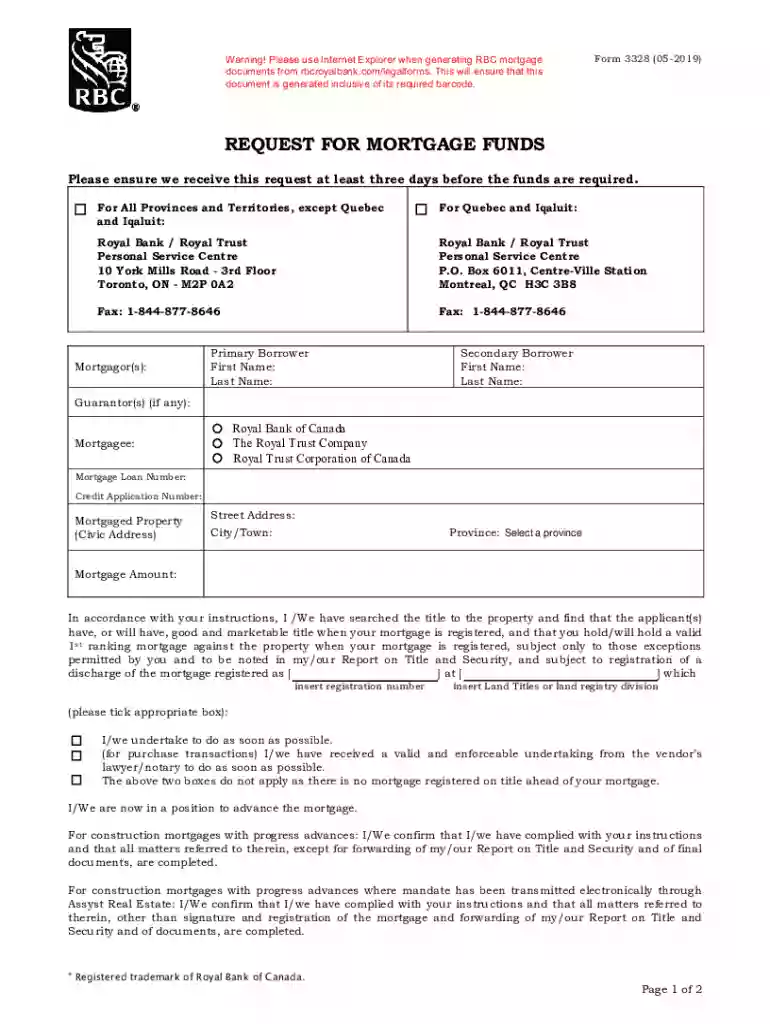
Begin by entering the primary borrower's first and last name in the designated fields. If there is a secondary borrower, fill in their details as well.
Next, provide information for any guarantors if applicable. Ensure all names are spelled correctly to avoid processing delays.
Fill out the mortgagee section with the mortgage loan number and credit application number as required.
In the 'Mortgaged Property' section, enter the complete civic address including street address, city/town, and select the appropriate province from the dropdown menu.
Specify the mortgage amount clearly in the provided field to ensure accurate processing of your request.
Review and check any applicable boxes regarding title searches and undertakings related to your mortgage registration.
Finally, sign and date the form where indicated before submitting it through our platform for seamless processing.
Start using our platform today to fill out your Form 4177 effortlessly and for free!
Fill out Form 4177 (201905) REPORT ON TITLE AND ... - RBC Royal Bank online It's free
See more Form 4177 (201905) REPORT ON TITLE AND ... - RBC Royal Bank versions
We've got more versions of the Form 4177 (201905) REPORT ON TITLE AND ... - RBC Royal Bank form. Select the right Form 4177 (201905) REPORT ON TITLE AND ... - RBC Royal Bank version from the list and start editing it straight away!
Handling a Fraudulent Transaction Sign into RBC Online Banking. Select your personal credit card. Select the transaction you want to dispute. On the Transaction Details page, select I disagree with this charge. Follow on-screen instructions.
What is the Royal Bank of Canada?
To Access Your Account Statements in Online Banking: From the Accounts Summary page, select Statements/Documents located at the top right side of the screen. On the Account Documents page, follow the instructions to download and view your bank, credit cards, investments, loans or mortgage or tax document(s).
How to print bank certificate RBC?
Personal Banking: From the Accounts Summary page, select Statements/Documents. Under the Your Documents navigation on left, select Account Documents, Tax Documents or Custom Documents. Choose from the dropdown menus to find and show specific documents. View and download your document(s).
Related Searches
Form 4177 201905 report on title and rbc royal bank templateForm 4177 201905 report on title and rbc royal bank sampleForm 4177 201905 report on title and rbc royal bank pdfForm 4177 201905 report on title and rbc royal bank downloadRBC form 917 PDFRBC trust disclosure form 822 PDFRBC final REPORT fax numberRBC solicitor forms
Security and compliance
At DocHub, your data security is our priority. We follow HIPAA, SOC2, GDPR, and other standards, so you can work on your documents with confidence.
Cookie consent notice
This site uses cookies to enhance site navigation and personalize your experience.
By using this site you agree to our use of cookies as described in our Privacy Notice.
You can modify your selections by visiting our Cookie and Advertising Notice.