




01. Edit your form online
Type text, add images, blackout confidential details, add comments, highlights and more.

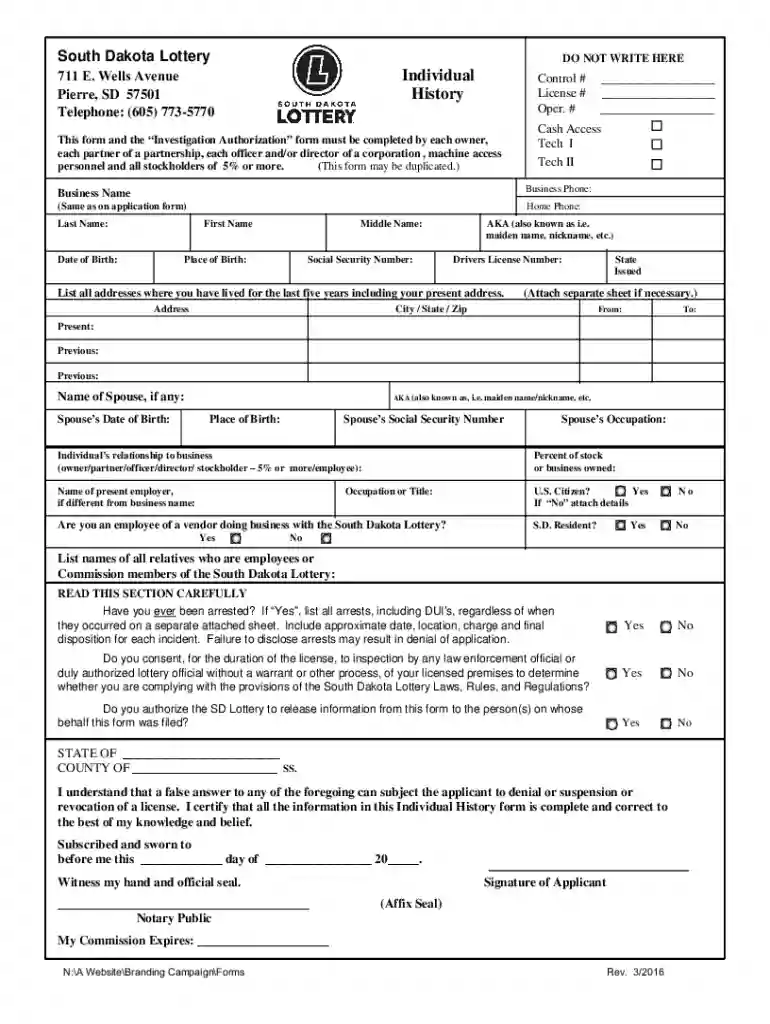
Type text, add images, blackout confidential details, add comments, highlights and more.

Draw your signature, type it, upload its image, or use your mobile device as a signature pad.

Send it via email, link, or fax. You can also download it, export it or print it out.
Forms are essential tools for collecting structured information. When referring to a "form online," this commonly means electronic documents designed for digital completion and submission. These forms can vary widely, from government documents, business applications, to personal questionnaires. Utilizing a form online offers efficiency and accessibility, as individuals can fill out and submit information anywhere with internet access. This digital approach streamlines processes by eliminating the need for physical paperwork and postage, allowing immediate transmission of the data collected. The transition to online forms has been significant in reducing errors and speeding up the entire submission process.
To effectively use a form online, it is essential to understand the digital tools available on the platform you are using. Platforms like DocHub enable users to interact with forms by filling in fields directly within your web browser. First, access the form through a secure link or a trusted website, ensuring the form is relevant to your needs. Start by reviewing the form instructions carefully. Use designated features to insert text, checkboxes, or digital signatures. Most platforms allow for auto-saving progress, so you can pause and continue later without losing your work. It also helps to double-check each field before submission to ensure all required data is accurate and complete.
Familiarity with specific terms related to online forms can enhance comprehension and execution. Terms such as “fillable fields” refer to areas where respondents enter data. “Electronic signature” denotes a digital means of signing a document, legally binding and recognized. “Auto-save” is a feature that saves progress automatically, preventing data loss. “Encryption” ensures the security of sensitive information shared online. Understanding "authentication protocols" is crucial, as they confirm user identity before allowing form access. Knowing these terms facilitates smoother navigation and completion of online forms.
Several critical elements make up an online form. Identification fields, such as name, address, and contact details, are standard. Forms often require specific information depending on their purpose, such as social security numbers for tax documents or business details for financial forms. Sections may be named as "required" and "optional" to guide users on what must be completed. Signature fields are crucial for validation. Conditional logic, like "if this, then that" scenarios, might appear where responses influence subsequent parts of the form.
Online forms must comply with legal standards and industry regulations. The ESIGN Act in the U.S. provides the legality of electronic signatures, giving them the same status as handwritten ones. Privacy laws, such as GDPR, outline data handling and protecting user information. Proper legal use of forms includes ensuring consent is obtained before collecting data, transparent disclosure of how the information will be used, and offering opt-out opportunities if necessary. Understanding these legal frameworks ensures forms are valid, respected, and enforceable.
Various business types benefit significantly from using online forms. Healthcare providers can use them for patient intake and consent forms. Educational institutions employ them for student registration and feedback collection. Retail businesses utilize online forms for customer satisfaction surveys and product returns. Financial services find them indispensable for loan applications and account sign-ups. Employers across sectors can streamline operations using online forms for employee onboarding, performance reviews, and timesheet submissions. These businesses experience enhanced efficiency and customer satisfaction by reducing the hassle of paperwork.
We've got more versions of the South Dakota Lottery Individual History Form form. Select the right South Dakota Lottery Individual History Form version from the list and start editing it straight away!
At DocHub, your data security is our priority. We follow HIPAA, SOC2, GDPR, and other standards, so you can work on your documents with confidence.
(17) Video lottery machine operator, any individual, partnership, corporation or association that places video lottery machines or associated equipment
Click here to see the dates. Sweep Schedule. Forms: Bill of Sale Form Disposal Form EFT Authorization Individual History Form Or, email your completedRead more
form of historical research that focuses on a particular individuals life history. Educational Administration: University of South Dakota. Borg W.R.Read more


