




01. Edit your projectdox phoenix online
Type text, add images, blackout confidential details, add comments, highlights and more.

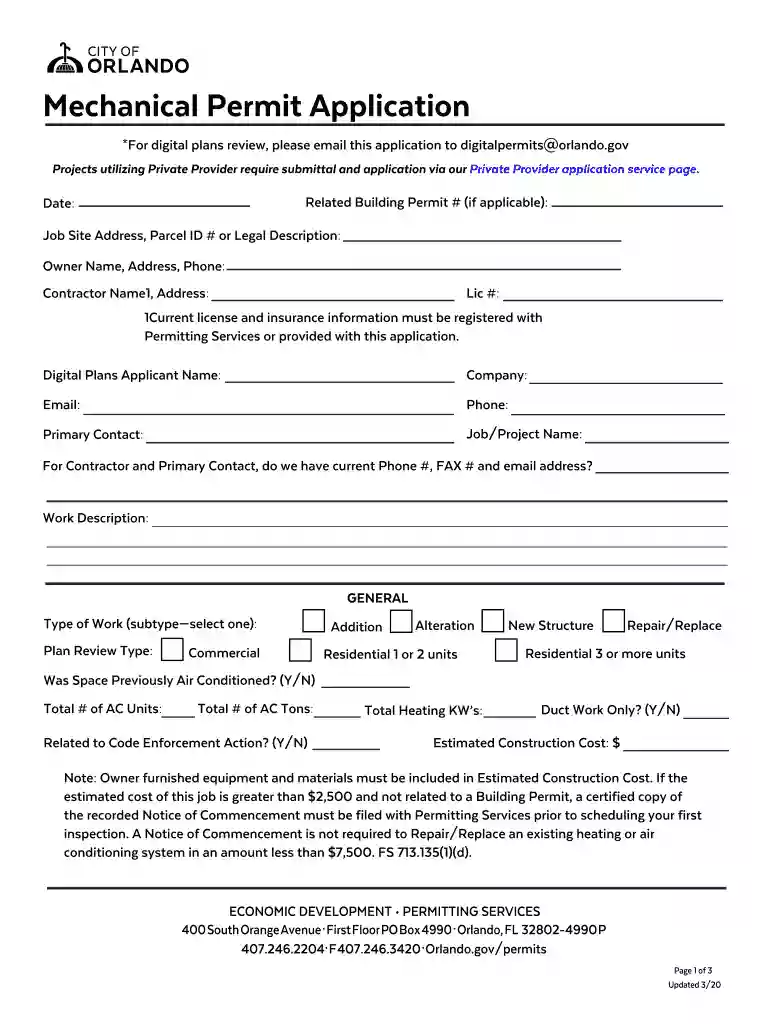
Type text, add images, blackout confidential details, add comments, highlights and more.

Draw your signature, type it, upload its image, or use your mobile device as a signature pad.

Send phoenix project dox via email, link, or fax. You can also download it, export it or print it out.
The phrase "For digital plans review, please email this application to digitalpermitsorlando" refers to the process required for submitting digital plans for construction or related projects in Orlando. This directive indicates that the application must be emailed to a specific address dedicated to handling digital permits within the city's permitting system. The goal is to streamline the review process by utilizing digital submissions, enhancing efficiency and reducing paper waste.
The term primarily revolves around ensuring that applications for construction plans, especially those requiring intricate reviews, are submitted electronically. It facilitates straightforward communication between applicants and the city's permitting department, ensuring that submissions are received in a timely manner and in the correct format.
Utilizing the email address for submitting digital plans in Orlando is a straightforward process aimed at simplifying the submission of construction-related documents. Here are the steps to effectively use this process:
Preparation: Ensure your application is complete, including all necessary documents like plans and specifications in a suitable digital format, often PDF.
Digital Conversion: If in paper form, convert your documents to digital format using a scanner or document creation software. Ensure files adhere to the required size and type for submission.
Email Composition:
Review and Send: Before sending, review all the information and attachments for accuracy. Send the email to digitalpermitsorlando, ensuring no spam filters impede the delivery.
Completing your application for the digital plans review involves several key steps designed to ensure a thorough and compliant submission:
Gather Information:
Fill Out the Application: Carefully enter all required details into the application form, ensuring that there are no incomplete sections or errors.
Include Required Documentation:
Review and Notarize: If the application does not fall under an existing building permit, be sure that the owner or contractor signs it, and complete the notarization process if required.
Digital Submission: Convert the completed and signed application into a digital format along with all accompanying documents and submit via email as instructed.
This application process is primarily utilized by individuals and entities involved in construction and development within the city of Orlando. The typical users include:


When preparing the application for digital plans review, certain elements are crucial and must be included to comply with Orlando's regulations:
In the context of the digital plans review application, there are fundamental differences between digital and paper submissions, each with its distinct set of advantages and considerations:
Digital Version:
Paper Version:
Understanding the language and terminology when dealing with digital plans review is crucial for a seamless process. Key terms include:
Each term plays a critical role in navigating the permitting landscape and ensuring all steps are completed in accordance with local regulations.
The submission of digital plans via email to the designated address is legally recognized within the framework of Orlando’s building permit and review procedures. Compliance with these processes ensures:
Following these guidelines ensures that the application process is aligned with legal standards, promoting smooth project approval and execution.
We've got more versions of the projectdox phoenix form. Select the right projectdox phoenix version from the list and start editing it straight away!
Of course, it is possible with DocHub. This trustworthy and compliant online solution features a phone-based signing option. When you log in to your DocHub account and import your projectdox orlando to our editor, fill out all empty fields and utilize the Sign feature on the top barf. Click on Create your signature and select Phone from the available options. Here, you scan a QR code using your smartphone and draw your signature on your phone display, as you usually do when signing hard copies. If you access DocHub right from your mobile device, you can eSign your template by drawing your electronic signature, uploading its image, or simply with a typed name.
You can find the latest and most relevant version of the orlando projectdox in our DocHub forms collection. Search it by categories or utilize the search field to locate the exact template that suits your case. You can open this form for editing once you find it.
At DocHub, your data security is our priority. We follow HIPAA, SOC2, GDPR, and other standards, so you can work on your documents with confidence.


