




01. Edit your numident online
Type text, add images, blackout confidential details, add comments, highlights and more.

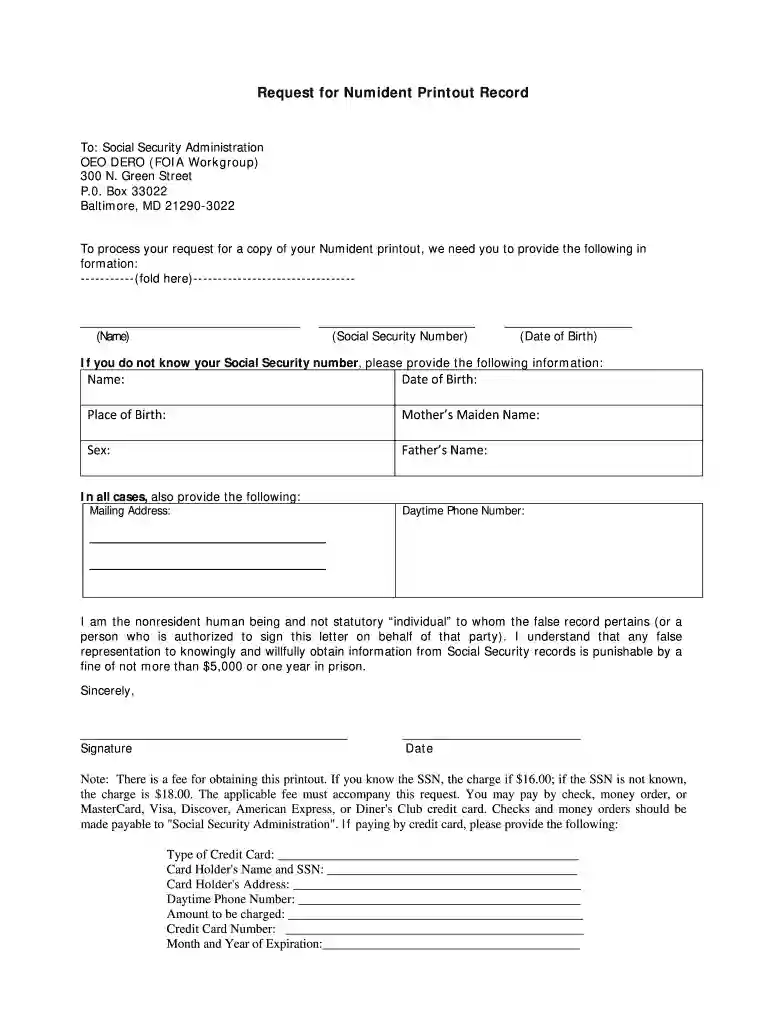
Type text, add images, blackout confidential details, add comments, highlights and more.

Draw your signature, type it, upload its image, or use your mobile device as a signature pad.

Send numident record request form via email, link, or fax. You can also download it, export it or print it out.

Start using our platform today to fill out your social security numident online form quickly and efficiently!
Sure, a typed name is accepted as a valid electronic signature when you create it on your form using a compliant solution like DocHub. Simply add your numident printout from the social security administration to our editor, click Sign in the top tool pane → Create your signature → Type your name in the proper tab, and select how it will appear on your document.
You may complete and sign your numident printout sample online, even on a tight deadline. All you need to access top-notch editing tools on any device is a DocHub profile, that you can register in just a couple of moments. When you register, upload your file or find what you are looking for in our catalog, complete it using the editing tools you want, and place your electronic signature on it at the end.
At DocHub, your data security is our priority. We follow HIPAA, SOC2, GDPR, and other standards, so you can work on your documents with confidence.


This series contains data from the Social Security Administration?s Numerical ... NUMIDENT death records and 72 million NUMIDENT application (SS-5) records ...
FOIA Request Methods and Fees. Request a copy of Deceased Person's Original Application for a Social Security Card (SS-5) or Numident Record.
Page Variable. Label. 2 histid. Historical Unique Identifier. 3 byear. Year of Birth. 4 bmonth. Month of Birth. 5 dyear. Year of Death. 6 dmonth.


