Stta tournament software 2026

Get Form
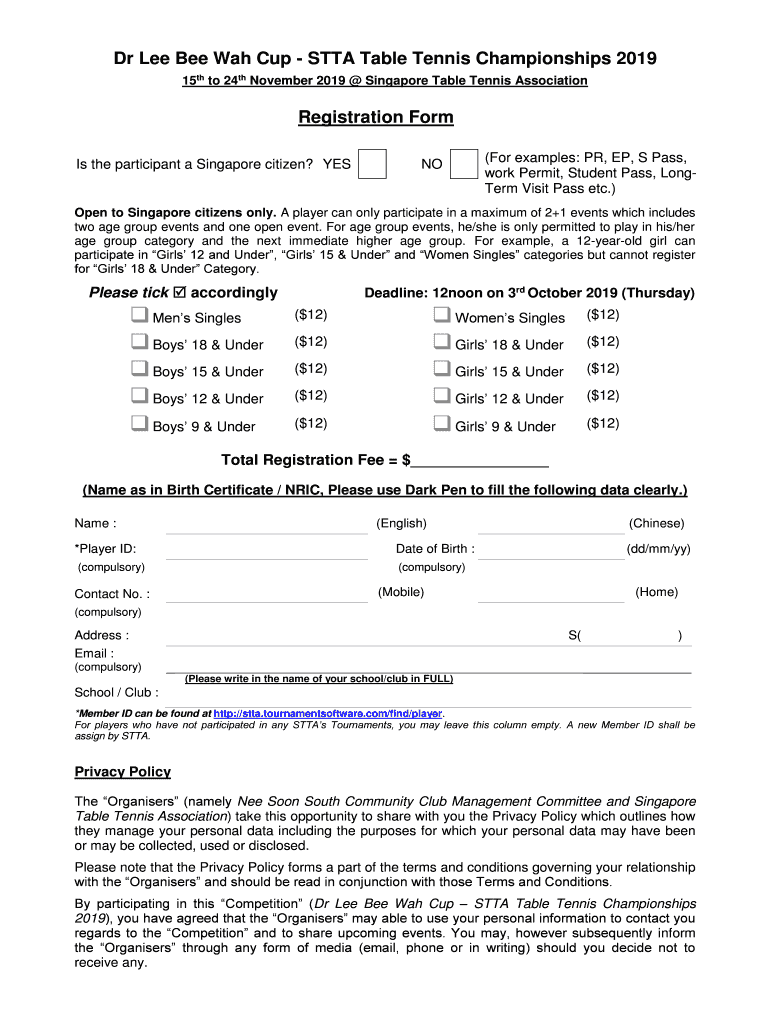
stta tournament software Preview on Page 1

Here's how it works

01. Edit your stta tournament software online
Type text, add images, blackout confidential details, add comments, highlights and more.
02. Sign it in a few clicks
Draw your signature, type it, upload its image, or use your mobile device as a signature pad.
03. Share your form with others
Send it via email, link, or fax. You can also download it, export it or print it out.

How to use or fill out stta tournament software with our platform

Form edit decoration
9.5
Ease of Setup
DocHub User Ratings on G2
9.0
Ease of Use
DocHub User Ratings on G2
  1. Click ‘Get Form’ to open the registration form in the editor.
  2. Begin by indicating if the participant is a Singapore citizen by selecting 'YES' or 'NO'.
  3. Select the events you wish to participate in by ticking the appropriate boxes for Men’s Singles, Women’s Singles, or age group categories.
  4. Fill in your personal details clearly using a dark pen. This includes your name as per your Birth Certificate/NRIC, date of birth, contact number, address, and email.
  5. If applicable, enter your Player ID and Member ID. If you are new to STTA tournaments, leave this blank.
  6. Review the Privacy Policy and confirm your understanding by signing at the bottom of the form.
  7. If under 18, ensure a parent or guardian completes their section and signs accordingly.

Start filling out your registration form today for free using our platform!

be ready to get more

Complete this form in 5 minutes or less

Get form

Got questions?

We have answers to the most popular questions from our customers. If you can't find an answer to your question, please contact us.
Contact us

Many software solutions are available out there for document modifying and signing. DocHub is one of the most widely used online solutions that comply with all security and compliance requirements and guarantees your electronically signed paperwork is legally enforceable. All you need to give it a try is to sign up for an account, add your stta tournament software, provide the requested information, and click Sign. Create your electronic signature by typing, drawing it, uploading its image to your document, or scanning a unique QR code.

You may easily complete, edit, and even eSign your stta tournament software utilizing DocHub. Create a new profile and start your free trial. After that, you can add the file with the form and simply make all the necessary edits. No need to print on paper or use a third-party application to sign it, as you can put your electronic signature on your document faster through DocHub.

be ready to get more

Complete this form in 5 minutes or less

Get form