Pathogen report form 2026

Get Form
pathogen report form Preview on Page 1

Here's how it works

01. Edit your pathogen report form online
Type text, add images, blackout confidential details, add comments, highlights and more.

02. Sign it in a few clicks
Draw your signature, type it, upload its image, or use your mobile device as a signature pad.

03. Share your form with others
Send it via email, link, or fax. You can also download it, export it or print it out.

How to use or fill out pathogen report form with our platform

Form edit decoration
9.5
Ease of Setup
DocHub User Ratings on G2
9.0
Ease of Use
DocHub User Ratings on G2
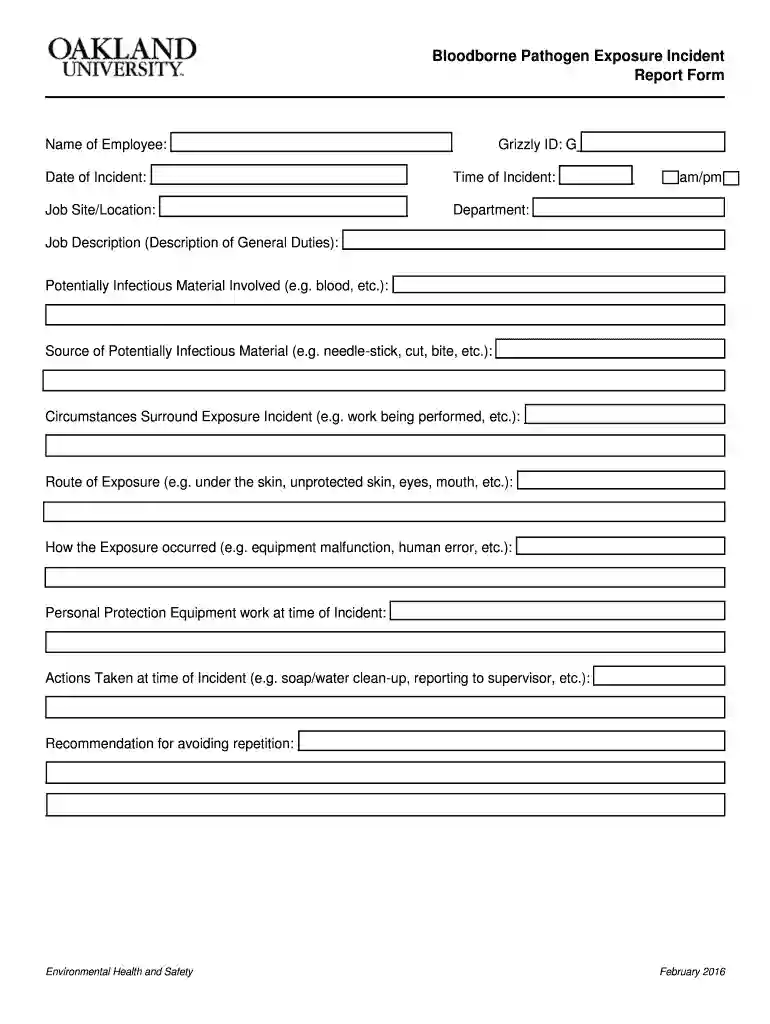
  1. Click ‘Get Form’ to open the pathogen report form in the editor.
  2. Begin by entering the 'Name of Employee' and 'Grizzly ID'. This information is crucial for identifying the individual involved in the incident.
  3. Fill in the 'Date of Incident' and 'Time of Incident'. Ensure accuracy as this data is essential for record-keeping.
  4. Specify the 'Job Site/Location' and 'Department' where the incident occurred. This helps in understanding the context of exposure.
  5. In the 'Job Description' field, provide a brief overview of general duties performed at that time.
  6. Detail any 'Potentially Infectious Material Involved', such as blood, and describe how exposure occurred, including circumstances and route of exposure.
  7. Document any personal protective equipment used during the incident and actions taken immediately after, like clean-up procedures.
  8. Finally, offer recommendations for avoiding similar incidents in the future to enhance workplace safety.

Start using our platform today to efficiently complete your pathogen report form for free!

See more pathogen report form versions

We've got more versions of the pathogen report form form. Select the right pathogen report form version from the list and start editing it straight away!
Versions Form popularity Fillable & printable
2016 4.8 Satisfied (82 Votes)
be ready to get more

Complete this form in 5 minutes or less

Get form

Got questions?

We have answers to the most popular questions from our customers. If you can't find an answer to your question, please contact us.
Contact us
To receive a Bloodborne Pathogens certificate, you must complete a training course that satisfies CDC and OSHA training requirements. Once you successfully complete the course, youll receive a downloadable certificate that you can print out or email to your employer.
What to include in a work incident report The date and time of the incident. The name of the witness or author of the report. A detailed description of the events. The names of the affected parties. Other witness statements or important information. The result of the incident.
Pathogens are tiny organisms that can make you sick if they get inside your body. Viruses, bacteria, fungi, parasites and prions are pathogens. Theyre commonly called germs. Handwashing, disinfecting surfaces and safe food preparation can reduce your risk of getting infected with a pathogen.

Security and compliance

At DocHub, your data security is our priority. We follow HIPAA, SOC2, GDPR, and other standards, so you can work on your documents with confidence.

Learn more
ccpa2
pci-dss
gdpr-compliance
hipaa
soc-compliance