
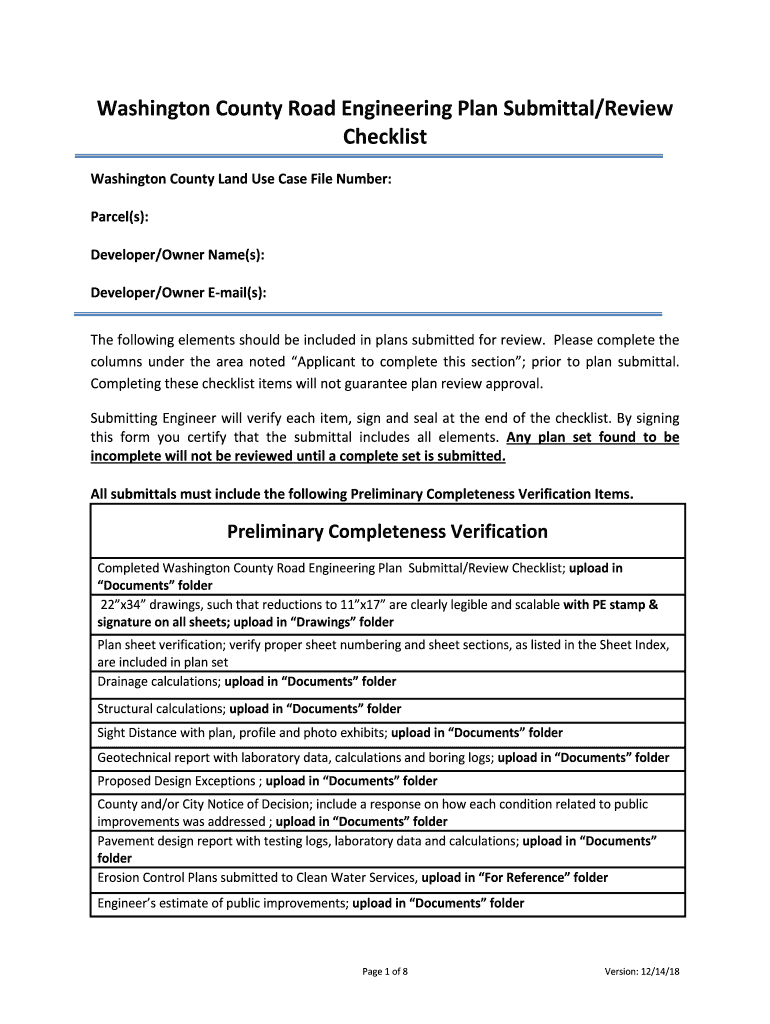







Understanding the "Development Application Forms - Washington County"
The "Development Application Forms - Washington County" serve as essential documents for individuals or entities looking to undertake development projects within the county. These forms are necessary to ensure that proposed developments meet local zoning and planning regulations. They help streamline the process of obtaining necessary permits and approvals, thereby ensuring compliance with Washington County’s architectural and land use standards.
Procedures for Using the Forms
To effectively use the Development Application Forms, applicants should carefully review the instructions provided for each section. The forms typically require detailed information about the proposed project, including the scope of work, location, and any potential impacts on the environment. Accurate completion of these forms is crucial, as discrepancies can lead to delays in the approval process.
- Collect all necessary project details and documents.
- Fill out each section of the form, ensuring clarity and accuracy.
- Double-check completed information for any missing fields or potential errors.
Obtaining the Development Application Forms
Potential applicants can obtain the Development Application Forms through various channels:
- Online: Visit the official Washington County website to download the forms.
- In-Person: Forms are available at county offices, where staff can also provide guidance on the submission process.
- Mail Request: Some departments allow form requests via mail, which they will then send to the applicant's address.
Detailed Steps to Complete the Forms
Completing the Development Application Forms involves several critical steps:
- Identify Project Details: Gather comprehensive information about the project, including descriptions, timelines, and objectives.
- Site Plans and Drawings: Include site-specific information and detailed drawings or sketches of the proposed development.
- Environmental Impact Assessments: Consider and document any potential environmental effects that the project may have.
- Zoning Compliance: Verify that the project aligns with existing zoning laws and regulations.
- Submit Required Documents: Attach any supplementary documents stipulated by the form guidelines.
Importance of the Development Application Forms
These application forms are vital for ensuring that developments within Washington County adhere to planning, zoning, and environmental regulations. They facilitate communication between developers and county officials, helping maintain county standards and serve the public interest.
- Regulatory Compliance: Ensure adherence to local bylaws.
- Efficient Project Approval: Expedite the review and approval process by providing detailed information upfront.
- Public Interest Protection: Safeguard community resources and standards by outlining potential project impacts.
Typical Users of the Forms
The primary users of the Development Application Forms are developers, landowners, and architects who are planning to undertake construction or significant modifications to existing structures. Municipal planners and government agencies also use these forms to evaluate and approve development proposals.
Key Components of the Forms
Each section of the Development Application Forms serves a specific purpose:
- Applicant Information: Personal or business details of the applicant.
- Project Description: A detailed narrative of the proposed development.
- Site Plans and Blueprints: Visual and technical specifications of the project.
- Compliance Certifications: Documents verifying adherence to local laws and policies.
- Fee Schedules: Detailed breakdown of applicable fees and costs associated with the application.
Legal Parameters and State-Specific Regulations
Washington County has specific regulations that guide the permissible developments within its jurisdiction. These regulations ensure that all construction aligns with local zoning laws, safety standards, and environmental policies. The Development Application Forms are designed to reflect and enforce these regulations, promoting sustainable and legally compliant developments.
Understanding these legal frameworks is crucial. Developers should consult with legal experts when completing forms to ensure all steps meet county and state legislation requirements, mitigating the risk of non-compliance penalties.
Examples of Effective Use of the Forms
Consider a scenario where a local business owner seeks to expand their facility. By meticulously completing the Development Application Forms, they can clearly convey their project plans to county officials and receive guidance on zoning adjustments needed for their expansion. This proactive approach aids in a more streamlined and efficient approval process, ultimately benefiting both the developers and the community.
By understanding and effectively completing the "Development Application Forms - Washington County," applicants can significantly enhance their prospects for project approval, ensuring that their developments are in harmony with county regulations and community standards.




