




Here's how it works



How to use or fill out East Point Fire Department in East Point, Georgia - County Office with our platform

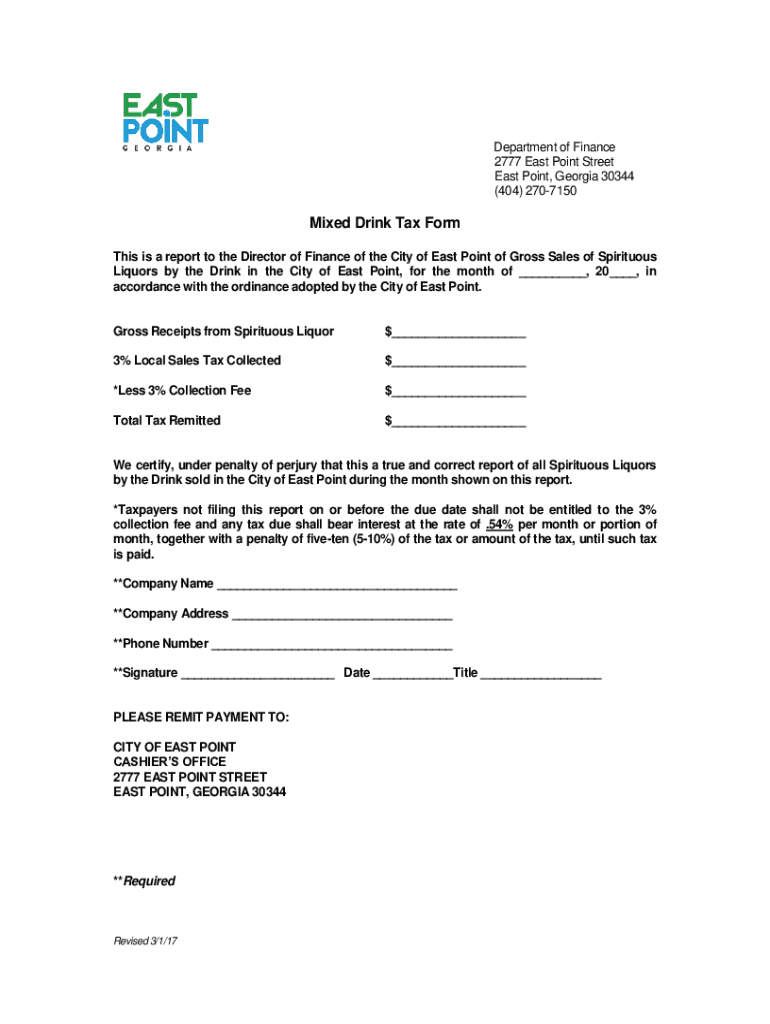
- Click ‘Get Form’ to open the Mixed Drink Tax Form in the editor.
- Begin by entering the month and year for which you are reporting sales in the designated field.
- Fill in the Gross Receipts from Spirituous Liquor sold during that month in the corresponding box.
- Calculate and enter the amount of Local Sales Tax Collected, which is 3% of your gross receipts.
- Deduct the 3% Collection Fee from your total sales tax collected and input this value.
- Finally, calculate and enter the Total Tax Remitted by subtracting the collection fee from the local sales tax collected.
- Complete the certification section by providing your Company Name, Address, Phone Number, Signature, Date, and Title.
Start using our platform today to streamline your form completion process for free!
It's free
See more East Point Fire Department in East Point, Georgia - County Office versions
Got questions?
What is the best way to electronically sign my East Point Fire Department in East Point, Georgia - County Office?
Many software solutions are available out there for document modifying and signing. DocHub is one of the most popular online solutions that comply with all security and compliance standards and guarantees your eSigned documentation is legally enforceable. All you need to try it out is to register an account, add your East Point Fire Department in East Point, Georgia - County Office, provide the necessary information, and click Sign. Generate your electronic signature by typing, drawing it, uploading its picture to your template, or scanning a unique QR code.
How do you get East Point Fire Department in East Point, Georgia - County Office?
You can find the latest and most relevant version of the East Point Fire Department in East Point, Georgia - County Office in our DocHub forms library. Browse it by categories or use the search field to find the exact template that fits your case. You may open this form for editing after you find it.
Security and compliance
At DocHub, your data security is our priority. We follow HIPAA, SOC2, GDPR, and other standards, so you can work on your documents with confidence.
Learn more




