musc onedrive Preview on Page 1

Muschealth.orgpatients-visitorsmedical-recordsObtaining MUSC Medical RecordsMUSC HealthCharleston SC 2026

Here's how it works

  • 01. Edit your musc onedrive online

    Type text, add images, blackout confidential details, add comments, highlights and more.

  • 02. Sign it in a few clicks

    Draw your signature, type it, upload its image, or use your mobile device as a signature pad.

  • 03. Share your form with others

    Send onedrive musc via email, link, or fax. You can also download it, export it or print it out.

How to use or fill out muschealth.orgpatients-visitorsmedical-recordsObtaining MUSC Medical RecordsMUSC HealthCharleston SC with our platform

Form edit decoration
9.5
Ease of Setup
DocHub User Ratings on G2
9.0
Ease of Use
DocHub User Ratings on G2
  1. Click ‘Get Form’ to open it in the editor.
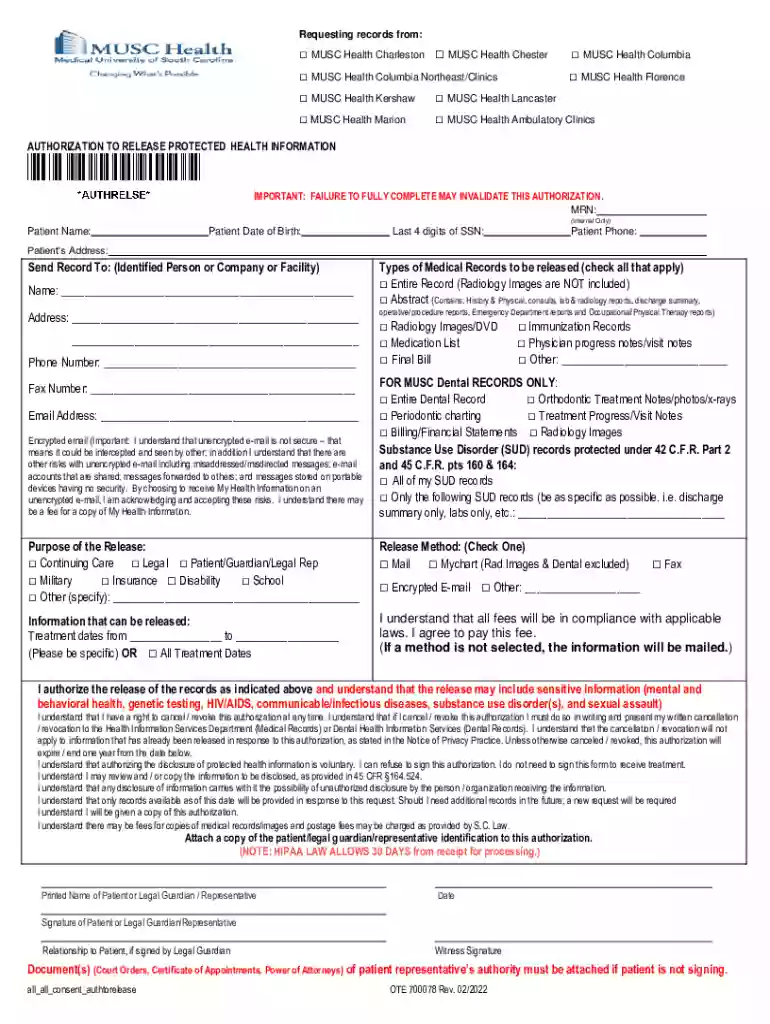
  2. Begin by selecting the MUSC Health facility from which you are requesting records. Check the appropriate box for your location.
  3. Fill in your personal information, including your name, date of birth, last four digits of your SSN, phone number, and address.
  4. Specify where you want the records sent by providing the recipient's name, address, phone number, and email. Be sure to check if you prefer encrypted email for security.
  5. Indicate which types of medical records you wish to obtain by checking all applicable boxes.
  6. Select the purpose of the release from the provided options to clarify why you need these records.
  7. Choose your preferred method for receiving the records—options include mail, fax, or encrypted email.
  8. Sign and date the form at the bottom. Ensure that any necessary identification is attached before submission.

Start using our platform today to easily complete your MUSC Medical Records request online for free!

See more musc onedrive versions

We've got more versions of the musc onedrive form. Select the right musc onedrive version from the list and start editing it straight away!

VersionsForm popularityFillable & printable
20224.1 Satisfied (52 Votes)
20214.9 Satisfied (25 Votes)
20194.3 Satisfied (60 Votes)
20194.4 Satisfied (128 Votes)
20174.1 Satisfied (41 Votes)
20174.3 Satisfied (46 Votes)

be ready to get more

Complete this form in 5 minutes or less

Security and compliance

At DocHub, your data security is our priority. We follow HIPAA, SOC2, GDPR, and other standards, so you can work on your documents with confidence.

musc work excuse

Request Medical Records via MyChart

To request medical records from within MyChart, please click on Health and choose Request Medical. Records. Fill out the questionnaire to request medicalRead more

Learn more
If you believe that this page should be taken down, please follow our DMCA take down process here