
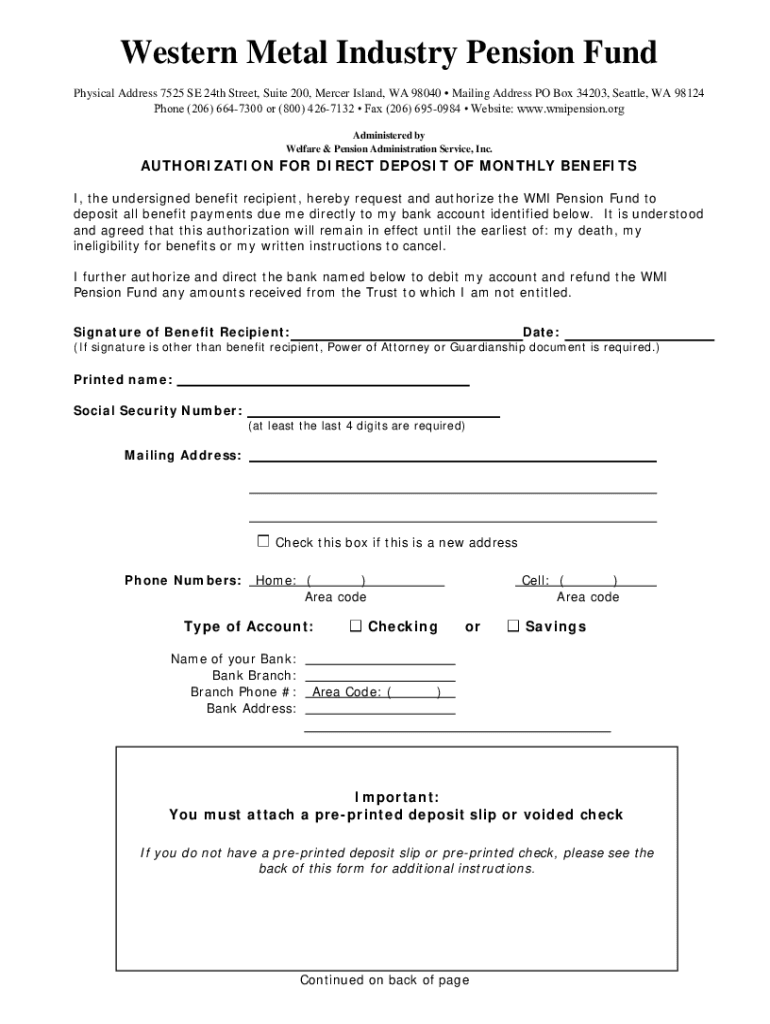







Definition and Meaning of Form Online
The term "form online" refers to digital forms accessible through web platforms that allow users to fill, submit, and manage documents electronically. These forms are designed to streamline data collection and simplify document workflow by eliminating the need for paper-based processes. Available in various formats such as PDFs or interactive web forms, they can be used for diverse purposes, including applications, registrations, surveys, and legal agreements. DocHub offers a robust platform for creating and managing such digital forms, ensuring that users can effortlessly edit, sign, and submit forms without the hassle of physical paperwork.
How to Obtain the Form Online
Securing a form online involves straightforward steps that vary slightly based on the platform or website hosting the form. Typically, organizations or agencies provide downloadable links or direct access to these forms on their official websites. On DocHub, users can quickly access a wide range of online forms by navigating to the platform’s form library or by uploading a blank template to create a customized document. Users can also import existing files from connected services like Google Drive or Dropbox, streamlining the process of sourcing and preparing necessary forms.
Steps to Complete the Form Online
Completing a form online via platforms like DocHub entails a few clear, user-friendly steps:
- Access the Form: Retrieve the desired form from a trusted source or upload it onto the DocHub platform.
- Fill in the Required Fields: Use the platform’s editing tools to input necessary information into designated fields. DocHub offers options like text boxes, checkboxes, and dropdown menus for precise data entry.
- Add Signatures: Utilize DocHub’s electronic signature tools to legally bind the document with your signature. You can draw, type, or upload a signature as needed.
- Review and Edit: Carefully check the document for accuracy, make any necessary edits, and ensure all fields are properly completed.
- Submit or Download: Finalize the process by either submitting the form directly through the platform or downloading a completed version for email distribution or secure cloud storage.
Why You Should Use Form Online
Using forms online presents numerous advantages over traditional paper forms. This method enhances efficiency by drastically reducing the time and resources needed for form handling, thanks to real-time data submission and digital signatures. For businesses and individuals, the convenience of accessing and editing forms anytime from any device eliminates geographical and physical barriers. Moreover, electronic forms minimize errors by enabling automatic calculations and verifying required fields, thereby improving accuracy in data collection. Compliance with environmental goals is another benefit, as digitalization significantly reduces paper consumption.
Key Elements of the Form Online
The structure of an online form typically includes several core components designed for effective data capture and processing:
- Title and Description: Clear identification of the form’s purpose and instructions for completion.
- Data Fields: Sections for users to enter information, which can vary from text inputs to selections like checkboxes and radio buttons.
- Submit Button: A feature allowing users to electronically send their completed form to the designated recipient or system.
- Signature Field: Space allocated for digital signatures, ensuring the form’s legality when necessary.
- Instructions and Help Features: Additional guidance or tooltips to aid users in filling the form correctly.
Each element is carefully engineered to enhance user experience and ensure precise, comprehensive data collection.
Legal Use of Form Online
Adhering to legal compliance when using forms online is imperative to protect both the form’s creator and its respondents. US legislation, such as the ESIGN Act, validates electronic signatures, giving digitally signed forms the same legal standing as handwritten signatures. Platforms like DocHub provide built-in security mechanisms, including SSL encryption and authentication protocols, to safeguard the integrity of online forms and ensure they meet regulatory standards. Users must also consider federal and state-specific laws regarding data privacy and retention when designing and distributing digital forms.
Software Compatibility and Integration
Online forms, like those supported by DocHub, boast wide-ranging software compatibility, easing integration into existing digital solutions. Connectivity with platforms such as Google Workspace allows seamless importing, editing, and exporting of forms across applications like Google Drive and Gmail. This ensures nominal disruption to established workflows while providing a flexible and accessible framework for electronic form management. Additionally, compatibility with other tools like TurboTax and QuickBooks facilitates broader functionality for users needing to link form data with accounting, tax preparation, or other specialized platforms.
Form Submission Methods
Online forms can be submitted through multiple channels, offering flexibility and convenience to users:
- Online Submission: Directly submit forms via the platform where they are hosted, like DocHub, allowing immediate electronic processing and acknowledgment.
- Email Submissions: Download completed forms and send them as email attachments, particularly useful when dealing with digital correspondence.
- Cloud Storage Integration: Save documents to online storage solutions such as Google Drive, ensuring easy access and sharing.
Each method accommodates different user needs and technological capabilities, reinforcing the usability and efficacy of digital forms.




