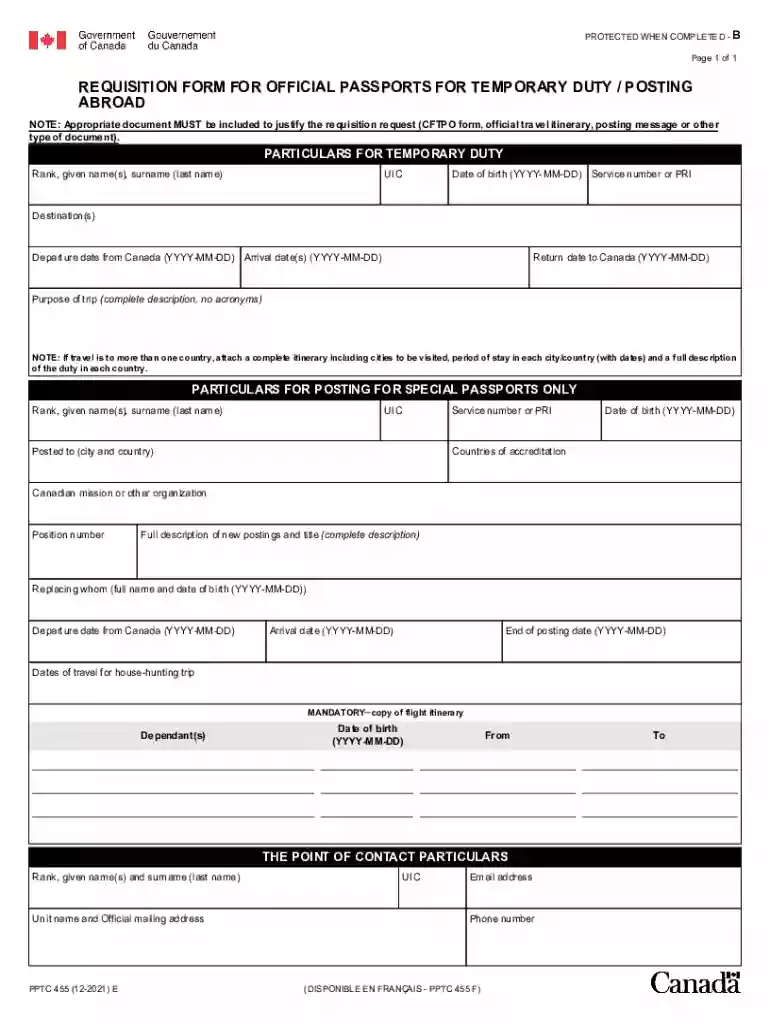
Requisition form passports 2026

Get Form
requisition form passports Preview on Page 1

Here's how it works

01. Edit your form online
Type text, add images, blackout confidential details, add comments, highlights and more.

02. Sign it in a few clicks
Draw your signature, type it, upload its image, or use your mobile device as a signature pad.

03. Share your form with others
Send it via email, link, or fax. You can also download it, export it or print it out.

How to use or fill out requisition form passports with our platform

Form edit decoration
9.5
Ease of Setup
DocHub User Ratings on G2
9.0
Ease of Use
DocHub User Ratings on G2
  1. Click ‘Get Form’ to open the requisition form for official passports in the editor.
  2. Begin by filling in your particulars for temporary duty. Enter your rank, given name(s), surname, date of birth (YYYY-MM-DD), service number or PRI, and destination(s).
  3. Next, provide the departure date from Canada, arrival date(s), return date to Canada, and a complete description of the trip's purpose without using acronyms.
  4. If applicable, attach a complete itinerary for travel to multiple countries, detailing cities visited and periods of stay.
  5. For postings requiring special passports, fill in the relevant details including rank, posted city and country, service number or PRI, and countries of accreditation.
  6. Complete the contact particulars section with your rank, name, unit name, mailing address, email address, and phone number.

Start using our platform today to streamline your passport requisition process for free!

See more requisition form passports versions

We've got more versions of the requisition form passports form. Select the right requisition form passports version from the list and start editing it straight away!
Versions Form popularity Fillable & printable
2021 4.5 Satisfied (68 Votes)
2017 4.8 Satisfied (139 Votes)
2009 4.4 Satisfied (180 Votes)
be ready to get more

Complete this form in 5 minutes or less

Get form

Got questions?

We have answers to the most popular questions from our customers. If you can't find an answer to your question, please contact us.
Contact us
Application For A U.S. Passport (DS-11) Print the form but do not sign it until we ask you to do so. Download the form if you are having issues with the form filler.
Application For A U.S. Passport (DS-11) Use if you are applying for the first time, for your child who is under age 16, or you dont meet our requirements to renew your passport. Print the form but do not sign it until we ask you to do so. Download the form if you are having issues with the form filler.
To immediately cancel your passport, visit our Online Form Filler. You will need to complete Form DS-11 if you want to report a passport lost or stolen at the same time you apply for a new one: On the form, you will need to provide detailed information about where and when your most recent passport was lost or stolen.
If you are applying for a U.S. passport, use the Passport Form Filler to fill out our primary forms (DS-11, DS-82, DS-5504, and DS-64) online and print them.
Renewing your passport by mail Application - You will need Form DS-82. If you are renewing by mail: You can fill out Form DS-82 online, or.
be ready to get more

Complete this form in 5 minutes or less

Get form

People also ask

What is the difference between DS-82 and DS-11? The DS-82 is used for passport renewal, while the DS-11 is for first-time applications.

Related links