




Here's how it works



How to use or fill out Vinemont, AL Sample Bid #694535 with our platform

- Click ‘Get Form’ to open the Vinemont, AL Sample Bid #694535 in the editor.
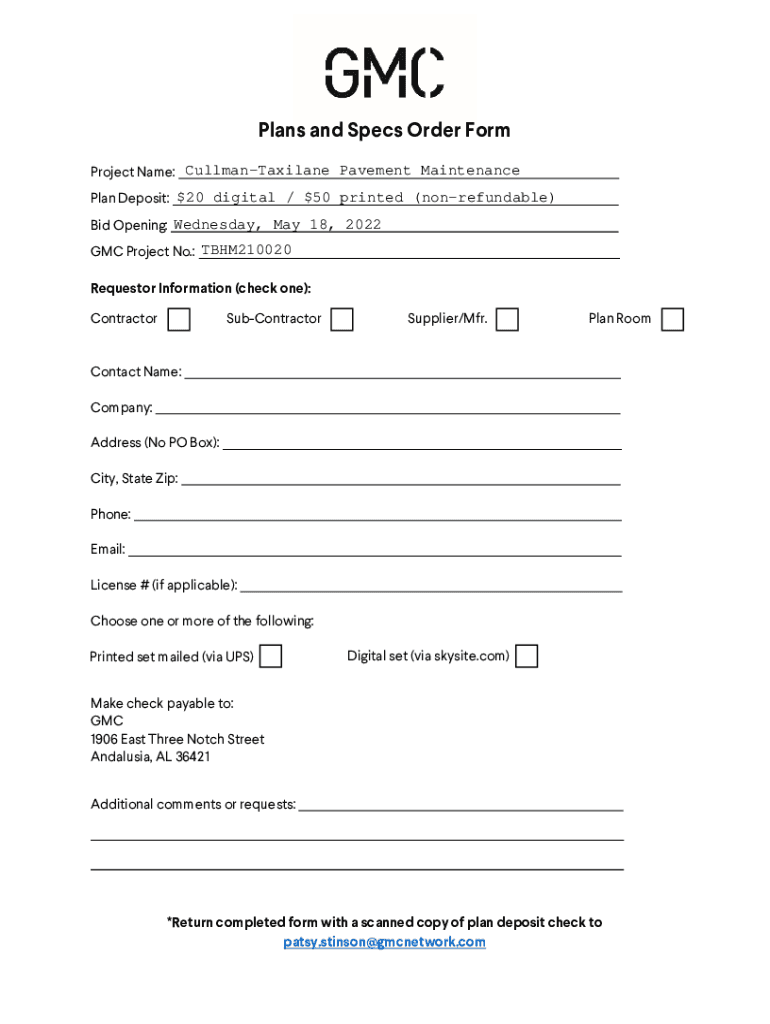
- Begin by filling out the Requestor Information section. Indicate whether you are a Contractor, Sub-Contractor, Supplier/Mfr., or Plan Room by checking the appropriate box.
- Enter your Contact Name, Company, Address (ensure no PO Box), City, State Zip, Phone number, and Email address in the designated fields.
- If applicable, provide your License number in the specified field to ensure compliance with bidding requirements.
- Select your preferred format for receiving the plans by checking either 'Printed set mailed (via UPS)' or 'Digital set (via skysite.com)'.
- Make sure to include any additional comments or requests in the provided space before finalizing your submission.
- Return the completed form along with a scanned copy of your plan deposit check to patsy.stinson@gmcnetwork.com.
Start using our platform today to streamline your bid submission process for free!
It's free
See more Vinemont, AL Sample Bid #694535 versions
Got questions?
How can I create an electronic signature in my Vinemont, AL Sample Bid #694535 on Android?
Approving documents on a mobile device is quick, straightforward, and doesn’t require software installation if you have an account with DocHub. Sign in from any browser, complete your blank fields with your data, and click on Sign → Create your signature. You can draw your electronic signature the same way you usually do on paper, add its picture to your Vinemont, AL Sample Bid #694535, or type in your name and stylize its look. No matter what option you select, your document will be valid.
How do you complete Vinemont, AL Sample Bid #694535 online?
You may complete and sign your Vinemont, AL Sample Bid #694535 on the internet, even on a tight deadline. All you need to access top-notch editing instruments on any device is a DocHub profile, which you can sign up in a few moments. After you register, add your document or find what you are searching for in our catalog, complete it using the editing instruments you need, and put your electronic signature on it at the end.
Security and compliance
At DocHub, your data security is our priority. We follow HIPAA, SOC2, GDPR, and other standards, so you can work on your documents with confidence.
Learn more




