Type text, add images, blackout confidential details, add comments, highlights and more.
02. Sign it in a few clicks
Draw your signature, type it, upload its image, or use your mobile device as a signature pad.
03. Share your form with others
Send imm 5457 form via email, link, or fax. You can also download it, export it or print it out.
How to use or fill out imm 5457 with our platform
Ease of Setup
DocHub User Ratings on G2
Ease of Use
DocHub User Ratings on G2
Click ‘Get Form’ to open the imm 5457 document in the editor.
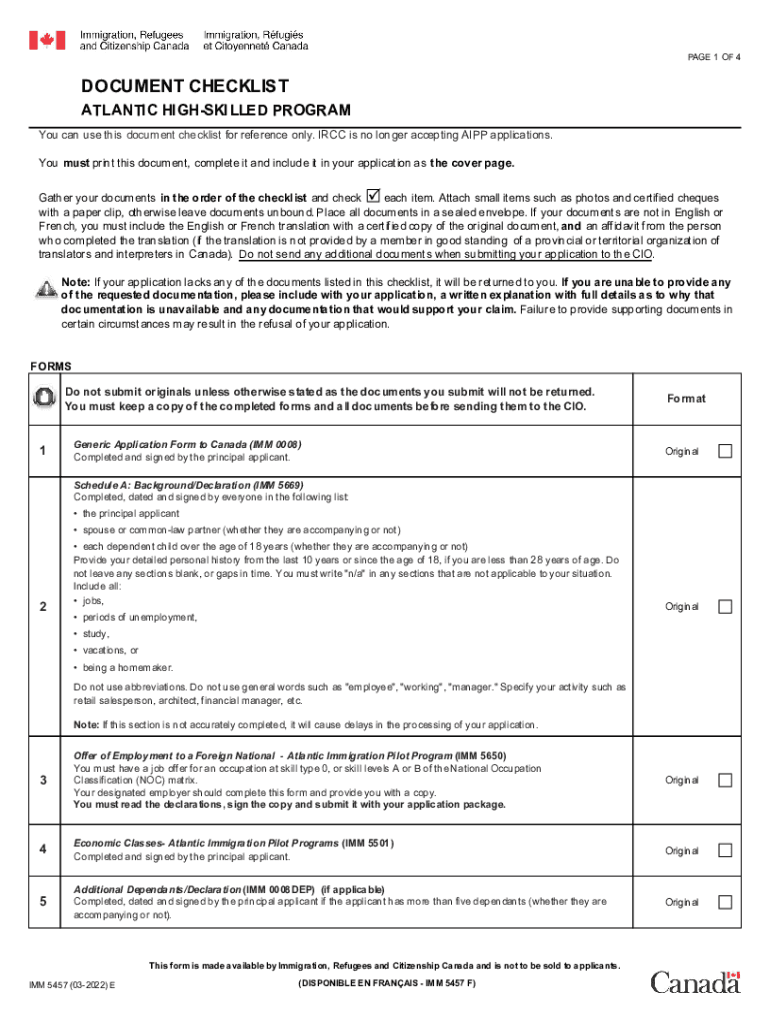
Begin by reviewing the document checklist. Ensure you have all required documents listed, such as the Generic Application Form (IMM 0008) and Schedule A (IMM 5669).
Fill out each section of the form meticulously. For instance, in Schedule A, provide your detailed personal history for the last ten years without leaving any gaps. Use specific job titles instead of general terms.
Complete additional forms like the Offer of Employment (IMM 5650) and Economic Classes (IMM 5501) as needed. Make sure these are signed by relevant parties.
Once all sections are filled, review your entries for accuracy. Utilize our platform's editing features to make any necessary adjustments before finalizing your application.
Start using our platform today to streamline your imm 5457 form completion for free!
Some server components return messages that are not described in this publication. Some of the message might include: Operating system. Database manager.Read more
Negatively controlled, randomized clinical trial to evaluate
by MJ Fuenzalida 2019 Cited by 103 Overall, use of IMM ceftiofur did not result in improvement of most clinical outcomes, but differences between E. coli and Kleb. pneumoniae were evident. InRead more
Clin Exper Imm 1982. 47:43-52. 5. Granoff DM, Pandy JP, B oies EB, Squires J, Munson RS,. Suarez B. Response to immunzation with Haemophilus injluenzae type B.
Cookie consent notice
This site uses cookies to enhance site navigation and personalize your experience.
By using this site you agree to our use of cookies as described in our Privacy Notice.
You can modify your selections by visiting our Cookie and Advertising Notice.