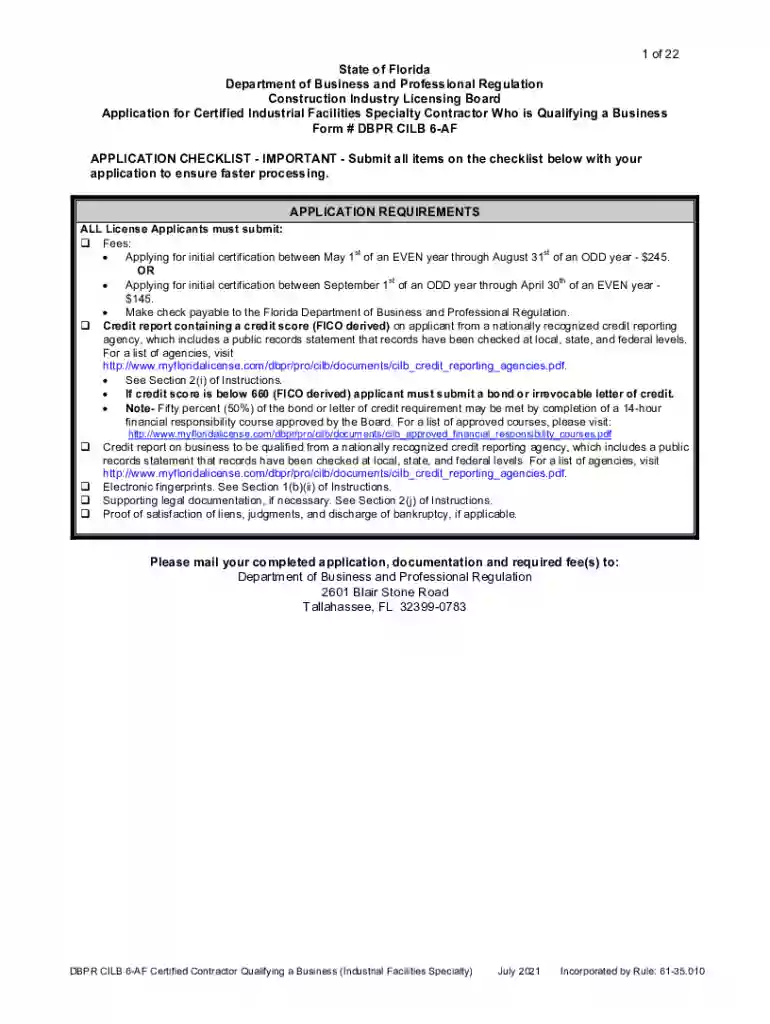
Florida dbpr 6 form printable 2026

Get Form
florida dbpr 6 form printable Preview on Page 1

Here's how it works

01. Edit your form online
Type text, add images, blackout confidential details, add comments, highlights and more.

02. Sign it in a few clicks
Draw your signature, type it, upload its image, or use your mobile device as a signature pad.

03. Share your form with others
Send it via email, link, or fax. You can also download it, export it or print it out.

How to use or fill out florida dbpr 6 form printable with DocHub

Form edit decoration
9.5
Ease of Setup
DocHub User Ratings on G2
9.0
Ease of Use
DocHub User Ratings on G2
  1. Click ‘Get Form’ to open the Florida DBPR 6 form in our editor.
  2. Begin with Section I, where you select the application type. Ensure you check only one box that corresponds to your situation.
  3. In Section II, fill out your personal information completely, including your full legal name, Social Security number, and contact details. This information is crucial for processing your application.
  4. Proceed to Section III to indicate your qualifications for a certified license. Select the appropriate method of qualification and provide details about your experience.
  5. In Section IV, enter the business information that you are qualifying. Include the business name, type, and Federal Employer ID Number (FEID).
  6. Complete Sections V through VIII by providing details about the primary qualifier and insurance coverage as required.
  7. Finally, review all sections for accuracy before submitting. Use our platform's features to save and share your completed form easily.

Start filling out your Florida DBPR 6 form today using our platform for free!

See more florida dbpr 6 form printable versions

We've got more versions of the florida dbpr 6 form printable form. Select the right florida dbpr 6 form printable version from the list and start editing it straight away!
Versions Form popularity Fillable & printable
2021 4.8 Satisfied (130 Votes)
2019 4.3 Satisfied (212 Votes)
2019 4.3 Satisfied (136 Votes)
2016 4 Satisfied (26 Votes)
be ready to get more

Complete this form in 5 minutes or less

Get form

Got questions?

We have answers to the most popular questions from our customers. If you can't find an answer to your question, please contact us.
Contact us

Microsoft Word doesn’t have signing tools to generate legitimate eSignatures and enforceable forms. Luckily, DocHub is an online eSignature-compliant editor that works with various document formats, such as .doc files. Log in to your account and add the Word version of your florida dbpr 6 form printable from your device and cloud, or URL - our editor will automatically turn it into an editable PDF. Make all necessary changes in your document and click Sign to generate your own legally-binding electronic signature. There are four signing methods from which to choose.

With DocHub, there are several convenient ways to edit your florida dbpr 6 form printable online. You can drag and drop the form and modify it straight at the DocHub site or use our browser extension to fill out your form immediately. On top of that, you can modify your PDF on your smartphone, as DocHub works with all the available mobile platforms.

The DBPR must notify an applicant if there are any errors in their application within 30 days, and must approve or deny the application within 90 days. Assuming theres no errors in your application, this means you can finish your coursework in the three months it takes for them to approve your application.
The Big6 is a six-stage model to help anyone solve problems or make decisions by using information. Some call it information literacy, inquiry, research skills, or an information problem-solving processbut we call it the Big6!
The DBPR typically posts completions within 24 hours of receipt. Glitches can occur and timeframes may differ. The best way to avoid problems is to renew early.

Security and compliance

At DocHub, your data security is our priority. We follow HIPAA, SOC2, GDPR, and other standards, so you can work on your documents with confidence.

Learn more
ccpa2
pci-dss
gdpr-compliance
hipaa
soc-compliance

People also ask

To begin using DBPRs online services you will first need to Create an Account. Select Create My Account to begin the one time registration process. login using something other than your e-mail address enter the a user id by entering it in the Or enter your own user id: box.
The department is governed by Section 120.60, Florida Statutes, when processing the application. Generally an application is processed within three to four weeks from the date of receipt.
The DBPR generally takes 10 to 30 days to complete the application process, if the application is submitted as complete. The DBPR must complete its process in 90 days or less.
If you need clarification about the requirements for a license application, contact the DBPR Customer Contact Center at callcenter@dbpr.state.fl.us or 850-487-1395.
They list The Big 6 pathogens (Norovirus, Nontyphoidal Salmonella, Salmonella Typhi, E. coli, Shigella, and Hepatitis A) as being highly infectious, able to cause severe disease in small quantities, and each will be featured individually in this series of articles.

Related links