CA SCE 14-937 2026

Get Form
form 14 937 Preview on Page 1

Here's how it works

01. Edit your form 14 937 online
Type text, add images, blackout confidential details, add comments, highlights and more.

02. Sign it in a few clicks
Draw your signature, type it, upload its image, or use your mobile device as a signature pad.

03. Share your form with others
Send sce form 14 937 via email, link, or fax. You can also download it, export it or print it out.

How to use or fill out CA SCE 14-937 with our platform

Form edit decoration
9.5
Ease of Setup
DocHub User Ratings on G2
9.0
Ease of Use
DocHub User Ratings on G2
  1. Click ‘Get Form’ to open the CA SCE 14-937 in the editor.
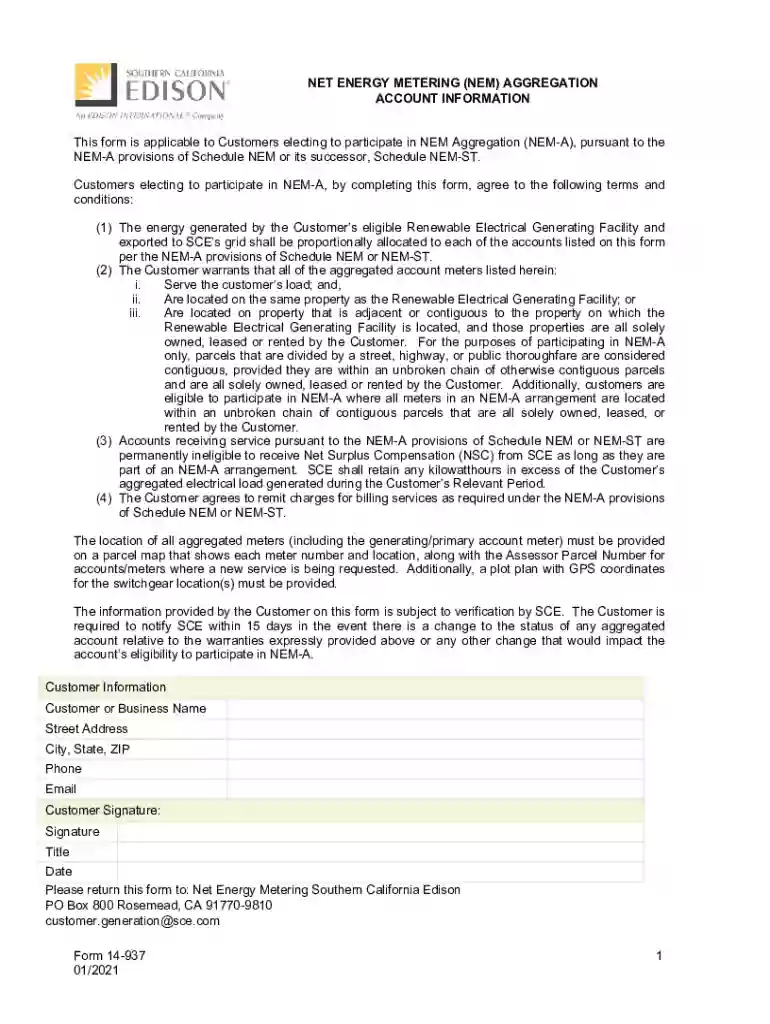
  2. Begin by filling in your Customer or Business Name, Street Address, City, State, ZIP, Phone, and Email in the Customer Information section. Ensure all details are accurate for verification purposes.
  3. In the NEM Aggregation Account Information section, list the Primary/Generating Account Name and its corresponding details such as Annual Service kWh and Account Address. This account is directly connected to your Renewable Electrical Generating Facility.
  4. Continue adding information for each aggregated account. Include the Service Account No., Annual kWh Load, and specify if it receives Bundled, DA, or CCA Service. If you have more accounts than can fit on the form, attach additional sheets as needed.
  5. Finally, designate an account for any unallocated kWh at the end of each billing period by filling in the Service Account No. for that account.

Start using our platform today to easily complete your CA SCE 14-937 form online for free!

See more CA SCE 14-937 versions

We've got more versions of the CA SCE 14-937 form. Select the right CA SCE 14-937 version from the list and start editing it straight away!
Versions Form popularity Fillable & printable
2021 4.9 Satisfied (55 Votes)
2015 4.4 Satisfied (290 Votes)
be ready to get more

Complete this form in 5 minutes or less

Get form

Got questions?

We have answers to the most popular questions from our customers. If you can't find an answer to your question, please contact us.
Contact us
How long will it take for me to get my Permission to Operate (PTO)? Although processing times may vary based on application volume, simple and standard (solar-only) interconnection requests that have all the correct information and required documents, may receive Permission to Operate within 10 business days.
If you need to request any of the services below, please give us a call at 1-800-990-7788 and a representative will assist you.
On the 12th month, you will receive a settlement bill showing either a payment due or a credit balance. This amount equals the sum of your energy usage throughout your Budget Billing Plan year. Class name. sce-factsheet-head-sec-wrapper.

Security and compliance

At DocHub, your data security is our priority. We follow HIPAA, SOC2, GDPR, and other standards, so you can work on your documents with confidence.

Learn more
ccpa2
pci-dss
gdpr-compliance
hipaa
soc-compliance
be ready to get more

Complete this form in 5 minutes or less

Get form