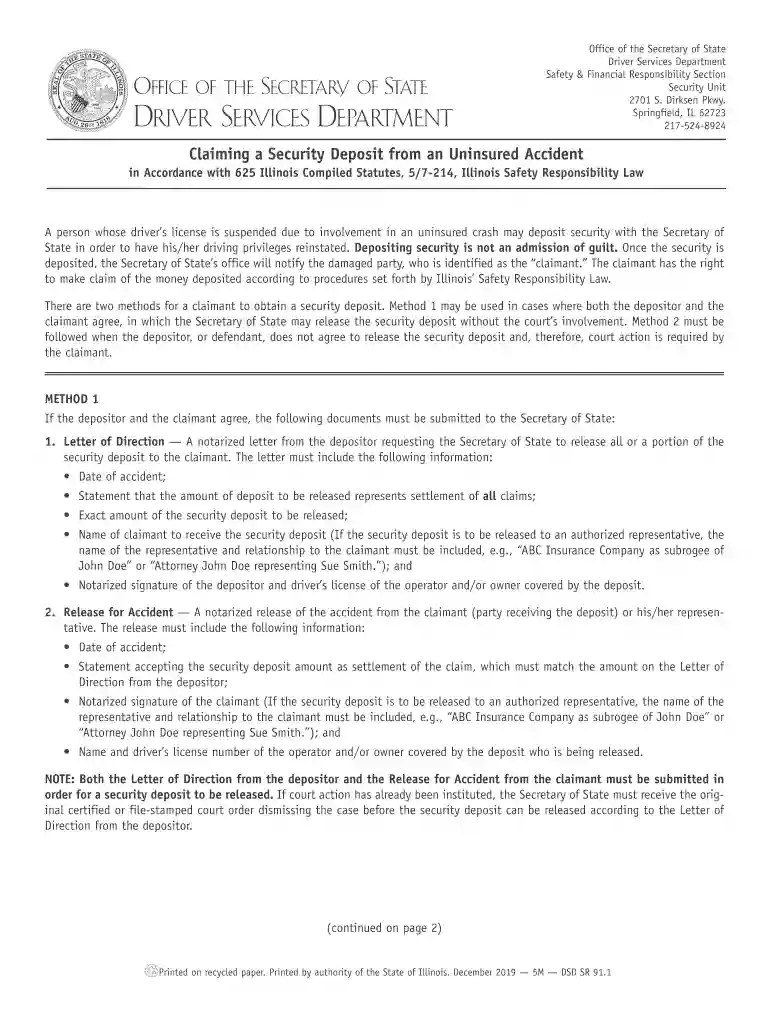
dsd a 7 8 illinois form Preview on Page 1

Illinois dsd sr security 2026

Here's how it works

  • 01. Edit your dsd a 7 8 illinois form online

    Type text, add images, blackout confidential details, add comments, highlights and more.

  • 02. Sign it in a few clicks

    Draw your signature, type it, upload its image, or use your mobile device as a signature pad.

  • 03. Share your form with others

    Send dsd a 7 8 illinois via email, link, or fax. You can also download it, export it or print it out.

How to use or fill out Illinois DSD SR Security with our platform

Form edit decoration
9.5
Ease of Setup
DocHub User Ratings on G2
9.0
Ease of Use
DocHub User Ratings on G2
  1. Click ‘Get Form’ to open the Illinois DSD SR Security document in the editor.
  2. Begin by filling out the 'Letter of Direction'. Include the date of the accident, the amount to be released, and ensure it is notarized. Specify the claimant's name and relationship if applicable.
  3. Next, complete the 'Release for Accident' section. This requires a notarized signature from the claimant, along with details such as the date of accident and acceptance of the deposit amount.
  4. If using Method 2, prepare to file a suit within two years. Gather necessary information including judgment details and submit it alongside your court order to our platform.
  5. Review all entries for accuracy before submitting your completed forms through our platform for processing.

Start using our platform today to streamline your form completion process for free!

See more dsd a 7 8 illinois form versions

We've got more versions of the dsd a 7 8 illinois form form. Select the right dsd a 7 8 illinois form version from the list and start editing it straight away!

VersionsForm popularityFillable & printable
20194.8 Satisfied (61 Votes)
20114.3 Satisfied (76 Votes)

be ready to get more

Complete this form in 5 minutes or less

Got questions?

We have answers to the most popular questions from our customers. If you can't find an answer to your question, please contact us.

Most eSignature solutions require users to have a paid subscription. With DocHub, there are two ways for you to add an electronic signature to your illinois dsd sr security at no cost:

  • You can do it during a 7-day trial period;
  • You can subscribe to a free plan.

The second option, however, has restrictions on the number of signatures, sign requests, emails, and documents for editing available per month. You can check for full information here.

If you edit your illinois dsd sr security with DocHub, you simply will not need to look for other software or services to eSign it. An electronic signature is part of DocHub’s extensive editing toolset, which allows you to implement changes in your form without jumping between websites. Simply complete your form, double-check the correctness of your data and place your electronic signature at the end to make it submission-ready within a few minutes.

Security and compliance

At DocHub, your data security is our priority. We follow HIPAA, SOC2, GDPR, and other standards, so you can work on your documents with confidence.

Related links

Illinois Rules of the Road 2022

Have Social Security information verified through the Social Security Online Verification the requirements of the Safety Responsibility Law.

Learn more
If you believe that this page should be taken down, please follow our DMCA take down process here