Related disease form worksafebc sample 2026

Get Form
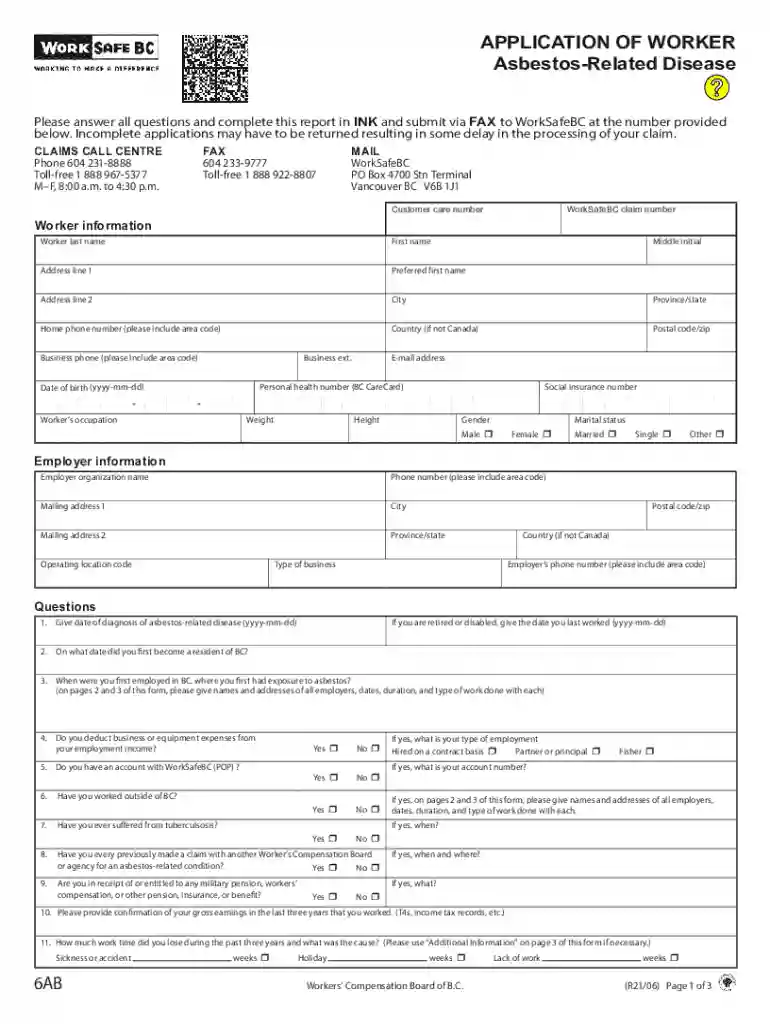
related disease form worksafebc sample Preview on Page 1

Here's how it works

01. Edit your form online
Type text, add images, blackout confidential details, add comments, highlights and more.

02. Sign it in a few clicks
Draw your signature, type it, upload its image, or use your mobile device as a signature pad.

03. Share your form with others
Send it via email, link, or fax. You can also download it, export it or print it out.

How to use or fill out related disease form worksafebc sample with our platform

Form edit decoration
9.5
Ease of Setup
DocHub User Ratings on G2
9.0
Ease of Use
DocHub User Ratings on G2
  1. Click ‘Get Form’ to open the related disease form in the editor.
  2. Begin by filling out the 'Worker Information' section. Provide your last name, first name, address, and contact details. Ensure all fields are completed accurately to avoid delays.
  3. Next, move to the 'Employer Information' section. Enter your employer's organization name and contact information. This is crucial for processing your claim.
  4. Proceed to answer the questions regarding your diagnosis and work history. Be thorough in detailing dates of diagnosis, employment history, and any previous claims made.
  5. In the 'Additional Information' section, provide any extra details that may support your claim. Use this space wisely to clarify any complex situations.
  6. Finally, review all entered information for accuracy before signing and dating the report at the end of the form.

Start using our platform today for free to streamline your document editing and submission process!

See more related disease form worksafebc sample versions

We've got more versions of the related disease form worksafebc sample form. Select the right related disease form worksafebc sample version from the list and start editing it straight away!
Versions Form popularity Fillable & printable
2021 4.8 Satisfied (108 Votes)
2017 4.4 Satisfied (115 Votes)
2008 4.4 Satisfied (271 Votes)
be ready to get more

Complete this form in 5 minutes or less

Get form

Got questions?

We have answers to the most popular questions from our customers. If you can't find an answer to your question, please contact us.
Contact us
Contacts. If youre not employed by the B.C. provincial government please call WorkSafe BC at 1-888-621-SAFE (7233). Call 911 for assistance if necessary. For all other situations requiring immediate assistance, call the BC Public Service workplace health and safety 24-hour line (IDIR restricted).
By law there is a one year time limit to report injuries to the WorkSafe BC but its always best to report immediately. This applies even if you dont miss any time from work. In that case, it will be a no time loss claim but the WCB will pay for medical treatment.
Employers Report of Injury or Occupational Disease (Form 7) If a person working for you has a work-related injury or disease and gets medical treatment from a doctor or other qualified practitioner, as the employer, you must report the incident to us. We need to hear from you as soon as possible.
Report your employees injury/illness through our online services. The WSIB must receive the complete accident report within three business days after the business learns of the reporting obligation (business days are Monday to Friday, and do not include statutory holidays).
The Workplace Safety Insurance Board (WSIB) is the Ontario agency that provides insurance benefits for workers injured on the job. Each workplace has insurance to assist workers if they get hurt while working. Your workplace insurance gives you access to benefits if you get hurt while doing your job.

Security and compliance

At DocHub, your data security is our priority. We follow HIPAA, SOC2, GDPR, and other standards, so you can work on your documents with confidence.

Learn more
ccpa2
pci-dss
gdpr-compliance
hipaa
soc-compliance
be ready to get more

Complete this form in 5 minutes or less

Get form