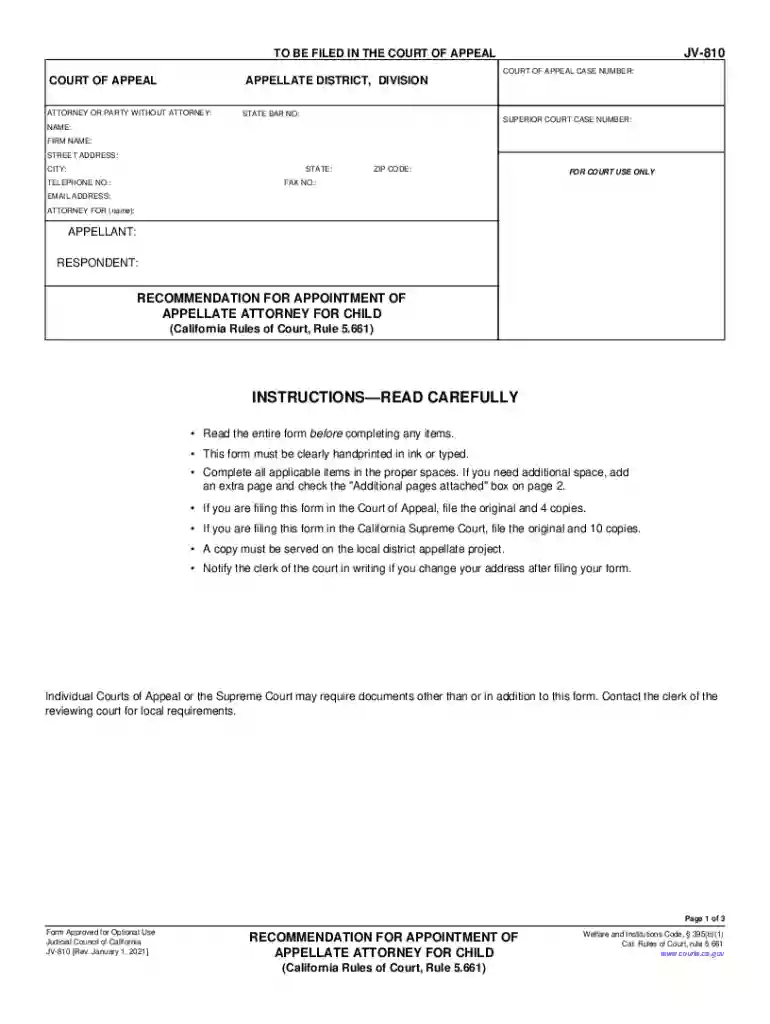
fillable court forms california Preview on Page 1

California recommendation appointment make 2026

Here's how it works

  • 01. Edit your fillable court forms california online

    Type text, add images, blackout confidential details, add comments, highlights and more.

  • 02. Sign it in a few clicks

    Draw your signature, type it, upload its image, or use your mobile device as a signature pad.

  • 03. Share your form with others

    Send it via email, link, or fax. You can also download it, export it or print it out.

How to use or fill out california recommendation appointment make with our platform

Form edit decoration
9.5
Ease of Setup
DocHub User Ratings on G2
9.0
Ease of Use
DocHub User Ratings on G2
  1. Click ‘Get Form’ to open the california recommendation appointment make in the editor.
  2. Begin by filling in your personal information, including your name, firm name, address, and contact details. Ensure all fields are clearly typed or handprinted.
  3. In section 1, indicate whether you are the trial counsel, guardian ad litem, or the child. Provide the necessary details for each role as applicable.
  4. For section 3, check all reasons that justify the need for an appellate attorney for the child. Be thorough in your selection to ensure clarity.
  5. In section 4, provide supporting facts for your recommendation. If more space is needed, attach additional pages and check the corresponding box.
  6. Finally, sign and date the form at the bottom of page 2 to validate your submission before saving or printing it.

Start using our platform today to streamline your document editing and form completion process for free!

See more fillable court forms california versions

We've got more versions of the fillable court forms california form. Select the right fillable court forms california version from the list and start editing it straight away!

VersionsForm popularityFillable & printable
20214.8 Satisfied (75 Votes)
20174.4 Satisfied (255 Votes)
20104 Satisfied (41 Votes)

be ready to get more

Complete this form in 5 minutes or less

Security and compliance

At DocHub, your data security is our priority. We follow HIPAA, SOC2, GDPR, and other standards, so you can work on your documents with confidence.

Related links

My Turn - California Vaccine Scheduling Information Site

Easily find all recommended vaccines, book appointments, and access your Digital Vaccine Record, brought to you by the California Department of Public Health.Read more

Learn more
Appointments Referrals | UC Davis Health

Information for patients, their families and referring doctors on making appointments and requesting referrals to UC Davis Health physicians and providers.

Learn more
If you believe that this page should be taken down, please follow our DMCA take down process here