Monthly elevator log 2026

Get Form
elevator phase 1 and phase 2 testing form Preview on Page 1

Here's how it works

01. Edit your elevator phase 1 and phase 2 testing form online
Type text, add images, blackout confidential details, add comments, highlights and more.
02. Sign it in a few clicks
Draw your signature, type it, upload its image, or use your mobile device as a signature pad.
03. Share your form with others
Send monthly fire service test log via email, link, or fax. You can also download it, export it or print it out.

How to use or fill out monthly elevator log with our platform

Form edit decoration
9.5
Ease of Setup
DocHub User Ratings on G2
9.0
Ease of Use
DocHub User Ratings on G2
  1. Click ‘Get Form’ to open the monthly elevator log in the editor.
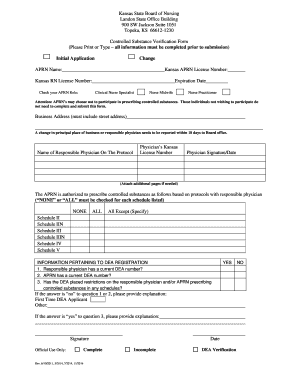
  2. Begin by entering the State ID number and the date at the top of the form. This information is crucial for record-keeping.
  3. In the 'Phase I' section, fill in the 'Location Name' where the elevator is situated. This helps identify which elevator is being logged.
  4. Next, proceed to check off whether the elevator passed or failed during testing. Make sure to provide your signature in the 'Checked By' field to validate your findings.
  5. Use the comments section to note any deficiencies or observations made during the inspection. Be as detailed as possible to ensure clarity for future reference.

Start using our platform today for free and streamline your monthly elevator log process!

See more monthly elevator log versions

We've got more versions of the monthly elevator log form. Select the right monthly elevator log version from the list and start editing it straight away!
Versions Form popularity Fillable & printable
2018 4.8 Satisfied (47 Votes)
2013 4.4 Satisfied (183 Votes)
be ready to get more

Complete this form in 5 minutes or less

Get form

Got questions?

We have answers to the most popular questions from our customers. If you can't find an answer to your question, please contact us.
Contact us

Microsoft Word doesn’t have signing tools to create legitimate eSignatures and enforceable paperwork. Fortunately, DocHub is an online eSignature-compliant editor that works with various file formats, such as .doc files. Log in to your account and import the Word version of your monthly elevator fire service test log from your device and cloud, or URL - our editor will automatically convert it into an editable PDF. Make all essential changes in your document and click Sign to create your own legally-binding electronic signature. There are four signing options from which to choose.

Document editing with DocHub is equally convenient on desktop and mobile devices. You just need an internet browser to edit your elevator monthly firefighter recall testing form on Android. Open our website and sign in to access the instruments you require. Add your document and introduce your intended modifications. After that, you can keep your form in your document storage or send it out right away.

Elevator recall is automatically or manually initiated to prevent the possibility of the public being delivered to a smoke or flamed-filled area. The cab will proceed immediately to the proper level and open its doors.
0:20 5:35 Fire service mode on an Elevator (innovation fixtures) - YouTube YouTube Start of suggested clip End of suggested clip Now the first thing you have to do to put the elevating fire service is you have to put your fireMoreNow the first thing you have to do to put the elevating fire service is you have to put your fire service key in and turn it on this recalls the elevator.
Phase I operation is activated either manually by a special key, or automatically by a fire alarm initiating device. A sensor could detect smoke in the hoistway, lobby or machine room, for example, and trigger Phase I.

Security and compliance

At DocHub, your data security is our priority. We follow HIPAA, SOC2, GDPR, and other standards, so you can work on your documents with confidence.

Learn more
ccpa2
pci-dss
gdpr-compliance
hipaa
soc-compliance

People also ask

It isnt appropriate to use an elevator during a fire or similar building emergency. Elevators are designed to be recalled to a floor, usually the lobby, during alarm conditions.
Phase II operation is an override meant for firefighters after Phase I has been activated. Under Phase II operation, firefighters can use a keyswitch to operate the elevator, provided the hoistway is clear of smoke and the elevator has electricity.
Switch the fire service key to OFF. If the elevator doors were open, they should close and then the elevator will travel to the main lobby floor (same floor as the Phase 1 Key Switch). With an older elevator, you may need to press the floor button.
However, one thing is common in every elevator, which is a mechanical lever. You will need to find the mechanical release lever to release the cab and open the elevator door. This mechanical lever is often located in the machine room. After locating the lever, pull it to reset the elevator.
All elevators are equipped with fire service modes, enabling firefighters to continue using the elevator during a fire.

monthly elevator form