




01. Edit your first report of injury nh online
Type text, add images, blackout confidential details, add comments, highlights and more.

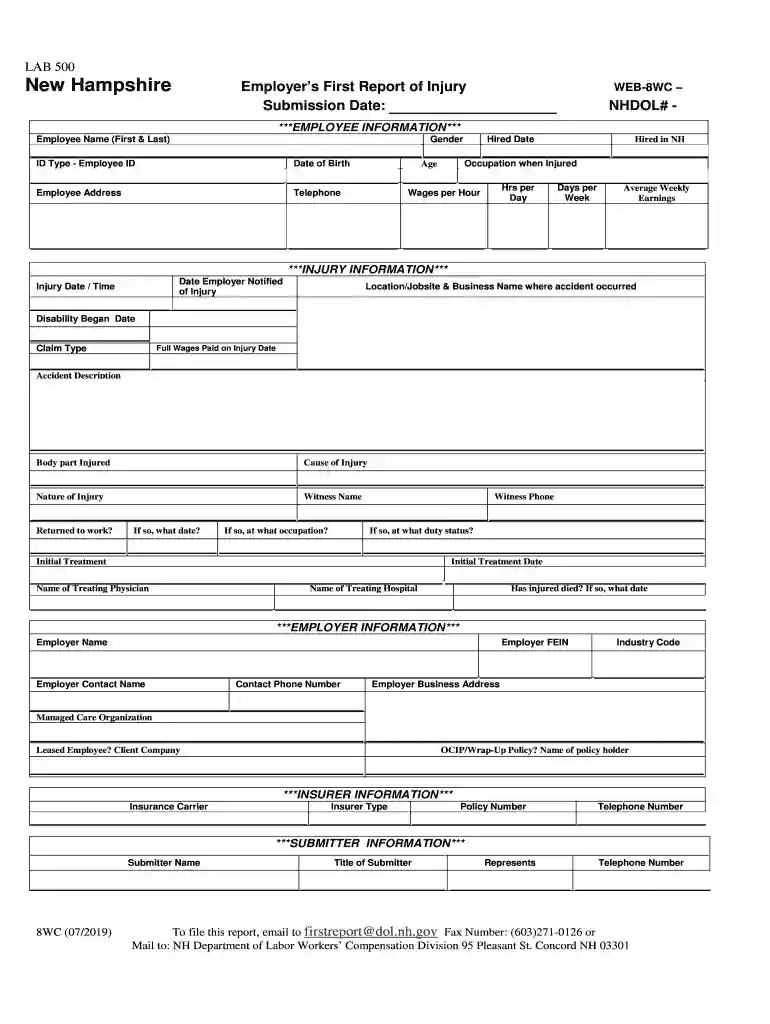
Type text, add images, blackout confidential details, add comments, highlights and more.

Draw your signature, type it, upload its image, or use your mobile device as a signature pad.

Send nh first report of injury form via email, link, or fax. You can also download it, export it or print it out.

Start using our platform today for free to streamline your nh report injury process!
We've got more versions of the first report of injury nh form. Select the right first report of injury nh version from the list and start editing it straight away!
| Versions | Form popularity | Fillable & printable |
|---|---|---|
| 2019 | 4.9 Satisfied (22 Votes) |
At DocHub, your data security is our priority. We follow HIPAA, SOC2, GDPR, and other standards, so you can work on your documents with confidence.
Feb 28, 2024 This report contains data and information on occupational injuries and illnesses in New Hampshire, which marks an important step on the path to a safer andRead more
combination to avoid injury from tip-over. Portable Cart Warning. 13. Unplug this apparatus during lightning storms or when unused for long periods of timeRead more


