Type text, add images, blackout confidential details, add comments, highlights and more.

02. Sign it in a few clicks
Draw your signature, type it, upload its image, or use your mobile device as a signature pad.

03. Share your form with others
Send arkansas lost title application pdf via email, link, or fax. You can also download it, export it or print it out.

How to use or fill out Arkansas Lost Title Application PDF with Our Platform
Ease of Setup
DocHub User Ratings on G2
Ease of Use
DocHub User Ratings on G2
Click ‘Get Form’ to open the Arkansas Lost Title Application PDF in our editor.
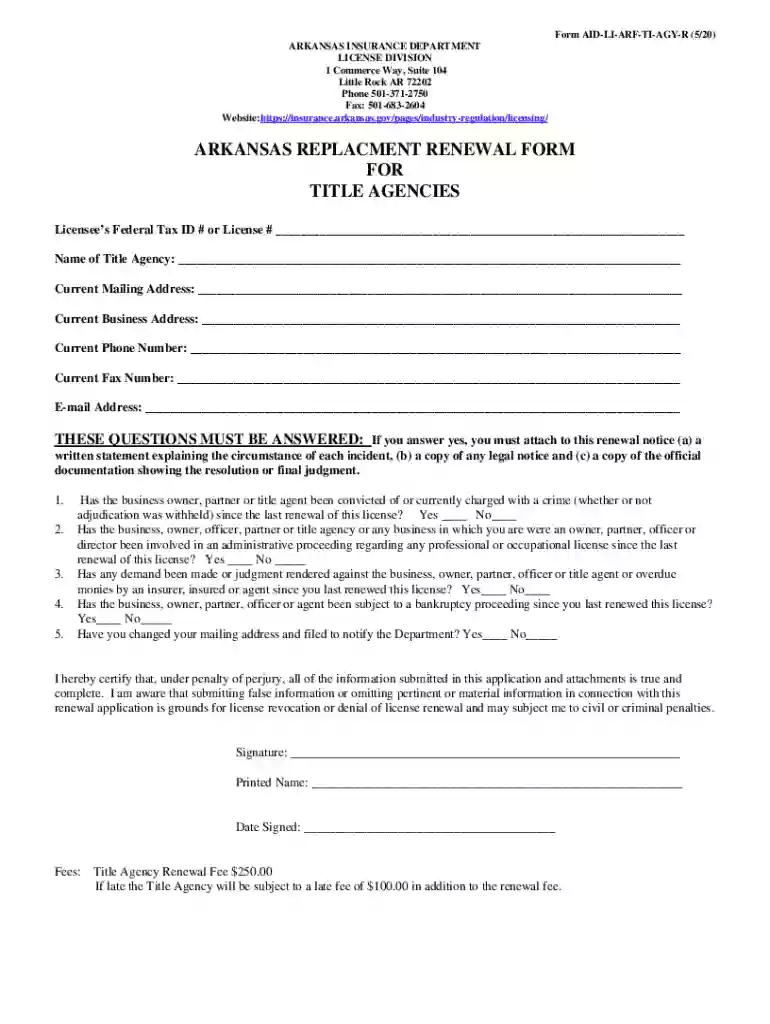
Begin by entering your Licensee’s Federal Tax ID # or License # at the top of the form. This is essential for identification purposes.
Fill in the Name of Title Agency, Current Mailing Address, and Current Business Address accurately to ensure proper communication.
Provide your Current Phone Number, Fax Number, and E-mail Address. These details are crucial for any follow-up regarding your application.
Answer the mandatory questions regarding any legal issues or changes since your last renewal. If applicable, attach necessary documentation as specified.
Sign and print your name at the bottom of the form, along with the date signed to certify that all information is true and complete.
Review all entries for accuracy before submitting. Ensure you include payment for the renewal fee to avoid delays.
Start filling out your Arkansas Lost Title Application PDF online for free today!
Fill out arkansas lost title application pdf online It's free
See more arkansas lost title application pdf versions
We've got more versions of the arkansas lost title application pdf form. Select the right arkansas lost title application pdf version from the list and start editing it straight away!
How do I file for a lost title not in my namePrintable bill of sale arkansasArkansas dmv title statusFile for lost title onlineArkansas title applicationArkansas replacement title onlineApplication for title or Replacement TitleArkansas dmv forms
Security and compliance
At DocHub, your data security is our priority. We follow HIPAA, SOC2, GDPR, and other standards, so you can work on your documents with confidence.
Cookie consent notice
This site uses cookies to enhance site navigation and personalize your experience.
By using this site you agree to our use of cookies as described in our Privacy Notice.
You can modify your selections by visiting our Cookie and Advertising Notice.