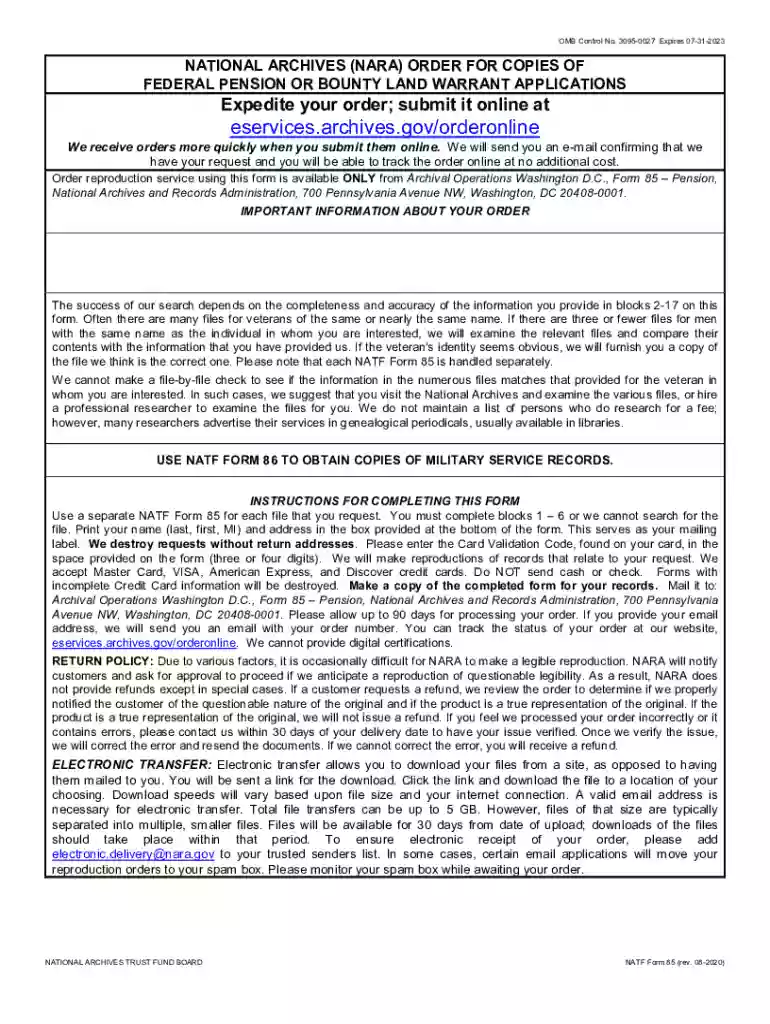
Natf 85 form 2026

Get Form
natf form 85 Preview on Page 1

Here's how it works

01. Edit your natf form 85 online
Type text, add images, blackout confidential details, add comments, highlights and more.

02. Sign it in a few clicks
Draw your signature, type it, upload its image, or use your mobile device as a signature pad.

03. Share your form with others
Send it via email, link, or fax. You can also download it, export it or print it out.

How to use or fill out natf 85 form with our platform

Form edit decoration
9.5
Ease of Setup
DocHub User Ratings on G2
9.0
Ease of Use
DocHub User Ratings on G2
  1. Click ‘Get Form’ to open the NATF Form 85 in the editor.
  2. In Section A, select the type of file you wish to request by checking one box only. Options include Full Pension Application File, Pension Documents Packet, Full Pension Application File Pre-Civil War, or Bounty-Land Warrant Application.
  3. Complete the required fields in Section A, including the veteran's name, branch of service, and dates of service. Ensure that blocks 2-6 are filled out accurately for a successful search.
  4. Provide additional information if known in blocks 7-17. This includes details like unit served in, date of birth, and place of death.
  5. In Section C, enter your credit card information and shipping address. Make sure to include a valid email address for electronic transfer options.
  6. Review all entered information for accuracy before submitting your order through our platform.

Start filling out your NATF Form 85 today for free using our editor!

See more natf 85 form versions

We've got more versions of the natf 85 form form. Select the right natf 85 form version from the list and start editing it straight away!
Versions Form popularity Fillable & printable
2020 4.9 Satisfied (34 Votes)
2019 4.4 Satisfied (31 Votes)
2018 4.2 Satisfied (58 Votes)
be ready to get more

Complete this form in 5 minutes or less

Get form

Got questions?

We have answers to the most popular questions from our customers. If you can't find an answer to your question, please contact us.
Contact us
You can claim online or use form P85 to tell HMRC that youve left or are leaving the UK and want to claim back tax from your UK employment. You can claim if you: lived and worked in the UK. left the UK and may not be coming back.
Purpose of this Form. The U.S. Government conducts background investigations to establish that applicants or incumbents either employed by the Government or working for the Government under contract, are suitable for the job. Information from this form is used primarily as the basis for this investigation.
Form P85. If you are not required to file a self assessment tax return (and do not file one), you can file a form P85 (available on GOV.UK) to claim a UK tax refund for your year of departure, if you think one might be due. The form should also be used by HMRC to update your contact details.
Pension Records: Paper copies of Civil War pension records can be requested online or requested by mail using a NATF Form 85 for each soldier (Volunteer Army or Regular Army, Union Navy, or Marine Corps).
This form will be used by the United States (U.S.) Government in conducting background investigations, reinvestigations, and continuous evaluations of persons under consideration for, or retention of, national security positions as defined in 5 CFR 732, and for individuals requiring eligibility for access to classified

Security and compliance

At DocHub, your data security is our priority. We follow HIPAA, SOC2, GDPR, and other standards, so you can work on your documents with confidence.

Learn more
ccpa2
pci-dss
gdpr-compliance
hipaa
soc-compliance
be ready to get more

Complete this form in 5 minutes or less

Get form

People also ask

Some investigations may include an interview with you as needed as part of the investigative process. The investigator may ask you to explain your answers to any question on this form.

Related links