A 0700 ef-2026

Get Form
a 0700 ef Preview on Page 1

Here's how it works

01. Edit your a 0700 ef online
Type text, add images, blackout confidential details, add comments, highlights and more.
02. Sign it in a few clicks
Draw your signature, type it, upload its image, or use your mobile device as a signature pad.
03. Share your form with others
Send a0700ef via email, link, or fax. You can also download it, export it or print it out.

How to use or fill out a 0700 ef with our platform

Form edit decoration
9.5
Ease of Setup
DocHub User Ratings on G2
9.0
Ease of Use
DocHub User Ratings on G2
  1. Click ‘Get Form’ to open the 0700 ef in the editor.
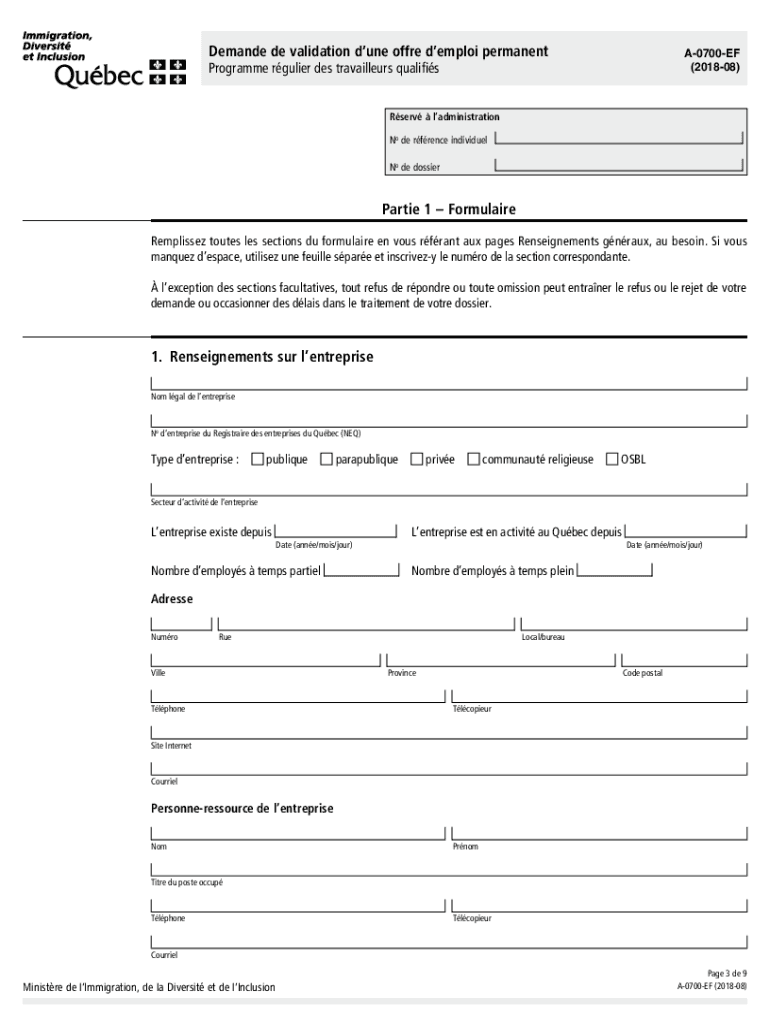
  2. Begin by filling out Part 1, which requires general information about your company. Include the legal name, business number, type of enterprise, and contact details.
  3. Next, provide information about the foreign worker in the designated section. Ensure you include their full name, date of birth, and address for processing.
  4. In the employment details section, specify the job title and workplace address. Clearly outline working conditions including hours per week and salary.
  5. Complete the recruitment efforts section by detailing your attempts to hire locally and any results from those efforts.
  6. Finally, review all sections for completeness. Ensure all required signatures are present before submitting your application.

Start using our platform today to streamline your document editing and submission process for free!

See more a 0700 ef versions

We've got more versions of the a 0700 ef form. Select the right a 0700 ef version from the list and start editing it straight away!
Versions Form popularity Fillable & printable
2018 4.8 Satisfied (74 Votes)
2015 4.3 Satisfied (218 Votes)
be ready to get more

Complete this form in 5 minutes or less

Get form

Got questions?

We have answers to the most popular questions from our customers. If you can't find an answer to your question, please contact us.
Contact us

You need to use only reliable software solutions with strong security compliance to sign your paperwork electronically. DocHub is just the type of service you need! It stores data on Amazon Web Servers and complies with all required security standards and eSignature laws, so it’s a trustworthy way to eSign your form a 0700 ef or other forms with this tool.

Apart from a comprehensive toolset for editing PDFs on mobile phones, DocHub allows you to sign your validation demploi along the way. Open our editor in your internet browser, make changes using DocHub’s toolset, and finish your editing by eSigning the completed form.

Do a quick background check on the sender and the company they are representing. See if typing the company name along with scam turns up any results. If you do suspect you have received a job offer, you can report it to the CAFC and the BBB.
Yes. You can apply and count your work experience in Quebec. If you plan to live in Quebec, you must apply to the Ministre de lImmigration, de la Diversit et de lInclusion du Qubec. Quebec selects its own immigrants.
Easy immigration - Quebec immigration is one of the simplest and fastest immigration pathways. Diverse population - The cultural diversity offers a very healthy environment. Quebec values are ideal for raising a family.

Security and compliance

At DocHub, your data security is our priority. We follow HIPAA, SOC2, GDPR, and other standards, so you can work on your documents with confidence.

Learn more
ccpa2
pci-dss
gdpr-compliance
hipaa
soc-compliance
be ready to get more

Complete this form in 5 minutes or less

Get form

People also ask

All applications for a CAQ for studies must now be submitted electronically and all supporting documents will have to be submitted electronically via the Arrima portal. After you submit the online application and pay the processing fee, you will receive a CAQ personalized document checklist.
Here are the steps to submit your application: Complete parts 1 and 2 of the permanent selection application form. Prepare the documents to support your application. Create an account on the Arrima platform. Submit your application for permanent selection in Arrima.
Like its federal counterpart, the Quebec Skilled Worker program is an immigration program that does not require a valid job offer from a Canadian or Quebec employer. The program selects candidates for permanent residence who are likely to become economically established and who have the intention of residing in Quebec.
How to apply for a CSQ ? To apply for a Certificat de slection du Qubec (CSQ), contact the office of the Ministre de lImmigration, de la Francisation et de lIntgration (MIFI) responsible for processing applications for nationals from your country.
How to apply for a validated job offer: Be permanent and full time; Be in National Occupational Classification (NOC) Skill Level 0, A, B or C; Have a positive or neutral effect on the local labour market; Not impact an ongoing labour dispute; Be offered by a business that has operated in Quebec for at least 12 months.

canada demploi permanent