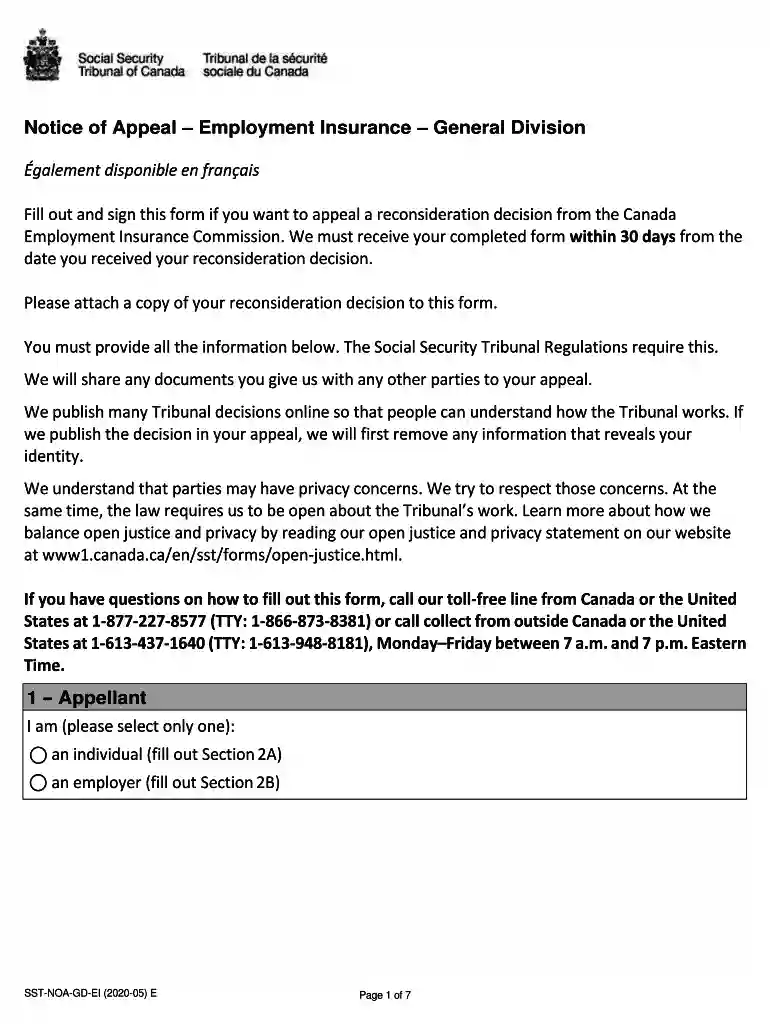
ei reconsideration letter example Preview on Page 1

How to apply ei online 2026

Here's how it works

  • 01. Edit your ei reconsideration letter example online

    Type text, add images, blackout confidential details, add comments, highlights and more.

  • 02. Sign it in a few clicks

    Draw your signature, type it, upload its image, or use your mobile device as a signature pad.

  • 03. Share your form with others

    Send apply for ei online via email, link, or fax. You can also download it, export it or print it out.

How to use or fill out how to apply ei online with our platform

Form edit decoration
9.5
Ease of Setup
DocHub User Ratings on G2
9.0
Ease of Use
DocHub User Ratings on G2
  1. Click ‘Get Form’ to open it in the editor.
  2. Begin by selecting your status as either an individual or an employer. Fill out the corresponding section (2A for individuals, 2B for employers) with your name and contact information.
  3. In Section 3, indicate your preferred hearing method. Choose from options like phone, videoconference, or in-person based on your convenience.
  4. Complete Section 6 by attaching a copy of your reconsideration decision and noting the date you received it.
  5. In Section 7, clearly explain the reasons for your appeal. Use additional pages if necessary to provide detailed information.
  6. If applicable, include supporting documents in Section 8 that bolster your appeal, such as pay stubs or medical reports.
  7. Finally, review all sections for accuracy before signing in Section 11 and submitting via email, fax, or mail.

Start using our platform today to streamline your EI application process for free!

See more ei reconsideration letter example versions

We've got more versions of the ei reconsideration letter example form. Select the right ei reconsideration letter example version from the list and start editing it straight away!

VersionsForm popularityFillable & printable
20204.8 Satisfied (112 Votes)
20134.4 Satisfied (67 Votes)

be ready to get more

Complete this form in 5 minutes or less

Got questions?

We have answers to the most popular questions from our customers. If you can't find an answer to your question, please contact us.

Of course, electronically drawing your signature is appropriate, but only if you use a tool that complies with industry laws and regulations. Consider DocHub, which guarantees eSignature validity under ESIGN and UETA requirements. All you need to eSign your ei reconsideration form is an account with DocHub and an internet connection. After you open your document in our editor, click Sign and choose the Draw tool.

You may quickly fill out, modify, and even eSign your how to apply ei online utilizing DocHub. Create a new profile and begin your free trial. After that, you may upload the document with the form and simply make all the needed edits. No need to print on paper or use a third-party application to sign it, as you can place your electronic signature on your document quicker through DocHub.

Security and compliance

At DocHub, your data security is our priority. We follow HIPAA, SOC2, GDPR, and other standards, so you can work on your documents with confidence.

Related links

Apply and Manage Your Claim with UI Online - EDD - CA.gov

Apply and manage your unemployment claim online with myEDD. Create an account, register for UI Online, and get technical support to navigate the process.

Learn more
If you believe that this page should be taken down, please follow our DMCA take down process here