Puerto form declaration 2026

Get Form
puerto rico travel declaration form Preview on Page 1

Here's how it works

01. Edit your puerto rico travel declaration form online
Type text, add images, blackout confidential details, add comments, highlights and more.

02. Sign it in a few clicks
Draw your signature, type it, upload its image, or use your mobile device as a signature pad.

03. Share your form with others
Send travel declaration form puerto rico via email, link, or fax. You can also download it, export it or print it out.

How to use or fill out puerto form declaration with our platform

Form edit decoration
9.5
Ease of Setup
DocHub User Ratings on G2
9.0
Ease of Use
DocHub User Ratings on G2
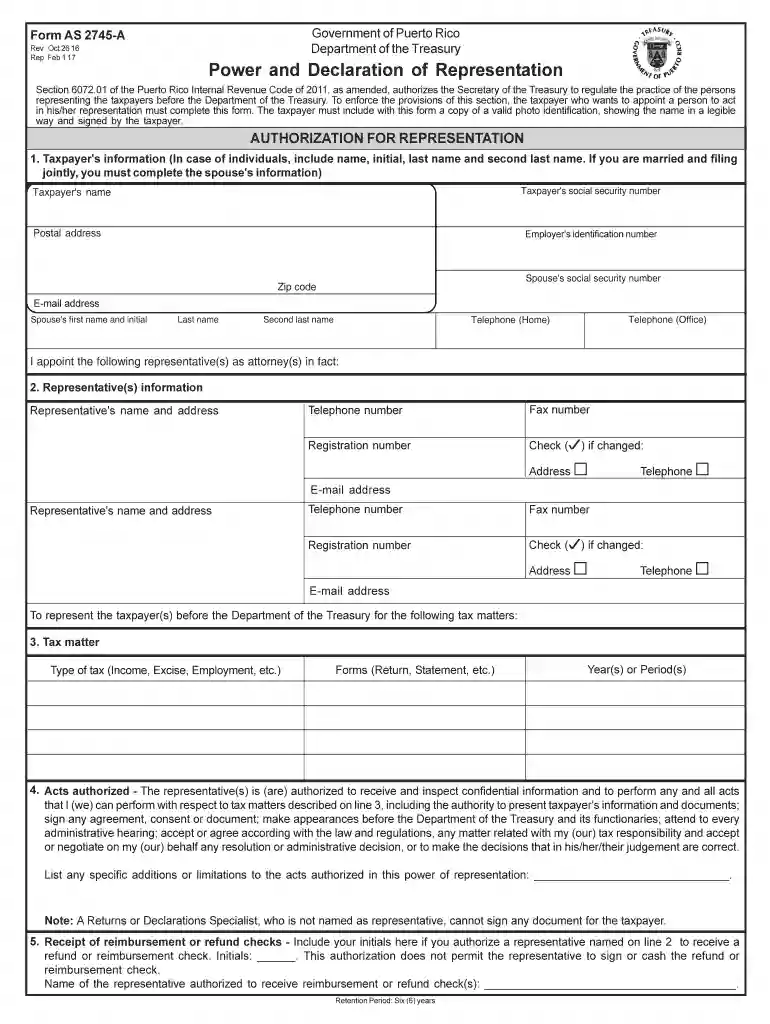
  1. Click ‘Get Form’ to open the puerto form declaration in the editor.
  2. Begin by filling out the Taxpayer's information section. Include your full name, social security number, postal address, and email address. If applicable, provide your spouse's details as well.
  3. In the Representative(s) information section, enter the names and contact details of your appointed representatives. Ensure you include their registration numbers and check any changes in their information.
  4. Specify the tax matters for which you are granting representation. Indicate the type of tax, relevant forms, and applicable years or periods.
  5. Review the Acts authorized section carefully. You can list any specific limitations or additions regarding what your representative can do on your behalf.
  6. Complete the Receipt of reimbursement or refund checks section by initialing if you authorize a representative to receive checks on your behalf.
  7. Sign and date the Effective Period and Signature section. Ensure both taxpayer and spouse sign if filing jointly.

Start using our platform today to easily complete your puerto form declaration online for free!

See more puerto form declaration versions

We've got more versions of the puerto form declaration form. Select the right puerto form declaration version from the list and start editing it straight away!
Versions Form popularity Fillable & printable
2017 4.8 Satisfied (96 Votes)
2016 4.2 Satisfied (123 Votes)
2014 4.4 Satisfied (280 Votes)
2003 4.4 Satisfied (565 Votes)
be ready to get more

Complete this form in 5 minutes or less

Get form

Got questions?

We have answers to the most popular questions from our customers. If you can't find an answer to your question, please contact us.
Contact us
A declaration needs to be completed for each traveller, including babies and children. To make your arrival easier do your digital declaration before your flight to New Zealand, instead of filling in a paper declaration onboard.
Declaration Form means the form in which an exporter or importer declares the details of goods to be exported or imported.
Be Specific and Detailed A good declaration is specific and detailed, focusing on the facts of the situation or event. Avoid general statements or opinions and instead provide concrete details and evidence to support your statement. Use specific dates, times, and locations to make your statement more credible.
Shipments to Puerto Rico and the U.S. Islands do not go through customs since they are domestic packages, and so will not require customs forms with the shipment.

Security and compliance

At DocHub, your data security is our priority. We follow HIPAA, SOC2, GDPR, and other standards, so you can work on your documents with confidence.

Learn more
ccpa2
pci-dss
gdpr-compliance
hipaa
soc-compliance
be ready to get more

Complete this form in 5 minutes or less

Get form