Lcbo information user get 2026

Get Form
lcbo return policy Preview on Page 1

Here's how it works

01. Edit your lcbo return policy online
Type text, add images, blackout confidential details, add comments, highlights and more.

02. Sign it in a few clicks
Draw your signature, type it, upload its image, or use your mobile device as a signature pad.

03. Share your form with others
Send lcbo return policy without receipt via email, link, or fax. You can also download it, export it or print it out.

How to use or fill out lcbo information user get with our platform

Form edit decoration
9.5
Ease of Setup
DocHub User Ratings on G2
9.0
Ease of Use
DocHub User Ratings on G2
  1. Click ‘Get Form’ to open it in the editor.
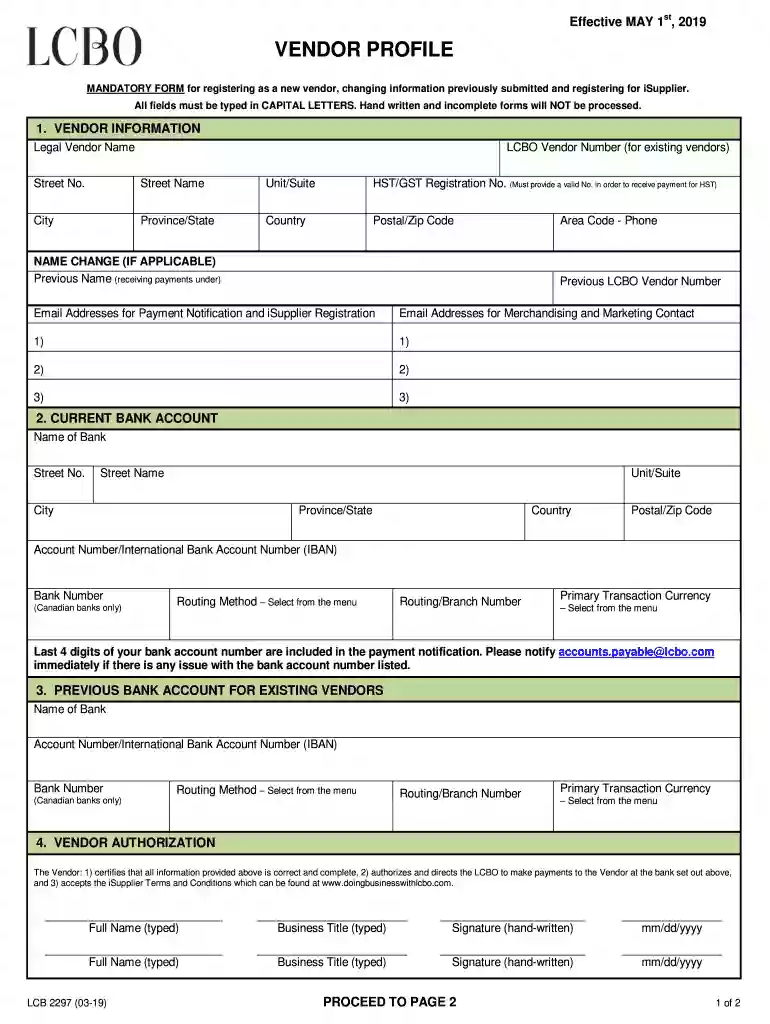
  2. Begin with the 'VENDOR INFORMATION' section. Fill in your Legal Vendor Name, LCBO Vendor Number (if applicable), and complete the address fields using CAPITAL LETTERS as required.
  3. If there is a NAME CHANGE, provide the previous name and any relevant contact details, including phone numbers and email addresses for payment notifications.
  4. Next, move to the 'CURRENT BANK ACCOUNT' section. Enter your bank's name and address, along with your account number and routing information. Ensure accuracy to avoid payment issues.
  5. For existing vendors, complete the 'PREVIOUS BANK ACCOUNT' section if necessary, providing similar banking details as above.
  6. In the 'VENDOR AUTHORIZATION' section, type your full name and business title. Sign by hand and date the form appropriately.
  7. Finally, send completed forms to the appropriate email addresses listed at the end of the document for processing.

Start using our platform today to streamline your document editing and submission process for free!

See more lcbo information user get versions

We've got more versions of the lcbo information user get form. Select the right lcbo information user get version from the list and start editing it straight away!
Versions Form popularity Fillable & printable
2020 4.8 Satisfied (163 Votes)
2019 4.3 Satisfied (163 Votes)
2017 4.3 Satisfied (56 Votes)
2011 4.3 Satisfied (71 Votes)
be ready to get more

Complete this form in 5 minutes or less

Get form

Got questions?

We have answers to the most popular questions from our customers. If you can't find an answer to your question, please contact us.
Contact us
LCBO Product Search Go to .lcbo.com and type the LCBO item number or the product name in the Search box located on the top right corner and click on the magnifying glass icon (or press Enter). Click on the product you are interested in from the search results list for more information.
The official LCBO app lets you browse and shop thousands of wine, beers ciders, spirits, coolers and more! The LCBO app allows you to: Browse and shop thousands of LCBO Vintages products.
How do I track my order? Registered account holders can view the status of an order when they sign into their account. For Same-Day Pickup or Deliver to Store orders, you will receive a Ready for Pickup email once your order is ready for pickup at the selected LCBO store.

Security and compliance

At DocHub, your data security is our priority. We follow HIPAA, SOC2, GDPR, and other standards, so you can work on your documents with confidence.

Learn more
ccpa2
pci-dss
gdpr-compliance
hipaa
soc-compliance