I 601 2026

Get Form
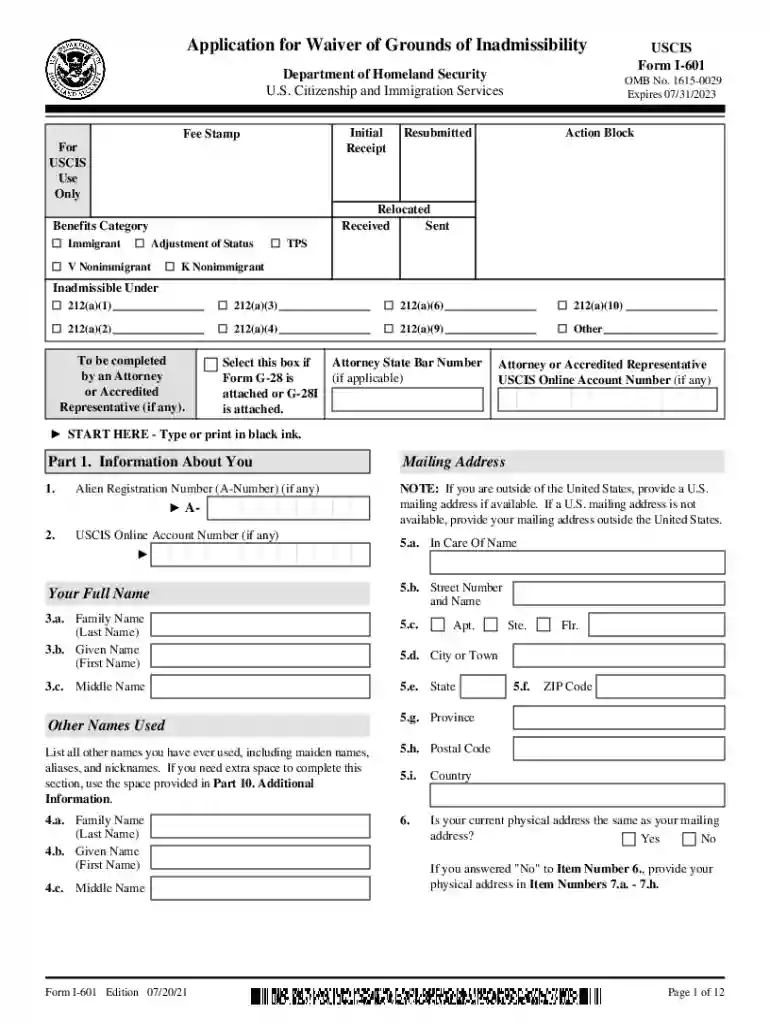
i 601 Preview on Page 1

Here's how it works

01. Edit your form online
Type text, add images, blackout confidential details, add comments, highlights and more.

02. Sign it in a few clicks
Draw your signature, type it, upload its image, or use your mobile device as a signature pad.

03. Share your form with others
Send it via email, link, or fax. You can also download it, export it or print it out.

How to use or fill out i 601 with our platform

Form edit decoration
9.5
Ease of Setup
DocHub User Ratings on G2
9.0
Ease of Use
DocHub User Ratings on G2
  1. Click ‘Get Form’ to open the I-601 application in the editor.
  2. Begin with Part 1, 'Information About You.' Fill in your full name, mailing address, and any applicable Alien Registration Number (A-Number). Ensure all information is accurate and complete.
  3. Proceed to Part 2, 'U.S. Entry Information.' Provide details about your entry into the U.S., including dates and immigration status at that time.
  4. In Part 3, 'Biographic Information,' select your ethnicity and race. This section also requires height, weight, and eye color.
  5. Move to Part 4, 'Reasons for Inadmissibility.' Carefully select all grounds that apply to you based on your situation.
  6. Complete Part 5 by providing information about qualifying relatives and explaining any extreme hardship they may face if your application is denied.
  7. Finally, review all sections for accuracy before submitting. Use our platform's features to save or print your completed form easily.

Start filling out your I-601 application today for free using our platform!

See more i 601 versions

We've got more versions of the i 601 form. Select the right i 601 version from the list and start editing it straight away!
Versions Form popularity Fillable & printable
2024 4.4 Satisfied (53 Votes)
2022 4.6 Satisfied (98 Votes)
2021 4.8 Satisfied (92 Votes)
2020 4.3 Satisfied (94 Votes)
2017 4.3 Satisfied (91 Votes)
2008 4.3 Satisfied (41 Votes)
be ready to get more

Complete this form in 5 minutes or less

Get form

Got questions?

We have answers to the most popular questions from our customers. If you can't find an answer to your question, please contact us.
Contact us

Yes, you can use DocHub for signing any business and private documentation, including your i 601. All electronic signatures you generate with our tool are legally binding and court-admissible, as DocHub complies with standards required by ESIGN and UETA. Save your accomplished form with a detailed Audit Trail if necessary.

You may get and modify your i 601 online by using DocHub. Its straightforward but feature-rich design allows you to begin effective work immediately after you register your account. Create your profile and add your file, then our user interface will guide you via our stress-free form completion experience.

Failing to prove extreme hardship. The government merely states that the applicant should prove that qualified family members would suffer more than what could be expected.
If you are inadmissible to the United States and are seeking an immigrant visa, adjustment of status, certain nonimmigrant statuses, or certain other immigration benefits, you must file this form to seek a waiver of certain grounds of inadmissibility.
The USCIS government filing fee is $675 for the immediate relative petition. The I-601 extreme hardship waiver filing fee is $1050. The I-601A Provisional Waiver filing fee is $795. There is no USCIS filing fee for the K-3 spouse visa petition.

Security and compliance

At DocHub, your data security is our priority. We follow HIPAA, SOC2, GDPR, and other standards, so you can work on your documents with confidence.

Learn more
ccpa2
pci-dss
gdpr-compliance
hipaa
soc-compliance