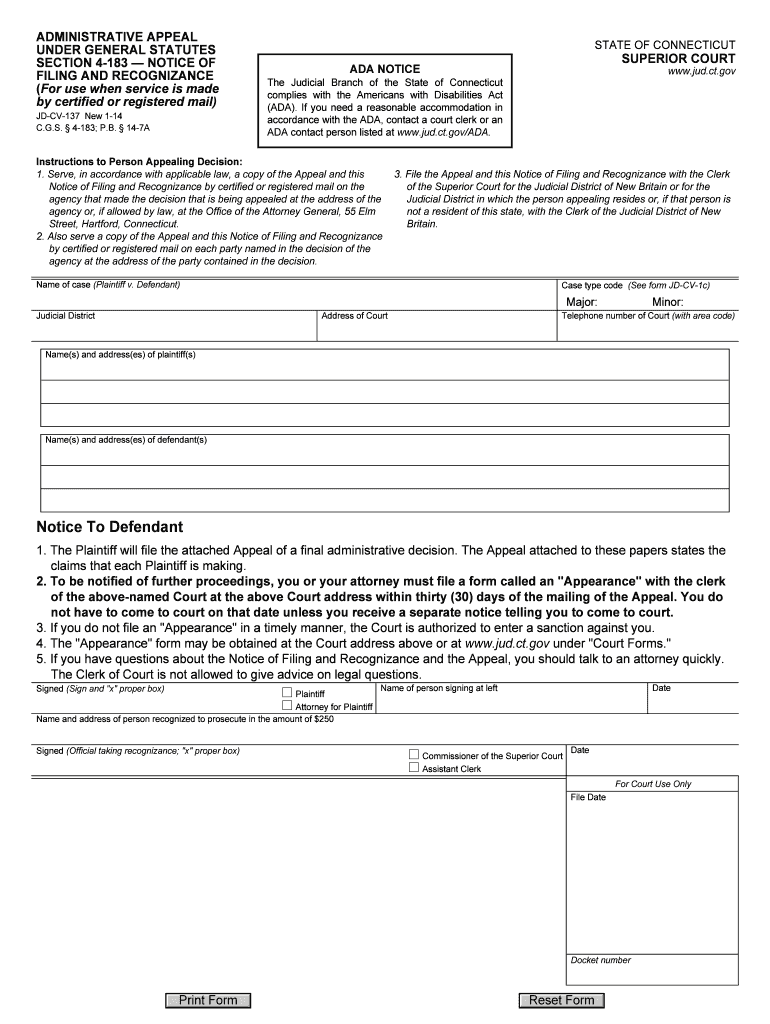
Jdcv 137 general statutes form 2026

Get Form
jdcv 137 general statutes form Preview on Page 1

Here's how it works

01. Edit your form online
Type text, add images, blackout confidential details, add comments, highlights and more.
02. Sign it in a few clicks
Draw your signature, type it, upload its image, or use your mobile device as a signature pad.
03. Share your form with others
Send it via email, link, or fax. You can also download it, export it or print it out.

How to use or fill out jdcv 137 general statutes form with DocHub

Form edit decoration
9.5
Ease of Setup
DocHub User Ratings on G2
9.0
Ease of Use
DocHub User Ratings on G2
  1. Click ‘Get Form’ to open the jdcv 137 general statutes form in our platform's editor.
  2. Begin by entering the 'Name of case' at the top, specifying the plaintiff and defendant involved in the appeal.
  3. Fill in the 'Judicial District' and 'Address of Court' sections accurately to ensure proper filing.
  4. Provide your contact information, including names and addresses for both plaintiffs and defendants, ensuring clarity for all parties involved.
  5. Review the instructions for serving copies of the Appeal and Notice of Filing. Ensure you understand how to serve these documents by certified or registered mail as required.
  6. Complete the signature section, making sure to sign and date where indicated. Select the appropriate box for your role (Plaintiff or Attorney).
  7. Once all fields are filled out correctly, utilize our platform’s features to save, print, or share your completed form as needed.

Start using our platform today to fill out your jdcv 137 general statutes form easily and for free!

See more jdcv 137 general statutes form versions

We've got more versions of the jdcv 137 general statutes form form. Select the right jdcv 137 general statutes form version from the list and start editing it straight away!
Versions Form popularity Fillable & printable
2020 4.8 Satisfied (53 Votes)
2014 4.3 Satisfied (91 Votes)
be ready to get more

Complete this form in 5 minutes or less

Get form

Got questions?

We have answers to the most popular questions from our customers. If you can't find an answer to your question, please contact us.
Contact us

Yes, a typed name is accepted as a legitimate electronic signature when you add it to your document utilizing a compliant solution like DocHub. Simply add your jdcv 137 general statutes form to our editor, click Sign in the top tool pane → Create your signature → Type your name in the appropriate tab, and choose how it will look on your document.

If your go-to email service is Gmail, you can easily integrate your DocHub editor into your work. Modify your jdcv 137 general statutes form with DocHub tools and attach it to your drafts in Gmail. See how effortless it is to exchange papers and work together having a swift PDF editing solution at hand.