For waiver ct 2026

Get Form
for waiver ct Preview on Page 1

Here's how it works

01. Edit your form online
Type text, add images, blackout confidential details, add comments, highlights and more.
02. Sign it in a few clicks
Draw your signature, type it, upload its image, or use your mobile device as a signature pad.
03. Share your form with others
Send it via email, link, or fax. You can also download it, export it or print it out.

How to use or fill out for waiver ct with our platform

Form edit decoration
9.5
Ease of Setup
DocHub User Ratings on G2
9.0
Ease of Use
DocHub User Ratings on G2
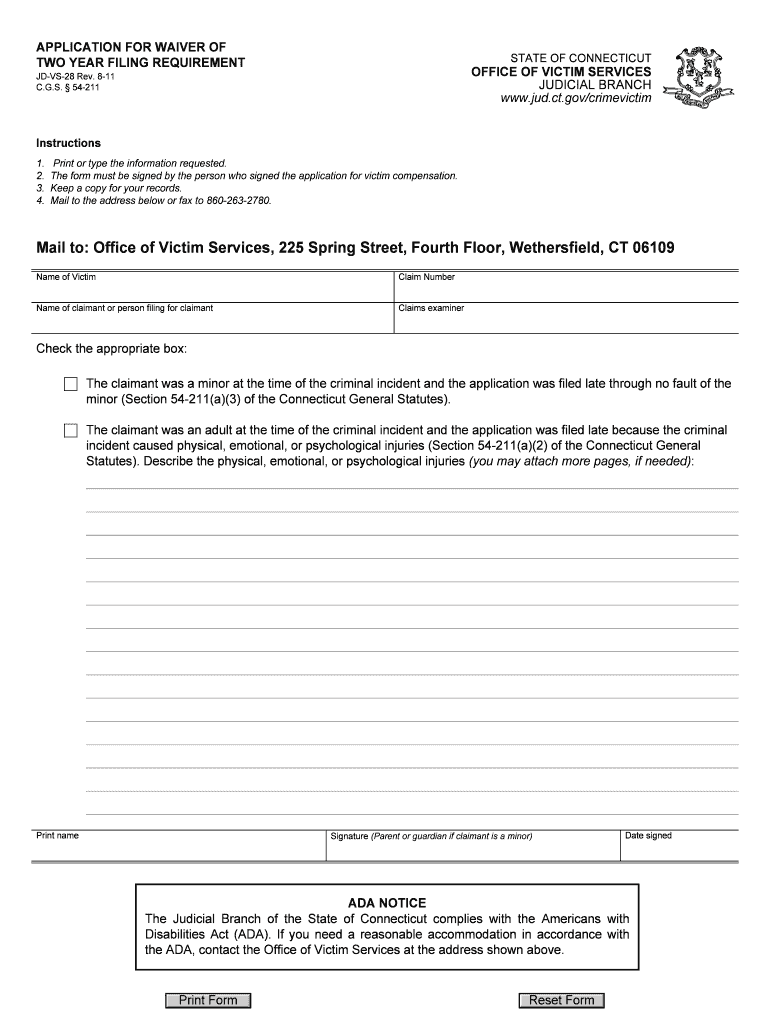
  1. Click ‘Get Form’ to open the for waiver ct in the editor.
  2. Begin by entering the name of the victim and their claim number in the designated fields. Ensure that all information is accurate.
  3. Next, provide the name of the claimant or person filing on behalf of the claimant. This is crucial for identifying who is submitting the application.
  4. Indicate whether the claimant was a minor or an adult at the time of the incident by checking the appropriate box. If applicable, describe any physical, emotional, or psychological injuries in detail.
  5. Print your name and sign where indicated. If the claimant is a minor, ensure a parent or guardian signs as well.
  6. Finally, review all entries for accuracy before saving your completed form. Keep a copy for your records and submit it via mail or fax as instructed.

Start using our platform today to easily complete your for waiver ct form online and for free!

See more for waiver ct versions

We've got more versions of the for waiver ct form. Select the right for waiver ct version from the list and start editing it straight away!
Versions Form popularity Fillable & printable
2021 4.8 Satisfied (205 Votes)
2011 4.2 Satisfied (95 Votes)
be ready to get more

Complete this form in 5 minutes or less

Get form

Got questions?

We have answers to the most popular questions from our customers. If you can't find an answer to your question, please contact us.
Contact us
A request for waiver is a practical tool that provides flexibility in contracts and agreements, allowing parties to seek relief from specific obligations or conditions under certain circumstances.
Adults must be age 18-64 to apply, must have docHub need for hands on assistance with at least two activities of daily living (eating, bathing, dressing, transferring, toileting), must lack family and community supports to meet the need, and must meet all technical, procedural and financial requirements of the
Fee waivers are available for human rights applications. This means you can apply for a fee waiver if you cant afford the IHS or the application fee for leave to remain: as a parent or partner under the 10-year route. as a parent under the five-year route.
(b) Any person entitled to service of process of a summons and complaint that commences an action for an annulment, a dissolution of marriage, a dissolution of civil union or a legal separation may waive such service by (1) executing a written waiver of service on a form prescribed by the Office of the Chief Court

Security and compliance

At DocHub, your data security is our priority. We follow HIPAA, SOC2, GDPR, and other standards, so you can work on your documents with confidence.

Learn more
ccpa2
pci-dss
gdpr-compliance
hipaa
soc-compliance
be ready to get more

Complete this form in 5 minutes or less

Get form