michigan bar directory search Preview on Page 1

Lawyers - State of Michigan 2026

Here's how it works

  • 01. Edit your michigan bar directory search online

    Type text, add images, blackout confidential details, add comments, highlights and more.

  • 02. Sign it in a few clicks

    Draw your signature, type it, upload its image, or use your mobile device as a signature pad.

  • 03. Share your form with others

    Send state bar of michigan member directory search via email, link, or fax. You can also download it, export it or print it out.

How to use or fill out lawyers - State of Michigan with our platform

Form edit decoration
9.5
Ease of Setup
DocHub User Ratings on G2
9.0
Ease of Use
DocHub User Ratings on G2
  1. Click ‘Get Form’ to open it in the editor.
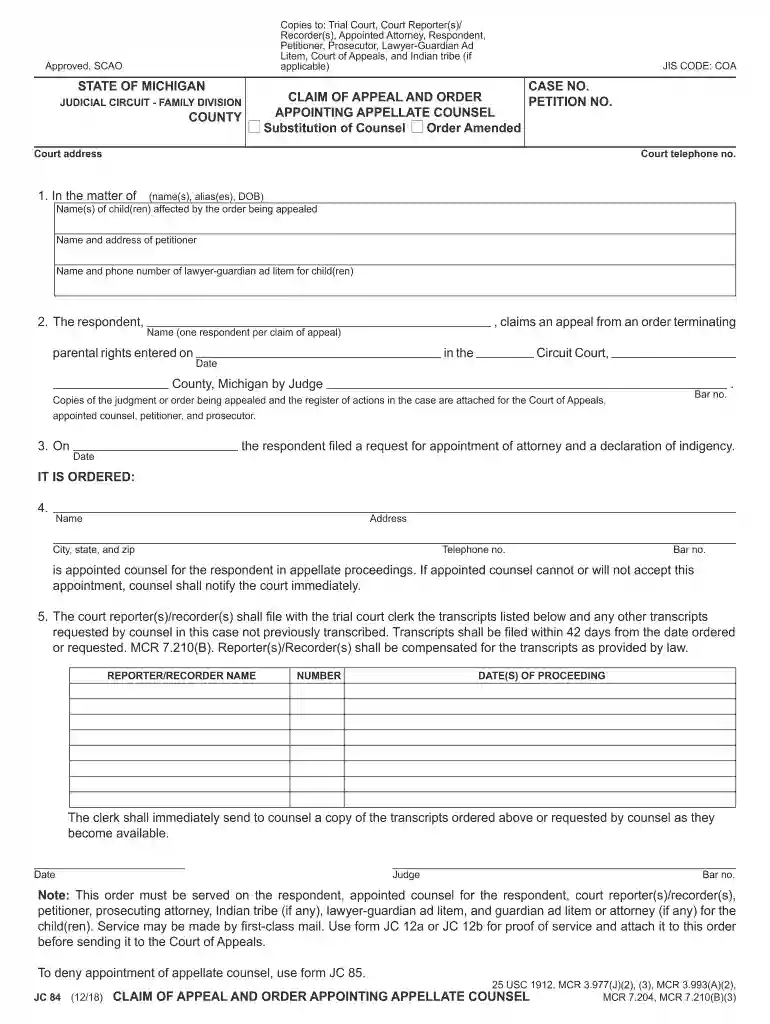
  2. Begin by entering the names and dates of birth of the child(ren) affected by the order in the designated section. This ensures that all relevant parties are identified.
  3. Fill in your name and address as the petitioner, along with your contact information. This is crucial for communication regarding the appeal.
  4. In the respondent section, provide the name of one respondent per claim of appeal, along with the date parental rights were entered. This helps clarify who is appealing.
  5. Complete the appointment details for appellate counsel, including their name, address, and bar number. Ensure this information is accurate to avoid delays.
  6. List any required transcripts from court reporters/recorders, specifying dates and proceedings. This will facilitate timely access to necessary documentation.
  7. Finally, review all entries for accuracy before saving or sending your completed form. Utilize our platform’s features to ensure everything is correctly filled out.

Start using our platform today for free to streamline your document editing and signing process!

See more michigan bar directory search versions

We've got more versions of the michigan bar directory search form. Select the right michigan bar directory search version from the list and start editing it straight away!

VersionsForm popularityFillable & printable
20214.9 Satisfied (36 Votes)
20184.3 Satisfied (183 Votes)
20184.4 Satisfied (28 Votes)

be ready to get more

Complete this form in 5 minutes or less

Security and compliance

At DocHub, your data security is our priority. We follow HIPAA, SOC2, GDPR, and other standards, so you can work on your documents with confidence.

If you believe that this page should be taken down, please follow our DMCA take down process here