




Here's how it works

01. Edit your wv odometer statement online
Type text, add images, blackout confidential details, add comments, highlights and more.

02. Sign it in a few clicks
Draw your signature, type it, upload its image, or use your mobile device as a signature pad.

03. Share your form with others
Send wv odometer disclosure statement via email, link, or fax. You can also download it, export it or print it out.
How to use or fill out DMV-TM-1OdometerDisclosureStatement with DocHub

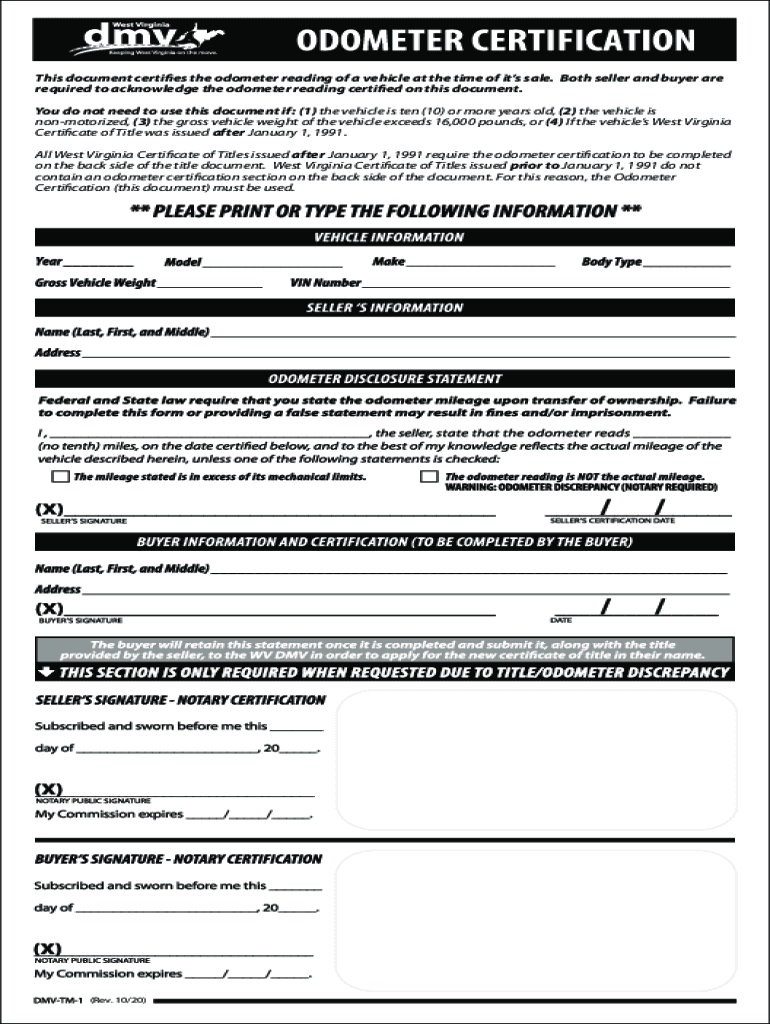
- Click ‘Get Form’ to open the DMV-TM-1 Odometer Disclosure Statement in our editor.
- Begin by entering the vehicle's details, including make, model, year, and VIN. This information is crucial for identifying the vehicle being sold.
- Next, input the current odometer reading in the designated field. Ensure accuracy as both buyer and seller must acknowledge this reading.
- In the seller's section, provide your name and signature. This confirms that you are certifying the odometer reading.
- Finally, have the buyer sign and date the form. This step completes the acknowledgment of the odometer disclosure.
Start using our platform today to easily fill out your DMV-TM-1 Odometer Disclosure Statement for free!
Fill out DMV-TM-1OdometerDisclosureStatement online
It's free
It's free
See more DMV-TM-1OdometerDisclosureStatement versions
We've got more versions of the DMV-TM-1OdometerDisclosureStatement form. Select the right DMV-TM-1OdometerDisclosureStatement version from the list and start editing it straight away!
Security and compliance
At DocHub, your data security is our priority. We follow HIPAA, SOC2, GDPR, and other standards, so you can work on your documents with confidence.
Learn more


Related forms

Wind Energy Weekly - Virginia Center for Wind Energy - wind jmu
The Wind Energy Weekly document from August 24, 2007, provides updates on various developments in the wind energy sector ...

Classmate Reply Form Journal of Molecular Biology, Vol 294, No 2, pp 417-425 (1999) - pathology2 jhu
Classmate Reply Form Journal of Molecular Biology, Vol 294, No 2, pp 417-425 (1999) - pathology2 jhu
The document discusses the role of β-amyloid protein (Aβ) in the pathogenesis of Alzheimer's disease (AD), emphasizing t ...
COBRA Request for Service Form - AmeriFlex
The document is a COBRA Request for Service form from AmeriFlex, designed for employers and participants to manage healt ...

Request for a Hearing
The document outlines the process for requesting a hearing regarding decisions made by the Michigan Department of Health ...

Amgen Safety Net Foundation Patient Application Instructions
The document provides instructions for patients seeking assistance from the Amgen Safety Net Foundation, a nonprofit pro ...

Rent cap - Cost of living: rent and eviction - gov scot
The document is a legal notice titled 'Three Day Notice to Pay Rent or Quit,' which informs tenants that they must eithe ...

Informe m dico metlife editable
El documento es un informe médico que debe ser completado por el médico tratante, donde se recopilan datos del paciente, ...

Ptr 818: Fill out and sign online
The document is an application form for requesting an adjournment of a court hearing related to a violation ticket. It i ...