




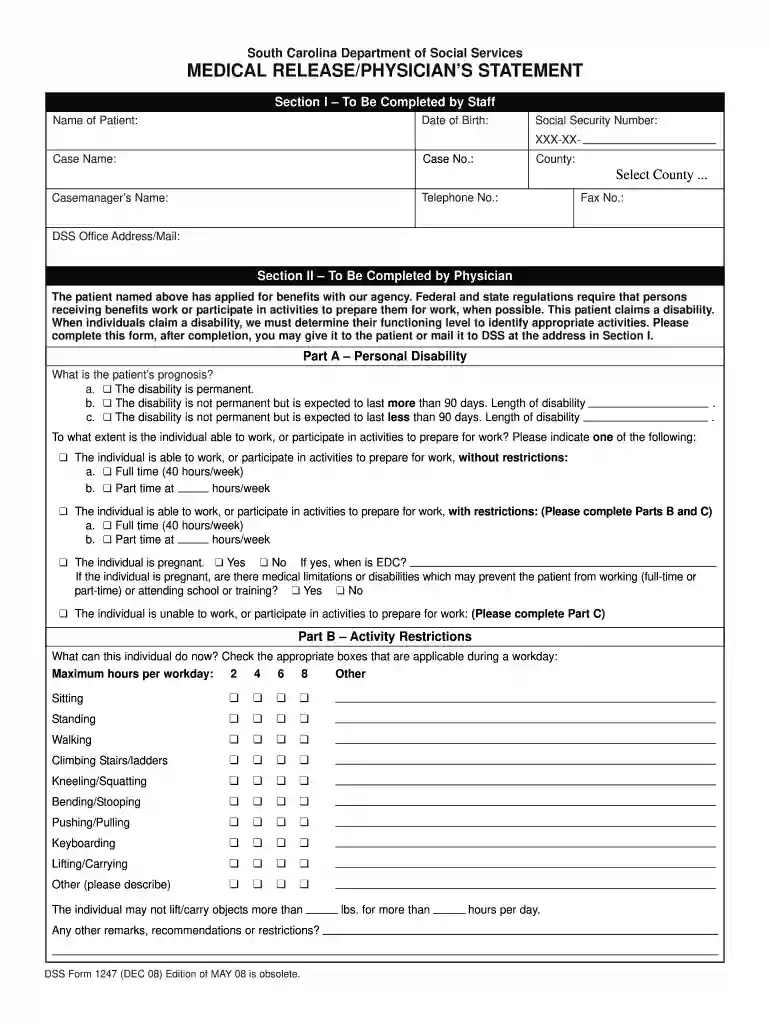
01. Edit your dss form 1247 online
Type text, add images, blackout confidential details, add comments, highlights and more.

Type text, add images, blackout confidential details, add comments, highlights and more.

Draw your signature, type it, upload its image, or use your mobile device as a signature pad.

Send it via email, link, or fax. You can also download it, export it or print it out.

Start using our platform today for free to streamline your form completion process!
We've got more versions of the dss form 1247 form. Select the right dss form 1247 version from the list and start editing it straight away!
At DocHub, your data security is our priority. We follow HIPAA, SOC2, GDPR, and other standards, so you can work on your documents with confidence.
South Carolina Department of Social Services. Please submit your complaint by phone (1-800-206-1957) Department of Health and Human Services (USDHHS)
You will need a parents permission for any medical procedures or surgeries. When SCDSS is involved, kinship caregivers must, generally, keep information theyRead more
We decided to focus on easy-to-use screening tools that utilize synthetic biology to allow greater access for rural communities.Read more


