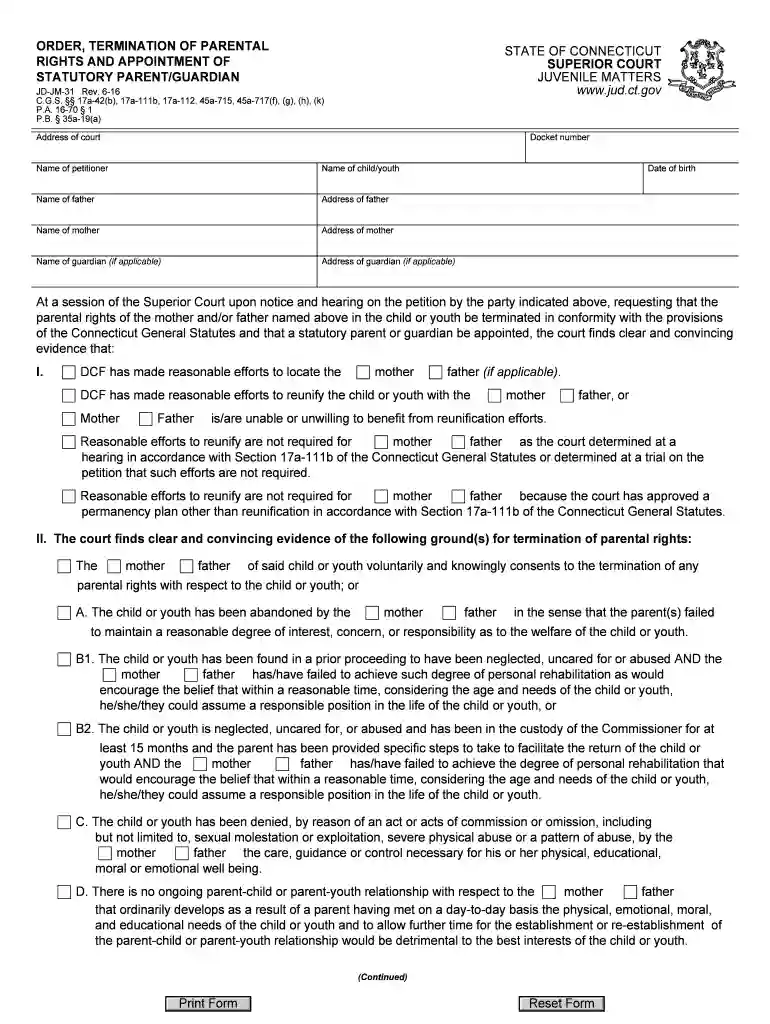
Order termination parental rights parent 2026

Get Form
order termination parental rights parent Preview on Page 1

Here's how it works

01. Edit your form online
Type text, add images, blackout confidential details, add comments, highlights and more.

02. Sign it in a few clicks
Draw your signature, type it, upload its image, or use your mobile device as a signature pad.

03. Share your form with others
Send it via email, link, or fax. You can also download it, export it or print it out.

How to use or fill out order termination parental rights parent with our platform

Form edit decoration
9.5
Ease of Setup
DocHub User Ratings on G2
9.0
Ease of Use
DocHub User Ratings on G2
  1. Click ‘Get Form’ to open the order termination parental rights parent document in the editor.
  2. Begin by entering the court's address and docket number at the top of the form. This information is crucial for identifying your case.
  3. Fill in the names and addresses of all relevant parties, including the petitioner, child/youth, father, mother, and guardian if applicable. Ensure accuracy to avoid delays.
  4. In Section I, indicate whether DCF has made reasonable efforts to locate or reunify with the parents. Select the appropriate options based on your situation.
  5. Proceed to Section II where you will check off any grounds for termination of parental rights that apply. Be thorough in reviewing each option.
  6. In Section III, confirm that termination is in the best interest of the child/youth by checking the corresponding box.
  7. Complete the order section by specifying who will be appointed as statutory parent or guardian and include necessary details like case plan due dates.
  8. Finally, review all entries for accuracy before saving or printing your completed form.

Start using our platform today to streamline your document editing and signing process for free!

See more order termination parental rights parent versions

We've got more versions of the order termination parental rights parent form. Select the right order termination parental rights parent version from the list and start editing it straight away!
Versions Form popularity Fillable & printable
2018 4.9 Satisfied (44 Votes)
2016 4.3 Satisfied (162 Votes)
2013 4.2 Satisfied (54 Votes)
be ready to get more

Complete this form in 5 minutes or less

Get form

Got questions?

We have answers to the most popular questions from our customers. If you can't find an answer to your question, please contact us.
Contact us

Yes, and it’s really straightforward! DocHub is an online PDF editor with advanced document management functions that allow you rapidly edit your forms, fill out blank fields and drop new ones for other people to fill out, and create electronic signatures in several ways. Add your order termination parental rights parent, give information as required, and select how you want to eSign your template - by typing your name, drawing your signature, uploading its image, or using a QR code.

You may get and edit your order termination parental rights parent online by using DocHub. Its simple but feature-rich design enables you to begin productive work right after you sign up your account. Create your profile and add your file, and then our interface will guide you through our stress-free form completion experience.

Parental right can be terminated voluntarily by the parent(s) or involuntarily by the court to typically allow an agency, independent, or stepparent adoption to take place.
It is possible to request termination of parental rights in California, but its often not granted. Termination of parental rights can only happen by court order and there are strict guidelines for doing so.
The only thing you need to file is a petition for termination of parental rights. That would be filed and served on the other party along with a summons indicating that they have to respond. You will indicate in the petition your basis to terminate the parental rights.

Security and compliance

At DocHub, your data security is our priority. We follow HIPAA, SOC2, GDPR, and other standards, so you can work on your documents with confidence.

Learn more
ccpa2
pci-dss
gdpr-compliance
hipaa
soc-compliance
be ready to get more

Complete this form in 5 minutes or less

Get form