Washington consent form 2026

Get Form
age of consent in washington Preview on Page 1

Here's how it works

01. Edit your age of consent in washington online
Type text, add images, blackout confidential details, add comments, highlights and more.
02. Sign it in a few clicks
Draw your signature, type it, upload its image, or use your mobile device as a signature pad.
03. Share your form with others
Send washington age of consent via email, link, or fax. You can also download it, export it or print it out.

How to use or fill out washington consent form with our platform

Form edit decoration
9.5
Ease of Setup
DocHub User Ratings on G2
9.0
Ease of Use
DocHub User Ratings on G2
  1. Click ‘Get Form’ to open the Washington Consent Form in the editor.
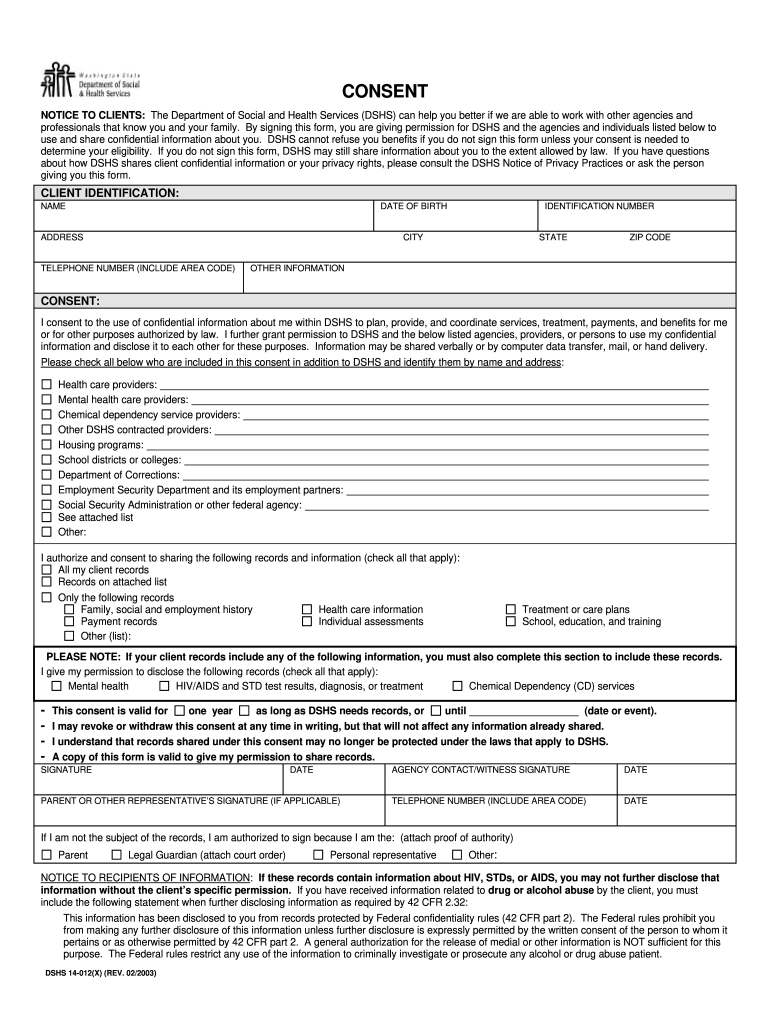
  2. Begin by filling out the CLIENT IDENTIFICATION section. Enter your NAME, DATE OF BIRTH, ADDRESS, IDENTIFICATION NUMBER, CITY, STATE, ZIP CODE, and TELEPHONE NUMBER. Ensure all information is accurate for proper identification.
  3. In the CONSENT section, indicate your agreement to share confidential information by checking the appropriate boxes for agencies and individuals listed. Be sure to include any specific names and addresses as required.
  4. Specify which records you authorize for sharing by checking all applicable boxes under 'I authorize and consent to sharing the following records and information.' This may include health care information or treatment plans.
  5. Complete the duration of consent by selecting either 'one year' or specifying a date/event. Remember that you can revoke this consent at any time in writing.
  6. Finally, sign and date the form. If applicable, have a parent or representative sign as well. Ensure that all signatures are witnessed if necessary.

Start using our platform today to easily fill out your Washington Consent Form online for free!

See more washington consent form versions

We've got more versions of the washington consent form form. Select the right washington consent form version from the list and start editing it straight away!
Versions Form popularity Fillable & printable
2020 4.8 Satisfied (77 Votes)
2018 4.3 Satisfied (76 Votes)
2003 4.3 Satisfied (189 Votes)
be ready to get more

Complete this form in 5 minutes or less

Get form

Got questions?

We have answers to the most popular questions from our customers. If you can't find an answer to your question, please contact us.
Contact us
In some cases, you may be able to write your own parental consent forms like if your child needs permission to miss class for a dentist appointment. In this case, you can compose a short letter of permission sharing the applicable dates and information, as well as your name and signature.
U.S. Customs and Border Protection (CBP) recommends carrying a docHubd letter of consent, especially when a child is traveling internationally with one parent, another adult, or alone, to prevent misunderstandings related to custody or abduction.
At what age is a person able to consent? 16 years old, however, there are exceptions for persons in positions of trust, such as school employees and foster parents. Wash. Rev.
That is, the patient must have capacity to consent, the consent must be freely given and be sufficiently specific to the treatment, and the patient must be informed about the procedure and any material risks.

Security and compliance

At DocHub, your data security is our priority. We follow HIPAA, SOC2, GDPR, and other standards, so you can work on your documents with confidence.

Learn more
ccpa2
pci-dss
gdpr-compliance
hipaa
soc-compliance