




Here's how it works

01. Edit your i 821d online
Type text, add images, blackout confidential details, add comments, highlights and more.

02. Sign it in a few clicks
Draw your signature, type it, upload its image, or use your mobile device as a signature pad.

03. Share your form with others
Send form i 821d via email, link, or fax. You can also download it, export it or print it out.
How to use or fill out i 821d form with DocHub

- Click ‘Get Form’ to open the I-821D form in our editor.
- Begin with Part 1, providing your personal information. Ensure all details are accurate and legible.
- Move to Part 2, where you will detail your residence and travel history. Be thorough, especially if this is your initial request.
- If applicable, complete Part 3 for Initial Requests only. Renewal requestors should skip this section.
- In Part 4, answer questions regarding any criminal history or national security concerns honestly.
- Proceed to Part 5 to certify your information and provide your signature. Remember, a digital signature is required.
- If you used an interpreter, ensure they fill out Part 6 accurately. If someone else prepared the form for you, they must complete Part 7.
- Finally, use Part 8 for any additional information needed. Review all sections before submitting.
Start filling out your I-821D form today using our platform for free!
Fill out i 821d form online
It's free
It's free
See more i 821d form versions
We've got more versions of the i 821d form form. Select the right i 821d form version from the list and start editing it straight away!
Security and compliance
At DocHub, your data security is our priority. We follow HIPAA, SOC2, GDPR, and other standards, so you can work on your documents with confidence.
Learn more


Related forms

Fillable Online Military Service Credit Request Form (code SD68
The document is a request form for individuals seeking to purchase additional retirement service credit, including milit ...

Et-130
The document is a form from the Department of Taxation and Finance for the tentative payment of estate tax for individua ...

Form 100, 100S, 100W, or 100X - Franchise Tax Board - CA
The document is a California Form 100X, which is an amended Corporation Franchise or Income Tax Return. It includes sect ...
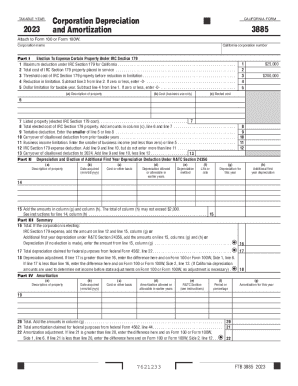
2023 Form 3885 Corporation Depreciation and Amortization 2023 Form 3885 Corporation Depreciation and
2023 Form 3885 Corporation Depreciation and Amortization 2023 Form 3885 Corporation Depreciation and
The document is the California Form 3885 for the taxable year 2023, which outlines the procedures for corporations to cl ...

PA Schedule NRH - Compensation Apportionment (Form and Instructions) (PA-40 NRH) Forms Publications
PA Schedule NRH - Compensation Apportionment (Form and Instructions) (PA-40 NRH) Forms Publications
The document is the PA Schedule NRH, which is used by non-resident employees to apportion their Pennsylvania gross-taxab ...

2023 City of Philadelphia BUSINESS INCOME and RECEIPTS TAX
The document outlines the 2023 Business Income & Receipts Tax (BIRT) for businesses operating in and out of Philadelphia ...

DR 1093 Annual Transmittal of State W-2 Forms (DR 1093) If you are using a screen reader or other as
DR 1093 Annual Transmittal of State W-2 Forms (DR 1093) If you are using a screen reader or other as
The document provides instructions for filing the DR 1093 Annual Transmittal of State W-2 Forms with the Colorado Depart ...

Application for Propery Tax Relief
The document is an application form for property tax relief in North Carolina, specifically targeting elderly or disable ...